

Short-Term Projects? Here’s Why Renting Computers is the Perfect Solution

Short-term projects often demand swift, flexible, and cost-effective solutions to meet technology needs. Whether it’s for a business expansion, temporary workforce, training sessions, or special events, owning computers outright may not be the most practical or economical choice. Renting computers is an efficient alternative that provides flexibility, affordability, and access to the latest technology without long-term commitments. This blog explores the many reasons why renting computers is the ideal solution for short-term projects.
1. Cost Efficiency
One of the most significant benefits of renting computers is the cost savings. Purchasing new computers can be a significant financial burden, especially for short-term use. Rental services allow you to allocate resources more effectively by paying only for the duration you need the equipment.
For example, if your project lasts three months, why invest in expensive hardware that might sit idle afterward? Renting ensures you get high-quality systems tailored to your needs at a fraction of the purchase cost.
2. Access to Advanced Technology
Technology evolves rapidly, and staying updated with the latest advancements can be challenging and expensive. When you rent computers, you have access to the most up-to-date models equipped with the latest processors, software, and features.
This is particularly beneficial for industries like graphic design, video editing, and data analysis, where performance and speed are crucial. Rental companies often offer customization options, allowing you to select configurations that match the specific requirements of your project.
3. Flexibility and Scalability
Short-term projects often come with fluctuating requirements. Renting computers provides the flexibility to scale your equipment up or down based on the project’s demands. For example, if your team size doubles midway through the project, you can quickly add more systems without hassle.
This adaptability ensures you’re never over- or under-equipped, enabling smoother project execution. At the end of the project, simply return the equipment, avoiding storage and maintenance concerns.
4. No Maintenance Hassles
Owning computers comes with maintenance responsibilities, from software updates to hardware repairs. Rental services eliminate these concerns by providing well-maintained, ready-to-use equipment. Most providers include technical support as part of the rental package, ensuring any issues are resolved promptly without disrupting your workflow.
This is especially valuable for businesses that lack an in-house IT team or cannot afford downtime during critical projects.
5. Short Turnaround Times
When timelines are tight, renting computers offers quick access to the technology you need. Rental providers understand the urgency of short-term projects and often deliver and set up equipment within a day or two.
This rapid deployment ensures your project starts on time without delays caused by procurement or configuration challenges.
6. Try Before You Buy
For businesses considering upgrading their existing technology, renting offers an excellent opportunity to test different systems before committing to a purchase. This “try-before-you-buy” approach minimizes the risk of investing in unsuitable or underperforming hardware.
For instance, if you’re uncertain whether a particular model suits your needs, renting allows you to evaluate its performance in a real-world scenario.
7. Eco-Friendly Solution
Renting computers aligns with sustainable business practices by reducing electronic waste. Instead of purchasing new equipment that may become obsolete or unused, rentals promote the reuse of existing hardware. This eco-friendly approach supports your organization’s sustainability goals while meeting your project’s technical needs.
8. Ideal for Events and Training Sessions
Short-term events like conferences, workshops, and training sessions often require temporary setups of computers for participants. Renting ensures that each attendee has access to the necessary tools without the expense and logistics of purchasing and setting up permanent systems.
Rental providers can also pre-install specific software or configurations, saving time and ensuring a seamless experience for all participants.
9. Global Reach and Consistency
For companies operating across multiple locations or organizing events internationally, renting computers offers consistency in hardware and configurations. Many rental providers have a global presence, ensuring your team has uniform equipment regardless of location.
This consistency simplifies collaboration and reduces compatibility issues, particularly in large-scale projects involving multiple teams.
10. Tailored Solutions for Niche Needs
Not all projects require standard computer setups. Some may need high-performance systems for gaming, video rendering, or scientific simulations. Rental companies offer specialized configurations to meet these niche requirements, ensuring your project has the right tools for optimal performance.
11. Budget-Friendly for Startups
Startups often operate on limited budgets, making computer rentals an appealing option for their initial phases. Renting reduces upfront capital expenditure, allowing startups to allocate funds to other critical areas like marketing and product development.
Additionally, rentals provide the flexibility to upgrade systems as the company grows, ensuring scalability without significant financial strain.
Renting computers is a practical, cost-effective, and flexible solution for short-term projects. It eliminates the financial burden of purchasing, offers access to the latest technology, and ensures scalability to meet project demands. With added benefits like maintenance-free usage, eco-friendliness, and tailored solutions, it’s no wonder more businesses are turning to computer rentals for their temporary technology needs.
If you’re planning a short-term project, consider partnering with a trusted rental provider to ensure a seamless experience. Renting computers isn’t just a convenience; it’s a smart business decision that drives efficiency and productivity.
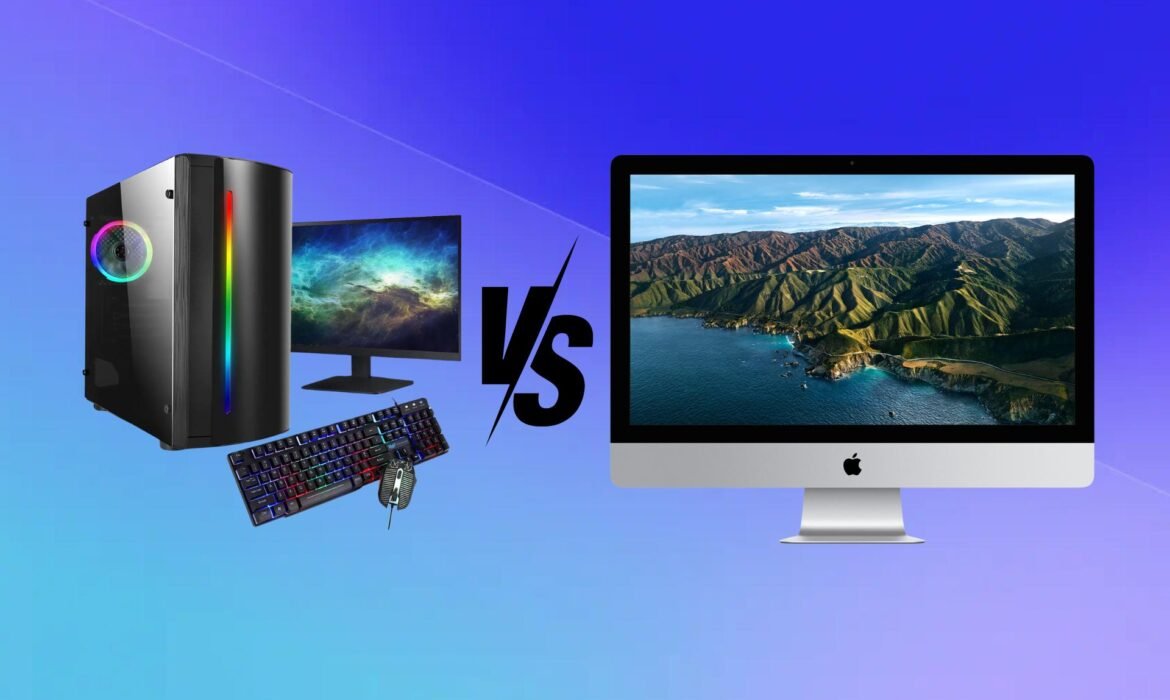
Mac vs. Windows Computers: Which is Right for You?
Choosing between Mac and Windows computers is one of the most debated topics in the tech world. Both systems have their strengths and weaknesses, catering to different needs and preferences. This detailed guide explores their key differences to help you make an informed decision.
1. Overview of Mac and Windows Systems
- Mac (macOS): Developed by Apple, macOS is known for its premium design, seamless integration with other Apple devices, and user-friendly interface. It powers Apple’s MacBook and iMac series.
- Windows: Microsoft’s Windows operating system is more ubiquitous and runs on a wide variety of hardware from different manufacturers like Dell, HP, Lenovo, and ASUS. It offers extensive customization and compatibility.
2. Design and Build Quality
- Mac: Apple products are synonymous with elegant design and superior build quality. MacBooks are crafted from aluminum, providing a sleek and durable finish. The Retina display on Macs offers crisp and vibrant visuals, making them ideal for professionals in creative industries.
- Windows: With a wide range of manufacturers, Windows laptops and desktops vary significantly in design and build quality. Some models, like Microsoft’s Surface or Dell’s XPS series, rival MacBooks in aesthetics, but budget-friendly options may compromise on materials and durability.
3. Operating System and User Interface
- macOS: Known for its clean and intuitive interface, macOS excels in simplicity. Features like the Dock, Mission Control, and Spotlight Search enhance productivity. macOS updates are less frequent but generally more stable and user-friendly.
- Windows: Windows offers a more customizable interface. The Start Menu, Taskbar, and File Explorer provide flexibility for both novice and advanced users. Frequent updates ensure new features and security patches but can occasionally cause compatibility issues.
4. Software and Application Support
- Mac: macOS is favored by creatives, with industry-standard software like Final Cut Pro, Logic Pro, and Sketch exclusive to the platform. However, it may lack compatibility with some niche or legacy applications.
- Windows: Windows boasts broader software compatibility, including extensive support for games, business applications, and specialized software. It’s often the go-to platform for industries requiring custom or legacy programs.
5. Performance and Hardware Options
- Mac: Macs are optimized for performance, with Apple’s M-series chips (M1, M2, and beyond) delivering impressive speed, efficiency, and battery life. However, hardware configurations are limited to what Apple offers.
- Windows: Windows PCs come in a wide range of configurations, from budget-friendly models to high-performance machines. Users can choose powerful processors, GPUs, and storage options to fit their needs. Custom-built PCs offer even greater flexibility.
6. Gaming
- Mac: Gaming is not a strong suit for Macs. While the hardware is capable, macOS lacks extensive support for popular games, and most titles are optimized for Windows.
- Windows: Windows dominates the gaming world with better hardware options, software optimization, and compatibility with popular gaming platforms like Steam and Epic Games.
7. Security and Privacy
- Mac: macOS is less targeted by malware, making it generally more secure. Apple’s strong emphasis on user privacy also gives it an edge.
- Windows: While Windows faces more security threats due to its market share, Microsoft has significantly improved its security features with tools like Windows Defender. Users need to be proactive in maintaining security.
8. Price
- Mac: Apple products come with a premium price tag. While the high initial cost is offset by durability and resale value, Macs are not ideal for budget-conscious buyers.
- Windows: With a wide range of options, Windows computers cater to all budgets. You can find affordable laptops as well as high-end machines.
9. Ecosystem and Compatibility
- Mac: If you use other Apple devices like iPhone, iPad, or Apple Watch, the macOS ecosystem offers seamless integration. Features like Handoff, AirDrop, and iCloud create a cohesive user experience.
- Windows: Windows PCs integrate well with Android devices and third-party peripherals, providing more flexibility for users who prefer non-Apple gadgets.
10. Who Should Choose Mac?
- Creative professionals like graphic designers, video editors, and musicians.
- Users heavily invested in the Apple ecosystem.
- Those who prioritize design, stability, and ease of use over customization.
11. Who Should Choose Windows?
- Gamers and those requiring high-performance hardware.
- Business users relying on niche or legacy software.
- Budget-conscious buyers seeking a wide range of options.
The choice between Mac and Windows ultimately boils down to personal preferences and specific needs. Macs are best for users seeking premium design, seamless integration, and creative software. Windows PCs, on the other hand, offer versatility, customization, and a broader range of options for various applications.

