

Best Laptops for Graphic Designers: Should You Rent or Invest in a High-End Model?

Graphic design is a field that demands high-performance computers capable of handling intensive tasks like photo editing, video rendering, and 3D modeling. Designers often face the dilemma of whether to rent or invest in a high-end laptop. While purchasing provides ownership, renting offers flexibility and affordability. This article explores the best laptops for graphic design and helps you decide whether renting or buying is the right choice for you.
Key Features to Look for in a Graphic Design Laptop
Before deciding whether to rent or buy, it’s essential to understand the key features required for a smooth graphic design experience:
1. Processor (CPU)
A powerful processor is essential for running design software like Adobe Photoshop, Illustrator, and After Effects. Look for:
- Intel Core i7 or i9 (Latest generations)
- Apple M2 or M3 chips for Mac users
- AMD Ryzen 7 or Ryzen 9 for performance efficiency
2. Graphics Card (GPU)
Graphic designers require a dedicated GPU for rendering and smooth workflow. Recommended GPUs include:
- NVIDIA RTX 3060 / 3070 / 3080 / 4090
- AMD Radeon RX 6800 / 6900 XT
- Apple M2/M3 Pro & Max GPU
3. RAM & Storage
Design software consumes a lot of memory and storage. For optimal performance:
- 16GB to 32GB RAM (Minimum for professional work)
- 512GB to 2TB SSD Storage for fast file access
4. Display Quality
A high-resolution, color-accurate display is crucial for design work:
- 4K UHD or Retina Display
- 100% sRGB, AdobeRGB, or DCI-P3 Color Accuracy
- OLED or IPS Panels
5. Portability & Battery Life
If you work remotely or travel frequently, lightweight laptops with long battery life are a must.
Now that we understand what to look for in a laptop, let’s discuss whether you should rent or buy one.
Renting vs. Buying a High-End Laptop: What’s the Best Option?
Graphic designers often struggle with the choice between renting and buying. Here are the pros and cons of each option:
Buying a Laptop: Pros & Cons
✅ Pros:
- Full Ownership – No recurring rental payments.
- Long-Term Investment – If you plan to use it for years, it may be cost-effective.
- Customization & Upgrades – Install and modify hardware/software as needed.
❌ Cons:
- High Initial Cost – Premium laptops cost between $2,000 and $5,000.
- Depreciation – Technology evolves quickly, making laptops outdated in a few years.
- Maintenance & Repairs – You bear all repair and upgrade expenses.
Renting a Laptop: Pros & Cons
✅ Pros:
- Lower Upfront Cost – No need for a large initial investment.
- Access to Latest Models – Upgrade to newer, high-performance models as needed.
- Maintenance & Support Included – Repairs and servicing are typically covered by the rental provider.
- Flexibility – Ideal for freelancers, short-term projects, and startups.
❌ Cons:
- No Ownership – You must return the laptop after the rental period.
- Long-Term Costs Add Up – Renting for years may exceed the cost of purchasing.
Top Laptops for Graphic Designers (2024)
Whether you rent or buy, here are some of the best laptops for graphic designers:
1. Apple MacBook Pro M3 Max (16-inch)
Best for: Professionals using Adobe Creative Suite, Final Cut Pro, and 3D rendering.
- Processor: Apple M3 Max (16-core CPU, 40-core GPU)
- RAM: 32GB to 128GB
- Storage: 1TB to 8TB SSD
- Display: 16” Liquid Retina XDR (1000 nits brightness)
- Why Rent? If you want the latest model but don’t want to spend $3,500+ upfront.
2. Dell XPS 17 (2024 Model)
Best for: Windows users working on large design projects.
- Processor: Intel Core i9-13900H
- GPU: NVIDIA RTX 4080
- RAM: 32GB DDR5
- Storage: 1TB SSD
- Why Rent? A great option for project-based work without long-term investment.
3. Asus ROG Zephyrus G14
Best for: Freelancers needing a balance of performance and portability.
- Processor: AMD Ryzen 9 7940HS
- GPU: NVIDIA RTX 4060
- RAM: 16GB (Upgradable to 32GB)
- Storage: 1TB SSD
- Why Rent? Perfect for designers on a budget who need high performance.
4. MSI Creator Z16
Best for: 3D modeling, animation, and video editing.
- Processor: Intel Core i9-13980HX
- GPU: NVIDIA RTX 4070
- RAM: 32GB DDR5
- Storage: 1TB SSD
- Why Rent? Cost-effective for short-term 3D and animation projects.
5. HP ZBook Fury G9
Best for: Large-scale graphic design, CAD, and architecture.
- Processor: Intel Xeon W-11955M
- GPU: NVIDIA RTX A5000 (Professional GPU)
- RAM: 64GB DDR5
- Storage: 2TB SSD
- Why Rent? If you need a workstation for a limited period without a huge investment.
Who Should Rent and Who Should Buy?
Rent If:
✔ You’re a freelancer working on short-term projects.
✔ You want access to the latest technology without large upfront costs.
✔ You work in an industry where laptop requirements change frequently.
✔ You need a temporary high-performance laptop for a specific project.
Buy If:
✔ You use the laptop daily and plan to keep it for 3-5 years.
✔ You prefer full control over hardware and software customization.
✔ You don’t want to worry about rental contracts or monthly payments.
✔ You have the budget for a one-time purchase.
The decision to rent or buy a high-end laptop for graphic design depends on your work requirements, budget, and long-term plans. Renting offers flexibility, affordability, and access to the latest models without a large investment. On the other hand, buying makes sense if you plan to use the laptop for several years. If you’re unsure, renting a laptop first can help you test different models before making a final purchase.
No matter what you choose, ensuring you have the right hardware is crucial for a seamless design experience. Whether you’re a freelancer, a corporate designer, or a student, there’s an ideal rental or purchase option to suit your needs!
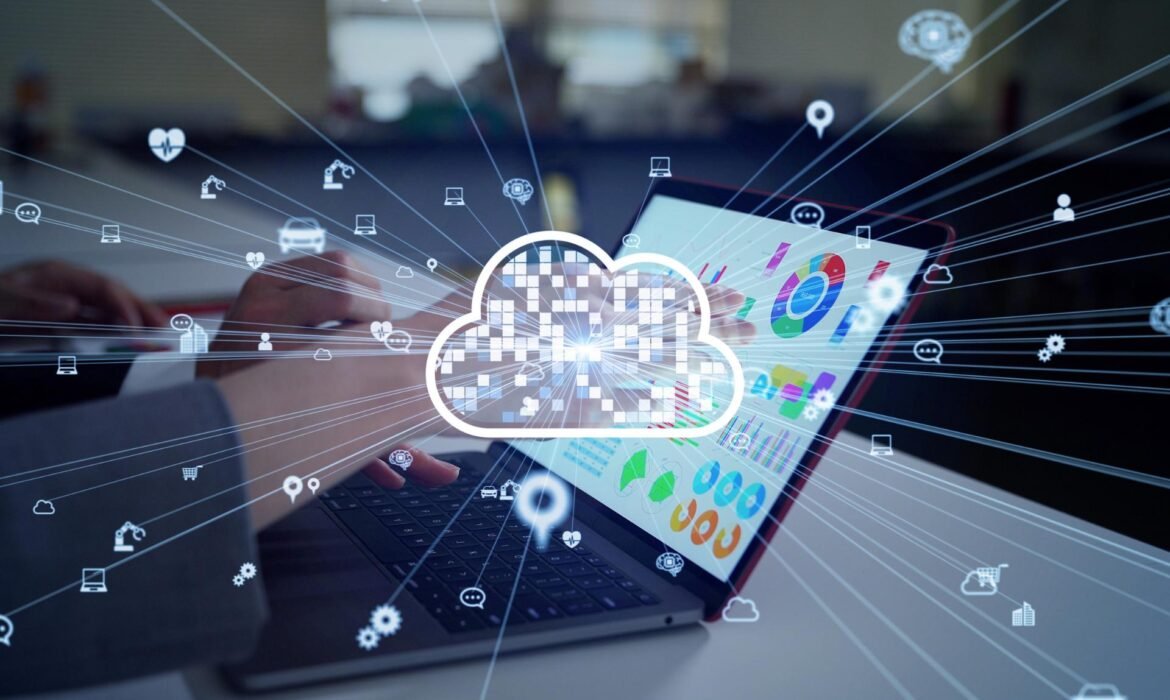
How Cloud PCs Could Replace Traditional Laptops

In recent years, the world of technology has witnessed tremendous innovations. Among these, one of the most groundbreaking developments is the rise of Cloud PCs. As businesses and individuals continue to seek more flexible, cost-effective, and efficient solutions for computing, Cloud PCs are emerging as a game-changer. Could Cloud PCs eventually replace traditional laptops? In this blog, we will explore how Cloud PCs are revolutionizing the way we work. So, buckle up as we dig into the future of computing!
What Are Cloud PCs?
Before we dive into how Cloud PCs could replace traditional laptops, let’s first understand what a Cloud PC is. A Cloud PC is essentially a virtual desktop that you can access over the internet. It’s hosted and managed on a cloud server, meaning that all your data, software, and operating systems are stored in the cloud rather than on a physical device like a laptop or desktop. This eliminates the need for powerful hardware at the user’s end.
Think of it as a desktop computer that lives in the cloud but can be accessed from any device with an internet connection—be it a laptop, tablet, or even a smartphone.
Why Cloud PCs Are Gaining Popularity
The demand for Cloud PCs is growing rapidly for several reasons. Here’s a breakdown of why Cloud PCs are becoming the go-to choice for businesses and individuals alike.
1. Cost-Effective Solutions
One of the primary advantages of Cloud PCs is cost savings. Traditional laptops require significant investment upfront, not just for the hardware, but also for maintenance, repairs, and upgrades. In contrast, Cloud PCs are subscription-based, meaning businesses only pay for what they use. This makes it an affordable alternative, especially for startups, small businesses, or companies looking to cut down on IT infrastructure costs.
2. Scalability and Flexibility
With Cloud PCs, scalability is a breeze. Companies can easily scale up or down depending on their needs. Whether you need additional storage space or computing power, a Cloud PC can be adjusted with a few clicks. This flexibility allows businesses to respond to fluctuating demands in real-time.
3. Accessibility and Mobility
Cloud PCs offer the ultimate in mobility. Traditional laptops can be limiting, especially if you’re traveling or working remotely. A Cloud PC, on the other hand, can be accessed from any device, anywhere with an internet connection. Whether you’re working from home, a coffee shop, or a hotel room, you can seamlessly pick up where you left off.
For businesses, this means increased productivity and employee satisfaction. No matter where employees are located, they can securely access their work environment, making Cloud PCs the perfect solution for remote work.
4. Enhanced Security
Security is a top priority for businesses, especially when it comes to sensitive data. Traditional laptops can be easily lost or stolen, exposing company data to risks. Cloud PCs, however, are hosted in secure data centers with state-of-the-art encryption and protection mechanisms. This significantly reduces the risk of data breaches and ensures that all your files and applications are safe in the cloud.
5. Centralized Management
Managing IT resources can be a headache, especially for large businesses with multiple devices and users. Cloud PCs simplify this by centralizing all computing resources in one location. IT administrators can manage software, updates, and security from a single dashboard, reducing the complexity and time required for management tasks.
This centralization of resources means less hassle and better control over your IT environment.
6. No Hardware Failures
Traditional laptops are prone to hardware failures, whether it’s a hard drive crash or a battery issue. Cloud PCs, however, are hosted on remote servers, which means that you don’t need to worry about physical hardware issues. If a device is damaged or fails, you can simply access your Cloud PC from another device and continue working seamlessly.
How Cloud PCs Could Replace Traditional Laptops
Now that we know the benefits of Cloud PCs, let’s explore how they could eventually replace traditional laptops altogether.
1. Remote Work and Global Teams
With more companies embracing remote work and global teams, Cloud PCs are the perfect solution to bridge the gap. Traditional laptops have limitations when it comes to collaboration and working across different locations. Cloud PCs, however, make it possible for teams to collaborate in real time, regardless of where they’re located. In a world where flexibility and connectivity are key, Cloud PCs will be the preferred choice for remote workers.
2. Environmentally Friendly Option
Cloud PCs are a greener option compared to traditional laptops. Since Cloud PCs are hosted in data centers that maximize energy efficiency, they reduce the carbon footprint of individual devices. Additionally, businesses don’t have to manufacture and ship multiple laptops, which further contributes to sustainability efforts.
3. Elimination of Physical Maintenance
Traditional laptops require physical maintenance and repairs, such as hardware upgrades or software updates. Cloud PCs, however, don’t require this. Everything is handled in the cloud, and software updates and security patches are applied automatically, ensuring that users always have the latest features and protections without any effort.
4. Customization
Traditional laptops are typically limited to their built-in specifications. If you need more storage or computing power, you’ll need to purchase a new device. Cloud PCs, on the other hand, can be easily customized to meet your needs. Whether you need more storage space, enhanced graphics, or additional processing power, these can be added on demand. This customization gives users more control over their computing environment.
Conclusion: The Future Is in the Cloud
Cloud PCs are undoubtedly the future of computing. They offer numerous benefits, from cost savings to improved security, making them an attractive alternative to traditional laptops. As remote work continues to rise and businesses seek more flexible IT solutions, Cloud PCs are positioned to replace traditional laptops in the near future.

