
What Happens to Rented Laptops When an Employee Leaves a Company?
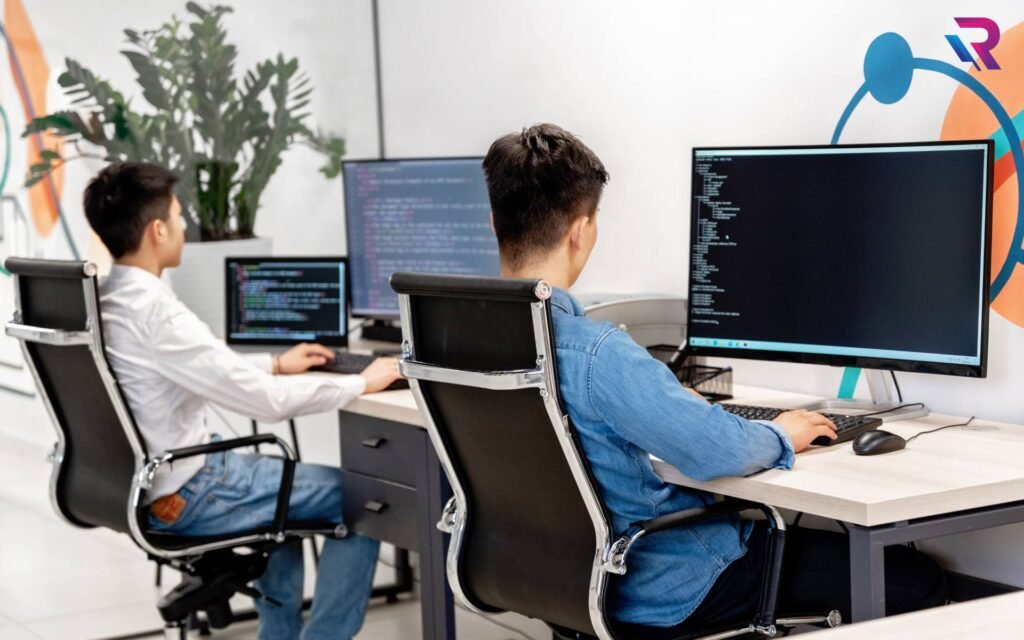
When an employee resigns, changes departments, or leaves an organization, the company must manage more than the employee’s exit formalities. It must also recover company equipment, protect confidential information, update IT asset records, and prepare devices for future use.
These responsibilities become particularly important when businesses use rented laptops instead of purchasing their own equipment. Unlike company-owned devices, rented laptops are subject to rental agreements that define ownership, usage, maintenance, and return conditions.
For organizations with hundreds of employees, managing rented laptops during employee turnover requires coordination between HR, IT, procurement, and the rental provider.
So, what actually happens to a rented laptop when an employee leaves? Is it returned to the rental company immediately, reassigned to another employee, or kept by the business until the rental agreement expires?
The answer depends on the rental contract, the company’s operational requirements, and the condition of the device.
In this guide, we explain the complete process of managing rented laptops during employee offboarding, including device recovery, data security, reassignment, rental costs, and best practices for businesses.
1. The Company Initiates the Laptop Recovery Process
When an employee’s departure is confirmed, the first step is to notify the IT department and identify all equipment assigned to that individual.
The company should check its IT asset register or device management system to determine whether the employee has a rented laptop, charger, docking station, monitor, or other accessories.
The IT team should also verify the rental provider, device serial number, asset identification number, and applicable rental agreement.
This information helps the organization determine what must be recovered and whether the equipment needs to be returned to the rental company or can remain in use by another employee.
HR should ideally initiate the recovery process before the employee’s last working day. This gives the IT team sufficient time to coordinate collection, arrange shipping if necessary, and prevent equipment from being overlooked.
For remote employees, the company should provide clear instructions about packaging, collection schedules, and the approved return method.
A standardized offboarding process helps ensure that every rented device is accounted for when an employee leaves.
2. The Rented Laptop Is Collected and Inspected
After the recovery request is initiated, the company arranges for the laptop to be returned by the departing employee.
For office-based employees, the IT department may collect the device directly. Remote employees may need to ship it to a designated office or arrange collection through an approved logistics provider.
Once received, the laptop should be inspected to verify its identity and physical condition.
The inspection typically includes checking the screen, keyboard, touchpad, battery, ports, charger, and any visible damage. The IT team should also record missing accessories or reported technical issues.
The condition of the laptop should be documented with photographs or an inspection report when appropriate.
This step is important because rental agreements may distinguish between normal wear and tear and damage beyond reasonable use.
If damage is identified, the business should review the rental agreement and communicate with the provider before approving repair charges or other potential costs.
Maintaining clear inspection records helps reduce disputes and ensures that the next stage of the device’s lifecycle is handled correctly.
3. Company Data Is Secured Before the Laptop Is Reassigned or Returned
Data security is one of the most important steps in the rented laptop offboarding process.
A laptop may contain confidential business documents, customer information, saved credentials, locally stored files, browser sessions, or access to company applications.
Before the device is reassigned or returned to the rental provider, the company must ensure that its data and access permissions are handled appropriately.
The IT team should follow the organization’s approved offboarding procedure, including revoking the departing employee’s access to company systems and recovering business information according to internal policies.
Where required, company-owned files should be transferred to approved storage locations before the device is sanitized.
The laptop should then undergo an appropriate data sanitization process based on the sensitivity of the information, storage technology, and applicable security requirements.
Simply deleting files or logging out of an account may not be sufficient to protect sensitive information. Organizations handling confidential data should consider established guidance, such as NIST Special Publication 800-88, when defining their sanitization procedures.
The company should also verify that device management, authentication, and access controls are updated as necessary.
If the laptop is being returned to a rental provider, the company should clarify who is responsible for final sanitization and obtain confirmation of the agreed procedure. The provider’s process should not replace the company’s responsibility to protect its information.
4. Can the Rented Laptop Be Reassigned to Another Employee?
Yes, a rented laptop may be reassigned to another employee if the rental agreement permits it and the device meets the new user’s requirements.
This is one of the advantages of flexible IT equipment arrangements. Businesses can potentially reuse available devices instead of immediately requesting additional laptops whenever employees leave.
For example, suppose a company rents 150 laptops for its workforce. If 10 employees leave and 10 new employees join, the organization may be able to reassign the returned devices instead of renting 10 additional laptops.
Before reassignment, the IT team should confirm that the devices are suitable for the new employees’ job roles.
A laptop previously used by an administrative employee may be appropriate for another office-based employee but may not meet the requirements of a developer who needs additional memory and processing power.
The reassignment process should include:
- Verifying the rental agreement allows continued use and reassignment.
- Inspecting the laptop’s physical condition and functionality.
- Securing company data and sanitizing the device appropriately.
- Updating operating system software and security settings.
- Installing the required applications for the new employee.
- Updating the asset register with the new user’s details.
- Recording the handover date and accessories issued.
Reassignment should be completed only after the device passes the required security and quality checks.
5. What If the Rental Agreement Is Still Active?
An employee leaving the company does not automatically terminate the laptop rental agreement.
The rental provider owns the rented equipment, while the company generally remains responsible for the obligations defined in the contract.
If an employee leaves during an active rental period, the company may have several options depending on the agreement.
It may continue using the laptop for another employee, retain it as an available spare, return it under an eligible early-return arrangement, or keep paying for the device until the agreed rental period ends.
Some rental agreements may allow device substitutions, changes in quantity, or early returns under specific conditions. Others may require payment for the full committed period or impose charges for early termination.
Businesses should not assume that a device can be returned immediately without additional cost.
Before making a decision, the procurement or IT team should review the contract’s minimum rental period, notice requirements, early termination provisions, return conditions, and any applicable charges.
For organizations with frequent employee turnover, these terms should be considered before signing a rental agreement.
6. What Happens If the Company Does Not Need the Laptop Anymore?
Sometimes an employee leaves and the company has no immediate replacement for that position.
In this situation, the business should assess whether keeping the laptop is worthwhile or whether returning it to the rental provider is more economical.
The decision depends on the expected hiring schedule, the remaining rental term, the device’s future usefulness, and the cost of retaining it.
For example, a company may have rented 30 laptops for a temporary project that is ending. If the devices are no longer required, returning eligible equipment could help reduce unnecessary rental expenditure.
However, if several new employees are expected to join soon, keeping the laptops may be more practical.
A centralized inventory can help the IT team identify unused devices and determine whether they can be reassigned to another department.
Businesses should compare the cost of retaining the equipment with the cost of returning it and later arranging another rental.
The objective is to avoid paying for devices that remain unused without a clear operational reason.
7. Who Pays for a Damaged or Missing Rented Laptop?
Responsibility for damaged, lost, or unreturned equipment depends on the rental agreement, the circumstances of the incident, and the company’s internal policies.
Normal wear and tear may be treated differently from accidental damage, liquid spills, unauthorized modifications, or missing equipment.
If a laptop is damaged during an employee’s assignment, the company should document the incident and notify the rental provider according to the contract.
The provider may inspect the device and determine whether repair, replacement, or another contractual remedy applies.
For a lost or stolen laptop, the company should promptly follow its security incident procedures, revoke relevant access, and report the incident to the appropriate parties.
Businesses should review any applicable damage protection, insurance coverage, liability limits, and exclusions before accepting responsibility for costs.
Employees should receive clear equipment-use instructions when laptops are issued. Any employee liability or financial recovery should be handled in accordance with applicable employment agreements, company policy, and local law.
A well-defined rental agreement helps both the company and the provider understand their responsibilities when equipment is damaged or missing.
8. How Laptop Rental Helps Businesses Manage Employee Turnover
Employee turnover can make IT equipment planning difficult, particularly for companies that hire temporary staff, contractors, or project-based teams.
Purchasing laptops for every new employee can create a large upfront expense, and devices may remain unused when employees leave or projects end.
Laptop rental can offer greater flexibility when businesses have changing workforce requirements.
For example, a company may need 100 laptops for a six-month project but only 60 devices after the project is completed. Depending on the rental agreement, the business may be able to adjust its equipment requirements or return eligible devices.
Rental arrangements can also help companies access additional laptops during recruitment drives without permanently expanding their owned inventory.
However, flexibility varies by provider and contract. Rental is not automatically cheaper than purchasing, particularly when devices are required continuously for several years.
Businesses should compare rental charges, committed rental periods, maintenance arrangements, return conditions, and expected device utilization before deciding which approach is more suitable.
9. Best Practices for Managing Rented Laptops During Offboarding
Companies can improve their laptop recovery process by establishing a consistent policy that covers every stage of employee offboarding.
First, maintain a centralized record of all rented devices, including their serial numbers, assigned employees, rental providers, and contract terms.
Second, connect HR offboarding notifications with the IT asset recovery process so that the IT team receives sufficient notice before an employee leaves.
Third, define a return checklist covering equipment collection, physical inspection, data security, accessories, and inventory updates.
Fourth, review rental agreements regularly to understand the options available when devices are no longer required.
Fifth, establish clear communication between HR, IT, procurement, and the rental provider. This reduces confusion about collection schedules, early returns, and equipment responsibilities.
Finally, monitor unused devices and reassignment opportunities. Regular inventory reviews can help businesses avoid unnecessary rental costs and identify equipment that can be returned under the applicable contract.
These practices make laptop lifecycle management more predictable and help organizations maintain control over rented IT assets.
10. Why Rental Agreement Terms Matter Before Hiring at Scale
Businesses planning to rent laptops for 100 or more employees should evaluate offboarding requirements before signing a contract.
Employee turnover is difficult to predict, so organizations should understand how the rental provider handles changes in device quantity and workforce requirements.
Important questions include whether devices can be reassigned to other employees, whether early returns are permitted, how much notice is required, and whether replacement devices are available when hardware fails.
Companies should also clarify responsibility for data sanitization, repairs, accessories, shipping, and damage assessments.
For remote and multi-location teams, delivery and collection procedures are particularly important.
The rental agreement should explain the charges and obligations associated with the end of the rental period, including any requirements for device condition and return packaging.
A clear agreement helps companies select a rental arrangement that matches their operational needs and reduces uncertainty when employees join or leave.
Conclusion
When an employee leaves a company, a rented laptop typically goes through a structured process involving recovery, inspection, data security, and a decision about reassignment or return.
The exact outcome depends on the rental agreement and the organization’s future hardware requirements. A device may be reassigned to another employee, retained as a spare, or returned to the rental provider when the contract permits.
Businesses can simplify this process by maintaining accurate IT asset records, coordinating HR and IT workflows, protecting company data, and understanding their rental obligations.
For organizations with changing workforce requirements, laptop rental can provide an alternative to purchasing every device outright. The key is choosing a rental arrangement that supports the company’s hiring plans, security standards, and equipment lifecycle needs.
Rental Plaza offers IT equipment rental solutions for businesses with evolving hardware requirements. If your organization needs laptops for new employees, temporary teams, or large-scale projects, contact Rental Plaza to discuss your requirements, available rental options, and contract terms.
Frequently Asked Questions
1. Does a rented laptop have to be returned when an employee resigns?
Not necessarily. The company may be able to reassign the laptop to another employee if the rental agreement permits it. Otherwise, the device may need to be returned according to the contract.
2. Can a company continue using a rented laptop after an employee leaves?
Yes, provided the rental agreement remains active and allows the company to continue using the device. The laptop should undergo the required security checks before reassignment.
3. Who owns a rented laptop?
The rental provider generally retains ownership of the equipment. The business receives the right to use the laptop under the terms of the rental agreement.
4. Is the company responsible for a damaged rented laptop?
Responsibility depends on the rental contract, the cause of damage, and any applicable protection or insurance provisions. The company should document the issue and contact the provider.
5. What happens to company data on a rented laptop?
The company should secure its information, recover required business files, revoke appropriate access, and ensure that the device is sanitized using an approved process before reassignment or return.
6. Can businesses return rented laptops before the contract ends?
That depends on the rental agreement. Some arrangements permit early returns or quantity adjustments, while others may require payment for the committed rental period.
7. Is laptop rental suitable for companies with high employee turnover?
It can be suitable for businesses with temporary staff, contractors, seasonal hiring, or project-based requirements. Companies should compare rental flexibility and total costs against purchasing before deciding.

