How to Set Up a Technology Office in Mohali Without Delaying Employee Onboarding
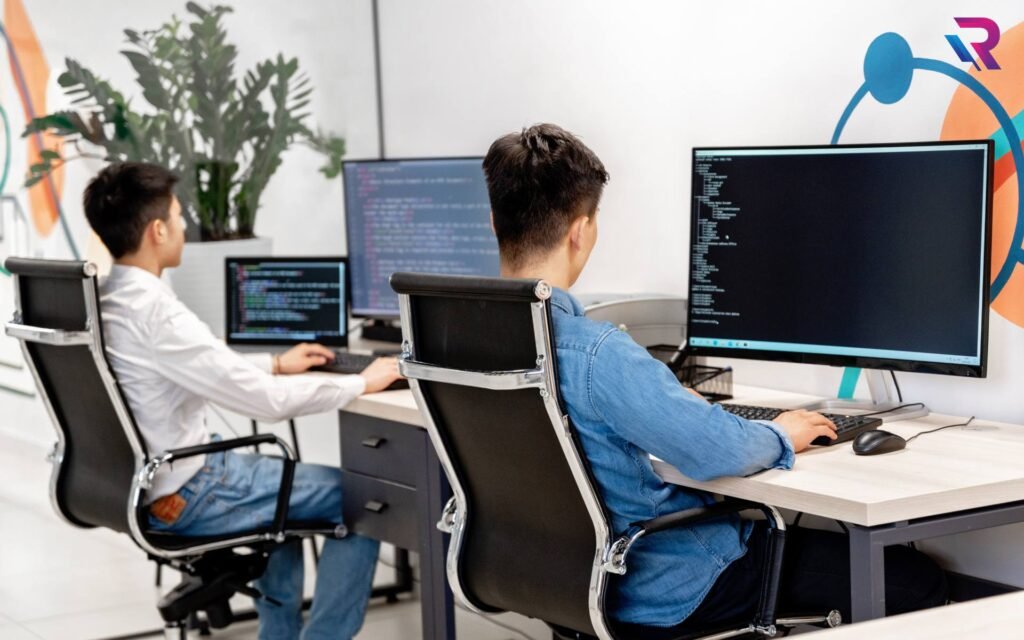
Setting up a technology office involves more than securing commercial space, arranging workstations and completing administrative formalities. Businesses must also ensure that their IT infrastructure is ready before employees begin working. For software development companies, IT service providers, startups, Global Capability Centres (GCCs) and multinational corporations (MNCs), even a small delay in equipment deployment can affect project schedules, employee productivity and business operations.
Mohali has become an important destination for technology-driven businesses looking to establish development teams, corporate offices and support operations. As companies expand in areas such as IT City, Sector 67, Sector 74, Sector 82 and Aerocity, efficient office setup and employee onboarding have become important operational priorities.
One of the biggest challenges during a new office launch is coordinating laptops, desktops, networking, software configuration, security and employee allocation within a limited timeline.
The solution is to prepare the technology infrastructure before employees join rather than treating IT deployment as a task that begins on their first working day.
This guide explains how businesses can establish a technology office in Mohali while keeping employee onboarding organised, predictable and on schedule.
1. Start IT Planning Before Finalising the Employee Joining Schedule
A common mistake businesses make is starting IT equipment planning after recruitment is already underway. By that stage, HR may have confirmed joining dates, but the IT team may still be arranging laptops, software licences, internet connectivity and workstation accessories.
To avoid this situation, IT planning should begin alongside office selection and recruitment planning.
The management, HR, administration and IT teams should work together to estimate:
- Expected employee strength during the first month.
- Department-wise hiring schedules.
- Required laptop and desktop configurations.
- Software and application requirements.
- Networking and internet connectivity.
- Meeting room and conference equipment.
- Equipment delivery and configuration timelines.
- Future hiring and expansion plans.
For example, a technology company planning to onboard 40 software developers and 15 support employees should identify their hardware requirements before confirming the final joining schedule.
Early planning gives the procurement and IT teams sufficient time to arrange equipment and prepare systems before employees arrive.
2. Prepare a Department-Wise Hardware Requirement Plan
Not every employee needs the same computing configuration. A technology office may have software developers, quality analysts, project managers, designers, finance professionals and administrative employees.
Assigning hardware according to job responsibilities helps businesses avoid both underpowered systems and unnecessary hardware expenditure.
A department-wise equipment plan may look like this:
| Department | Suggested Equipment |
|---|---|
| Software Development | High-performance laptops |
| Quality Assurance | Business laptops and testing systems |
| UI/UX Design | High-performance laptops or workstations |
| Data Science and AI | GPU workstations or specialised systems |
| Project Management | Standard business laptops |
| HR and Administration | Business laptops or desktops |
| Finance and Accounts | Business laptops or desktop systems |
| Customer Support | Standardised laptops or desktops |
The final specifications should be determined by the applications employees use and the organisation’s technical requirements.
For example, software developers working with resource-intensive environments may need 32GB RAM and higher-performance processors, while administrative employees may require more modest business configurations.
Creating approved hardware categories also makes bulk equipment deployment easier.
3. Arrange Laptops and Desktops Before Employees Join
Employee onboarding can be delayed when the required devices are not available on the joining date.
Technology companies should finalise laptop and desktop requirements well before the first employee batch arrives.
The equipment plan should cover:
Business Laptops
Standard business laptops are suitable for employees handling office applications, communication, project management, reporting and general business operations.
High-Performance Laptops
Developers, engineers and technical professionals may require higher-performance processors, additional memory, SSD storage and dedicated graphics.
Desktop Computers
Desktops can support fixed workstations, customer support departments, training rooms and other office-based operations.
MacBooks
Companies with macOS-based development or design workflows may require MacBooks for selected teams.
Businesses can explore Rental Plaza’s business laptop solutions, MacBook solutions and desktop equipment when planning corporate equipment requirements.
The important objective is to ensure that every employee has an approved device ready before their joining date.
4. Use Standardised Hardware Configurations to Simplify Deployment
When a company arranges dozens or hundreds of devices, using multiple unrelated configurations can increase preparation time.
Different laptop models may require different drivers, software configurations, troubleshooting procedures and replacement processes.
Standardisation helps reduce this complexity.
Businesses should create a small number of approved hardware configurations based on department requirements.
For example:
- Configuration A: Standard business laptop.
- Configuration B: Development laptop with higher memory.
- Configuration C: High-performance laptop with dedicated graphics.
- Configuration D: Specialised workstation for engineering or AI workloads.
The IT team can then prepare standard software images, security policies and application packages for each approved configuration.
This approach makes it easier to prepare devices in batches and maintain consistency across the organisation.
5. Complete Device Configuration Before the Joining Date
Arranging laptops is only one part of the process. Devices must also be configured and tested before being handed over to employees.
If IT teams begin installing software and setting up accounts on the joining date, onboarding can become unnecessarily slow.
A pre-deployment process should include:
- Verify the device model and hardware specifications.
- Check operating system installation and updates.
- Install approved business applications.
- Configure endpoint security.
- Apply encryption and access policies where required.
- Set up network connectivity.
- Test Wi-Fi, LAN, audio, camera and ports.
- Record serial numbers and asset details.
- Label devices according to employee or department allocation.
- Complete final quality checks.
Companies should also confirm that software licences, user accounts and application access are available before employees join.
Where devices require company-specific configurations, IT teams should prepare them according to internal security and deployment policies.
6. Set Up Internet and Networking Before the Office Launch
Reliable connectivity is essential for technology companies. Employees may need access to cloud platforms, development environments, source code repositories, communication tools and internal business applications from their first working day.
Internet and networking arrangements should therefore be completed before onboarding begins.
Important requirements include:
- Business-grade internet connectivity.
- Enterprise Wi-Fi access points.
- Managed network switches.
- Firewall and security equipment.
- Structured LAN cabling.
- Network racks and patch panels.
- Separate guest network access.
- Network monitoring and troubleshooting arrangements.
The internet connection should be selected according to employee strength and expected usage.
For example, a 100-person software development office may have different bandwidth requirements from a small administrative office.
Businesses should also test network performance from different work areas, meeting rooms and conference spaces before employees arrive.
If business continuity is important, evaluate a secondary internet connection and appropriate failover arrangements.
7. Prepare Servers, Storage and Specialised Computing Infrastructure
Some technology companies need additional infrastructure beyond employee laptops and desktops.
Software development firms, AI companies, engineering teams and data analytics organisations may require dedicated computing resources.
Depending on the business model, these requirements may include:
- Rack servers.
- Tower servers.
- GPU servers.
- High-performance workstations.
- Network-attached storage.
- Backup storage systems.
- Dedicated development environments.
- Networking and data centre equipment.
A company working on AI or machine learning projects may require GPU-based systems for model development and testing. A software development team may need dedicated server environments for internal applications and testing.
Not every new office needs local servers. Businesses should assess whether cloud infrastructure, centralised data centres or on-premises equipment is most appropriate.
For organisations requiring specialised computing equipment, Rental Plaza’s server solutions can be considered during infrastructure planning.
8. Coordinate HR and IT Onboarding Processes
Employee onboarding involves multiple departments. HR manages joining formalities, while IT prepares devices, accounts and access permissions.
When these teams work independently, important tasks can be missed.
A coordinated onboarding workflow should connect employee information with equipment allocation and access provisioning.
For example, HR should share the confirmed joining schedule with IT in advance. IT can then prepare the required device, configure applications and arrange access according to the employee’s role.
A simple workflow can include:
| Stage | HR Responsibility | IT Responsibility |
|---|---|---|
| Before joining | Confirm employee details and joining date | Identify hardware and software requirements |
| Pre-onboarding | Share department and role information | Prepare device and user access |
| Joining day | Complete employee documentation | Hand over configured equipment |
| First week | Confirm onboarding completion | Resolve initial technical issues |
| After onboarding | Update employee records | Update asset allocation records |
This coordination is especially important when companies onboard employees in batches.
9. Maintain an IT Asset Register for Every Deployed Device
When multiple employees join within a short period, equipment allocation must be properly documented.
An asset register helps IT teams track which device has been assigned to each employee and where it is located.
The register should contain:
- Employee name or employee ID.
- Department and designation.
- Device category and model.
- Serial number.
- Asset identification number.
- Hardware configuration.
- Deployment date.
- Assigned accessories.
- Warranty or service information.
- Current device status.
Asset tagging can further simplify identification during audits, maintenance and equipment transfers.
For companies planning to expand from 50 employees to 200 or more, centralised asset management becomes increasingly important.
It also helps businesses manage device returns, replacements and employee exits more systematically.
10. Plan Equipment Requirements Around Future Hiring
A technology office may begin with a small team and expand rapidly after securing new projects or business contracts.
If equipment planning only considers the initial employee count, the company may face shortages during the next hiring cycle.
For example, an organisation may start with 50 employees and plan to increase its workforce to 150 within six months.
Instead of waiting until every new employee joins, businesses should prepare a phased equipment deployment plan.
| Business Stage | Illustrative Team Size | IT Planning Priority |
|---|---|---|
| Office launch | 25–50 employees | Initial laptops, desktops and networking |
| First hiring phase | 50–100 employees | Additional standardised devices |
| Team expansion | 100–200 employees | Department-specific hardware |
| Larger operations | 200–500+ employees | Centralised deployment and asset management |
These figures are examples for planning, not fixed deployment requirements.
The company should review hiring forecasts regularly and coordinate equipment requirements with procurement and IT teams.
Flexible equipment arrangements may also help businesses manage changing workforce requirements without committing to the entire future fleet upfront.
11. Establish a Clear IT Support and Replacement Process
Even when equipment is configured correctly, businesses need a support process for technical issues that may occur after onboarding.
A laptop failure, network problem or application issue can interrupt an employee’s work, particularly during the first few days of joining.
Before office launch, define:
- How employees should report technical issues.
- Who is responsible for first-level support.
- How hardware issues will be escalated.
- How faulty equipment will be inspected.
- What replacement arrangements are available.
- How support will be coordinated across locations.
- What service coverage applies under the agreement.
For companies working with external equipment providers, responsibilities and replacement conditions should be documented clearly.
A formal Service Level Agreement can help define support expectations, escalation procedures and service responsibilities. Businesses can review Rental Plaza’s Enterprise Support SLA when evaluating enterprise equipment support requirements.
12. Decide Whether to Buy or Rent IT Equipment
A new technology office requires significant financial planning. One of the important decisions is whether to purchase all equipment or use flexible equipment arrangements.
Buying Equipment
Purchasing may be appropriate when employee strength is stable, hardware requirements are predictable and the company intends to retain equipment over a planned lifecycle.
However, businesses must account for upfront investment, depreciation, maintenance, upgrades and replacement cycles.
Flexible Equipment Arrangements
Flexible arrangements can help companies access required equipment for an agreed period without purchasing the entire fleet upfront.
They may be useful for:
- New technology office launches.
- Bulk employee onboarding.
- Project-based development teams.
- Training and onboarding programmes.
- Temporary workforce expansion.
- Additional equipment during hiring phases.
- Multi-city deployments.
A hybrid model may also be suitable. Businesses can own core infrastructure while arranging additional laptops, desktops or specialised systems according to project demand.
The right approach depends on the company’s financial strategy, expected equipment usage, contract terms and support requirements.
13. Create a Pre-Onboarding IT Readiness Checklist
Before employees arrive, the IT and administration teams should complete a final readiness review.
| Area | Pre-Onboarding Task |
|---|---|
| Employee Devices | Confirm laptops, desktops and MacBooks |
| Hardware Configuration | Verify specifications and approved models |
| Software | Install required applications and updates |
| Security | Apply endpoint protection and access policies |
| Networking | Test internet, Wi-Fi and LAN connectivity |
| Servers | Verify required computing and storage systems |
| Accessories | Prepare monitors, keyboards, mice and headsets |
| Meeting Rooms | Test displays and conferencing equipment |
| Asset Management | Record serial numbers and allocations |
| User Accounts | Prepare role-based access |
| Support | Confirm technical contacts and escalation process |
| Expansion | Review upcoming hiring and device requirements |
A final readiness review should be completed several working days before a major onboarding batch wherever the project schedule allows.
This provides time to identify missing equipment, resolve configuration issues and coordinate any pending requirements.
How Rental Plaza Helps Technology Companies Set Up Offices in Mohali
Setting up a technology office requires coordination across hardware selection, bulk deployment, device configuration and ongoing support.
Rental Plaza supports corporate IT equipment requirements across India, including laptops, MacBooks, desktops, workstations, servers and other business computing equipment.
For technology companies establishing or expanding offices in Mohali, Rental Plaza can help coordinate requirements for:
- Bulk laptop and desktop deployment.
- Employee onboarding and new office setups.
- High-performance laptops for development teams.
- MacBooks for specialised business workflows.
- Workstations and servers for technical projects.
- Project-based and long-term equipment arrangements.
- Equipment requirements across multiple Indian cities.
With over 25 years of industry experience, Rental Plaza focuses on business and enterprise equipment requirements. Companies can discuss their expected employee strength, hardware configurations and deployment schedules to plan suitable arrangements.
Explore Rental Plaza Enterprise Solutions to learn more about corporate equipment requirements.
Conclusion
Setting up a technology office in Mohali without delaying employee onboarding requires early planning and coordination between HR, IT, administration and procurement teams.
Businesses should finalise hardware requirements, arrange laptops and desktops, prepare networking infrastructure, configure devices and establish asset management procedures before employees join.
Standardised configurations and pre-deployment testing can make bulk onboarding more organised, while phased equipment planning helps companies accommodate future hiring without unnecessary delays.
Whether you are establishing a 25-person technology team, onboarding 100 developers or expanding a larger corporate operation, having the right IT equipment ready on time can support a smoother office launch.
Planning a new technology office in Mohali? Contact Rental Plaza to discuss bulk laptop, desktop, MacBook, workstation and server requirements for your business.

