
How Overseas Businesses Can Equip Their First 100 Employees in India
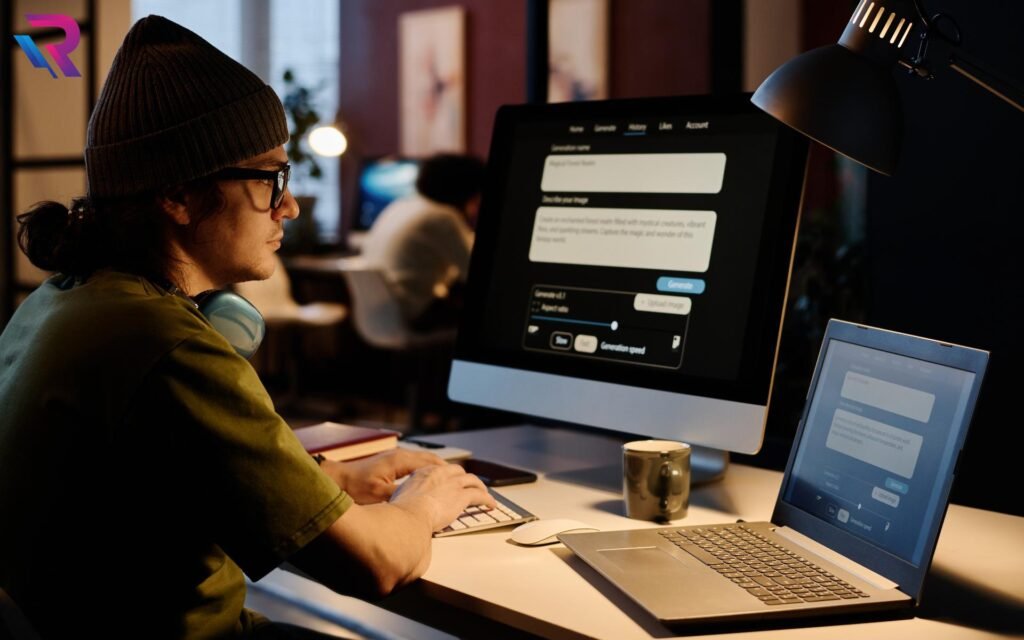
Expanding into India is an important step for overseas businesses looking to access a skilled workforce, strengthen regional operations, and establish a presence in one of the world’s fastest-growing business markets. Whether a company is opening its first Indian office, setting up a Global Capability Centre (GCC), launching a technology hub, or building a new operational team, preparing the right IT infrastructure is essential for a smooth start.
One of the first major responsibilities is equipping employees with reliable computing devices and workplace technology. For a business onboarding its first 100 employees in India, this involves more than simply arranging 100 laptops. Companies must plan device specifications, procurement, deployment locations, security requirements, technical support, and future scalability.
A structured IT equipment strategy helps overseas businesses bring employees onboard efficiently while maintaining consistency with their global technology standards. This guide explains the key considerations for equipping the first 100 employees in India and building an infrastructure that can support future expansion.
1. Understand the IT Requirements of the First 100 Employees
Before arranging equipment, overseas businesses should identify the roles, responsibilities, and technical requirements of their initial workforce. Different departments may require different device configurations depending on their daily activities.
For example, software developers may need high-performance laptops with powerful processors and sufficient memory. Finance and administration teams may work efficiently with standard business laptops, while designers, video editors, and engineering professionals may require advanced workstations.
A company should divide its workforce into suitable equipment categories:
- Software development teams: High-performance laptops with modern processors, sufficient RAM, and fast SSD storage.
- Finance and administration: Business laptops suitable for spreadsheets, reporting, documentation, and office applications.
- Management teams: Reliable laptops with suitable performance, security features, and connectivity.
- Design and creative teams: Systems with capable graphics processing and higher memory configurations.
- Customer support and operations: Standardized business laptops or desktops based on software and workflow requirements.
This role-based approach prevents unnecessary spending on excessive specifications while ensuring employees receive equipment suitable for their responsibilities.
2. Create a Standardized Device Configuration
When an overseas company establishes its first Indian team, maintaining consistency between global and local operations is important. Employees should have access to devices that meet the organization’s technical, security, and software requirements.
Instead of selecting different models for every employee, businesses can create a small number of approved device configurations. For example, the company may establish standard, performance, and high-performance categories.
A standardized configuration can include:
- Approved processor generation and performance level
- Minimum RAM and SSD storage
- Operating system and licensing requirements
- Required ports and connectivity options
- Webcam, microphone, and display requirements
- Endpoint security and device management compatibility
- Warranty and technical support expectations
Standardization makes procurement, configuration, maintenance, and future replacement easier. It also helps global IT teams manage devices across international offices without introducing unnecessary variations.
3. Plan Equipment Requirements Before Employee Onboarding
One of the biggest challenges during a new office launch is coordinating equipment availability with employee joining dates. If laptops and other essential devices are not ready on time, employees may experience delays in accessing company systems and beginning their work.
For the first 100 employees, businesses should prepare an equipment deployment schedule based on recruitment and onboarding plans.
A practical approach is to divide deployment into phases:
Phase 1: Initial leadership and IT team
Equip the first group responsible for office setup, IT administration, recruitment, and operational coordination.
Phase 2: Department-level onboarding
Prepare devices for employees joining different departments, including engineering, finance, HR, sales, and operations.
Phase 3: Remaining workforce
Complete deployment for the rest of the employees according to confirmed joining dates.
This phased method gives the IT team better control over device allocation and reduces the pressure of arranging the entire equipment requirement at the last moment.
4. Evaluate Renting Versus Purchasing IT Equipment
Overseas businesses entering India often need to decide whether to purchase equipment locally or use a rental arrangement. The right approach depends on business plans, expected workforce growth, equipment requirements, financial preferences, and the intended operating period.
Purchasing may be suitable for organizations with stable, long-term requirements and established procurement processes. However, it can require significant upfront investment, particularly when a company needs to equip 100 employees before its Indian operations begin generating revenue.
An IT equipment rental arrangement can provide another option. Businesses can arrange laptops, desktops, MacBooks, workstations, servers, and other required equipment for an agreed period without purchasing every device upfront.
Potential advantages include:
- Reduced initial hardware investment
- Flexible equipment arrangements for changing workforce requirements
- Easier planning for temporary projects and new business units
- Access to different device categories based on employee roles
- More flexibility when evaluating future expansion
Companies should compare the complete costs and contractual terms, including rental duration, maintenance responsibilities, support arrangements, replacement conditions, and end-of-term processes.
For overseas organizations evaluating this approach, enterprise IT equipment rental solutions can help them understand options for business-scale equipment requirements in India.
5. Select the Right Equipment for Different Departments
A 100-person workforce rarely has identical technology requirements. Providing the same high-performance laptop to every employee may increase costs, while choosing entry-level devices for demanding technical roles can affect productivity.
A department-wise equipment plan helps businesses balance performance and cost.
For example, a new Indian technology office may require:
| Department | Typical equipment requirement |
|---|---|
| Software development | Performance-oriented laptops |
| Finance and accounting | Standard business laptops |
| Human resources | Business laptops |
| Sales and management | Portable business laptops |
| Design and engineering | High-performance laptops or workstations |
| Customer support | Standardized laptops or desktops |
| IT administration | Business laptops and selected technical systems |
The exact specifications should be finalized after reviewing the applications, workloads, security policies, and operating systems used by each department.
Businesses with specialized requirements can also evaluate workstation and server solutions for technical teams that need more computing capacity than standard office laptops provide.
6. Prepare Devices Before Delivering Them to Employees
Equipment deployment should include proper preparation rather than simply delivering unopened devices to an office.
Overseas businesses may have global IT policies that require every device to follow a defined setup process before employees begin using it. This is particularly important when the Indian office needs to connect with international systems, applications, and corporate networks.
The device preparation checklist may include:
- Installing the approved operating system
- Applying required updates and security patches
- Configuring company email and collaboration tools
- Installing department-specific software
- Setting up endpoint protection
- Enabling approved device management policies
- Configuring user accounts and access permissions
- Checking Wi-Fi, Bluetooth, camera, and audio functionality
- Recording device serial numbers and assigned users
The organization should also define which activities will be handled by its global IT team and which responsibilities will be managed locally.
Pre-deployment preparation can reduce first-day setup work and help employees become productive sooner.
7. Establish Security and Device Management Policies
Security should be part of the equipment planning process from the beginning. Overseas businesses may need their Indian operations to follow the same information security policies used by their headquarters and other international offices.
Before distributing equipment, companies should establish clear rules for device access, data protection, software installation, and employee permissions.
Important considerations include:
Endpoint protection: Ensure that company devices use approved security software and follow organizational security policies.
Access management: Provide employees with access to applications and data according to their job responsibilities.
Device encryption: Apply appropriate encryption policies to protect business information stored on laptops and other computing devices.
Remote management: Use approved device management systems to monitor configuration compliance, apply updates, and manage company-owned equipment.
Employee access controls: Establish procedures for granting, modifying, and revoking access when employees join, change roles, or leave the organization.
A clear security framework helps the Indian office remain aligned with the company’s broader IT governance requirements.
8. Arrange Networking and Supporting IT Infrastructure
Equipping 100 employees requires more than laptops and desktops. Employees also need reliable connectivity and supporting infrastructure to access business applications, communicate with international teams, and perform daily tasks.
Depending on the office environment, the infrastructure plan may include:
- Enterprise-grade Wi-Fi equipment
- Network switches and routers
- Firewall and security appliances
- Structured network cabling
- Internet connectivity with suitable bandwidth
- Printers and shared office devices
- Meeting-room displays and video conferencing equipment
- Servers or network storage where required
The network should be designed around the number of employees, application usage, video conferencing requirements, and expected growth.
For example, a technology company with 100 employees working on cloud-based applications may have different networking requirements from a customer support centre handling continuous voice and video communication.
Companies should involve their global IT department and local infrastructure specialists before finalizing the office network.
9. Coordinate Equipment Across Indian Locations
Some overseas businesses establish their first Indian office in one city, while others recruit employees across multiple locations. A company may have employees in Bengaluru, Hyderabad, Pune, Gurugram, Mumbai, or other business centres.
When employees are distributed across locations, equipment planning becomes more complex.
The organization must coordinate device specifications, delivery schedules, employee information, asset allocation, and technical support across different offices.
A centralized deployment plan can help maintain consistency. It should identify:
- Number of employees at each location
- Required device categories and configurations
- Employee joining dates
- Delivery and installation responsibilities
- Asset tracking information
- Local support and escalation contacts
- Equipment replacement and collection procedures
Working with an enterprise-focused equipment partner that understands PAN India deployment requirements can simplify coordination for businesses managing multiple locations.
Explore Rental Plaza’s enterprise solutions for business-focused IT equipment requirements across India.
10. Build an IT Asset Tracking Process
When a company distributes equipment to its first 100 employees, it should establish an asset tracking process from the beginning. Without proper records, it can become difficult to identify which employee is using a particular device, where the equipment is located, or when it needs maintenance or replacement.
An asset register should capture important information such as:
- Device category and model
- Manufacturer and serial number
- Assigned employee
- Department and office location
- Device configuration
- Deployment date
- Warranty or rental information
- Current equipment status
- Return or replacement details
The company should also define responsibility for updating these records when employees transfer departments, change locations, or leave the organization.
A well-maintained asset register creates a reliable foundation for future expansion. When the workforce grows from 100 to 300 or 500 employees, the organization can build on an established process instead of introducing asset tracking from scratch.
11. Define Technical Support and Replacement Responsibilities
Even properly configured equipment may require technical assistance during daily operations. Employees may experience hardware faults, connectivity problems, software issues, or device performance concerns.
Overseas companies should define how employees in India will receive technical support and how equipment-related issues will be escalated.
A support framework should clarify:
- Who employees should contact for IT assistance
- Which issues are handled by the global IT department
- Which issues require local technical support
- How faulty equipment will be assessed
- What replacement procedures apply
- How equipment downtime will be communicated and recorded
Businesses using rented equipment should review the provider’s support and replacement terms carefully. They should understand the applicable service scope, response commitments, exclusions, and escalation process before finalizing an agreement.
For organizations that require clearly defined support responsibilities, enterprise support and SLA solutions provide a relevant starting point for understanding enterprise-level service arrangements.
12. Plan for Growth Beyond the First 100 Employees
The first 100 employees may represent only the initial stage of a much larger India expansion strategy. Once the local business unit becomes operational, the company may recruit additional developers, analysts, managers, customer support professionals, and administrative employees.
Therefore, IT planning should account for future requirements instead of focusing exclusively on the initial deployment.
Companies should consider:
- Whether additional devices can follow the same approved configurations
- How quickly new employee requirements can be communicated
- Whether additional office locations may be introduced
- How networking capacity will accommodate more users
- Whether specialized workstations or servers will be required
- How equipment returns, upgrades, and replacements will be managed
A scalable equipment strategy allows organizations to increase their IT capacity as hiring progresses.
For example, a company can begin with 100 laptops, establish a consistent device standard, and use the same asset management and deployment procedures when expanding to 200 or 500 employees.
This approach helps maintain operational consistency while supporting business growth.
13. Choose an Enterprise-Focused IT Equipment Partner in India
For an overseas business, managing IT equipment in a new country can involve several coordination challenges. The organization may not yet have a local procurement team, established hardware vendors, or a dedicated infrastructure management function.
An enterprise-focused IT equipment partner can help businesses coordinate equipment requirements for their Indian operations.
Before selecting a partner, companies should evaluate:
- Availability of required laptops, desktops, MacBooks, and workstations
- Ability to support bulk corporate requirements
- PAN India delivery and coordination capabilities
- Flexibility of rental durations
- Device configuration and deployment arrangements
- Technical support and replacement terms
- Clarity of pricing, documentation, and contractual conditions
- Experience handling business and enterprise requirements
The selected partner should understand that a 100-device requirement is part of a broader business operation. Equipment planning, deployment coordination, support responsibilities, and future scalability should be considered together.
Rental Plaza provides IT equipment solutions for corporate requirements, including laptops, MacBooks, desktops, workstations, servers, and other business technology equipment. Overseas companies establishing or expanding their Indian operations can explore Rental Plaza’s solutions for international companies to understand its enterprise-focused approach.
Conclusion
Equipping the first 100 employees in India is a significant milestone for any overseas business. A successful deployment requires careful planning across employee roles, device configurations, procurement decisions, security policies, networking, asset tracking, and technical support.
Rather than treating the requirement as a simple purchase of 100 laptops, businesses should approach it as the development of a scalable IT infrastructure for their Indian operations.
Standardized equipment, phased deployment, clear support responsibilities, and a well-defined asset management process can help create a consistent technology environment from the beginning. Companies should also evaluate whether purchasing or renting equipment better matches their financial plans and expected workforce growth.
Rental Plaza supports corporate IT equipment requirements across India, helping businesses explore equipment arrangements for laptops, MacBooks, desktops, workstations, servers, and other technology infrastructure.
Planning to equip your first 100 employees in India? Connect with Rental Plaza to discuss your corporate IT equipment requirements and explore suitable solutions for your India office, GCC, or expanding business operations.
Website: https://rentalplaza.in/

