
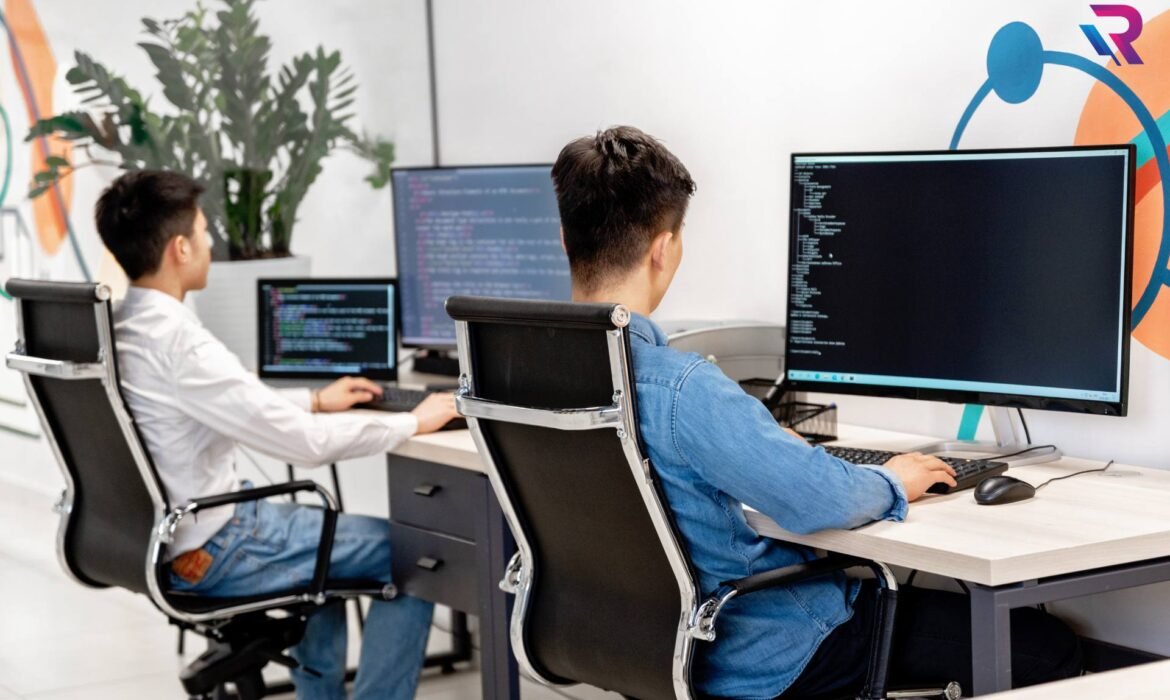
Laptop on Rent for Online Exams: Best Configurations & Tips
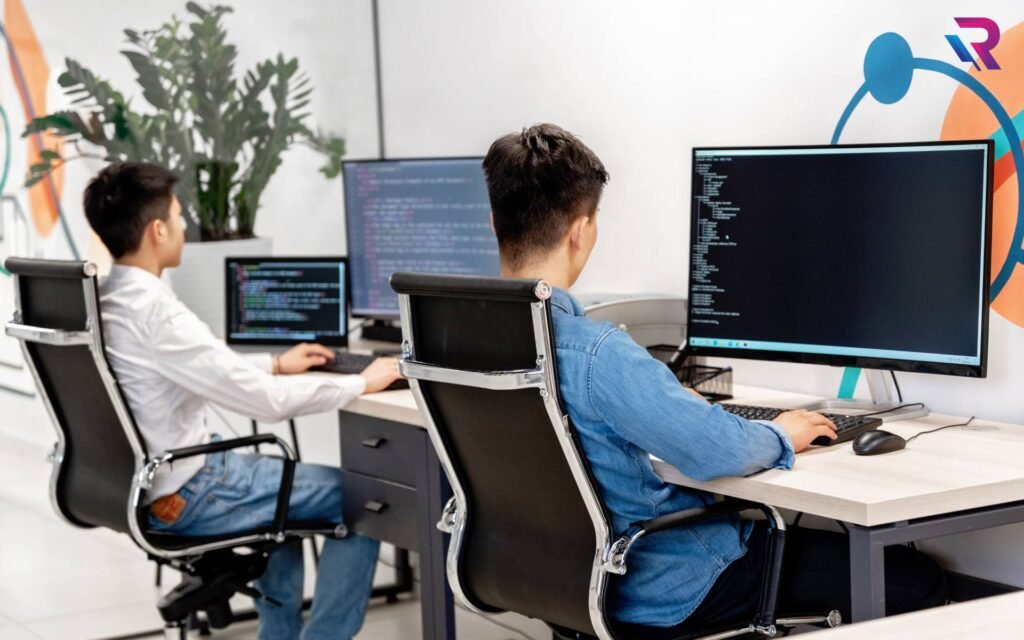
Introduction to Online Exams and Laptop Rentals
Online exams have become a standard mode of assessment for competitive exams, university tests, certifications, and corporate evaluations. As exam platforms grow more advanced, the need for a reliable and properly configured laptop has become critical. Renting a laptop for online exams is an increasingly popular solution for students and candidates who want a dependable system without the cost of buying a new device.
Why Renting a Laptop for Online Exams Makes Sense
Renting a laptop for online exams offers flexibility, affordability, and peace of mind. Many candidates require a laptop only for a short exam period or preparation phase. Laptop rentals eliminate the burden of long-term ownership, maintenance, and upgrades while providing access to tested and ready-to-use systems suitable for exam requirements.
Understanding Online Exam System Requirements
Most online exam platforms specify minimum system requirements related to processor speed, RAM, operating system, webcam, microphone, and internet connectivity. Understanding these requirements in advance helps candidates choose the right laptop configuration on rent and avoid last-minute technical issues during the exam.
Importance of a Stable and Reliable Laptop
During online exams, even a minor technical issue can cause stress or disqualification. A rented laptop that has been professionally tested and maintained reduces the risk of sudden shutdowns, overheating, or software crashes. Reliability is more important than high-end performance for exam scenarios.
Recommended Processor Configuration for Online Exams
For online exams, a mid-range processor is generally sufficient. Processors capable of handling browser-based exam software, proctoring tools, and background services ensure smooth performance. Renting a laptop with a stable and efficient processor helps avoid lag during test sessions.
Ideal RAM Capacity for Exam Performance
RAM plays a key role in multitasking during online exams. Exam software often runs alongside browser tabs, webcam feeds, and monitoring tools. Adequate RAM ensures the system remains responsive and prevents freezing or slowdowns during the exam.
Storage Type and Speed Considerations
Fast storage improves system boot time and application loading. Solid-state storage is preferred for online exams because it offers quicker response and stability. Storage capacity does not need to be large, but speed and reliability are essential.
Operating System Compatibility with Exam Platforms
Most online exams are conducted on widely supported operating systems. Choosing a laptop on rent with a compatible and updated operating system ensures smooth installation and execution of exam software. Compatibility helps avoid unexpected access issues.
Webcam and Microphone Requirements for Proctored Exams
Online exams often use webcam and microphone monitoring to ensure exam integrity. A laptop on rent should have a functioning built-in webcam and clear microphone. These components are essential for identity verification and continuous proctoring during the exam.
Internet Connectivity and Network Stability
While the laptop configuration is important, internet connectivity also plays a vital role. Renting a laptop with strong wireless capabilities ensures stable connections. Candidates should test network performance before the exam to prevent disconnections.
Battery Health and Power Backup Considerations
Battery health is critical during online exams, especially in areas with unreliable power supply. A rented laptop with good battery condition provides backup in case of power interruptions. Candidates should also ensure access to charging during the exam.
Display Size and Comfort for Long Exam Sessions
Comfortable viewing is important during long exam sessions. A clear display with appropriate screen size reduces eye strain and improves focus. Renting a laptop with a good-quality screen enhances the exam experience.
Keyboard and Typing Comfort for Exams
Typing speed and accuracy matter in many online exams. A comfortable keyboard allows candidates to respond efficiently without fatigue. Testing keyboard responsiveness before the exam helps ensure comfort and confidence.
Avoiding Technical Issues During Online Exams
Technical issues can be minimized by choosing a properly configured laptop on rent and testing it well in advance. Running system checks, installing required software, and disabling unnecessary applications help create a stable exam environment.
Importance of Software Pre-Installation and Testing
Installing exam software, browsers, and proctoring tools before exam day is essential. A rented laptop should be configured early to ensure compatibility. Testing the setup helps identify and resolve issues ahead of time.
Using a Dedicated Laptop for Exam Purposes
Using a dedicated laptop on rent for online exams reduces the risk of conflicts caused by personal software or background applications. A clean system environment improves performance and reduces distractions.
Exam-Day Best Practices for Laptop Usage
On exam day, candidates should restart the laptop, close unnecessary programs, and ensure a stable power and internet connection. Proper preparation helps maintain focus and avoid unexpected disruptions.
Short-Term Laptop Rentals for Exam Periods
Short-term laptop rental options are ideal for exam candidates. These plans allow access to reliable devices only for the required duration, making them cost-effective and convenient.
Data Security and Privacy During Online Exams
Exam data and personal information should be protected. Rental laptops are usually reset and sanitized before delivery. Candidates should avoid storing personal files and ensure all data is cleared after exam completion.
Who Should Consider Renting a Laptop for Online Exams
Students without personal laptops, candidates with outdated systems, and individuals facing hardware issues should consider renting a laptop for online exams. Renting ensures access to a suitable device that meets exam standards.
Benefits of Professional Laptop Rental Services
Professional rental services provide tested laptops, technical support, and quick replacements if needed. This support adds an extra layer of assurance for candidates appearing in high-stakes online exams.
Conclusion: Stress-Free Online Exams with the Right Laptop on Rent
Renting a laptop for online exams is a practical solution that ensures reliability, compatibility, and peace of mind. By choosing the right configuration and following best practices, candidates can focus entirely on their performance without worrying about technical challenges. A properly selected laptop on rent transforms online exams into a smooth and stress-free experience.
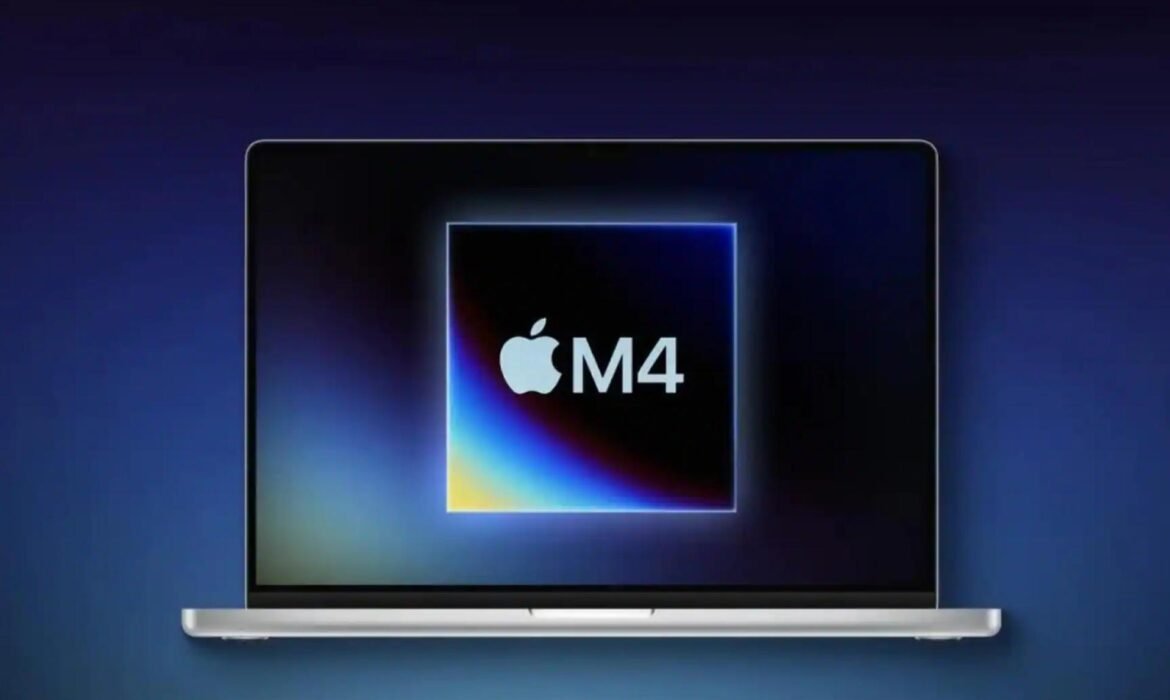
MacBook Pro on Rent for Video Editing & Designers: Is It Worth It in 2026?

Introduction to MacBook Pro Rentals for Creative Professionals
MacBook Pro on rent has become an increasingly popular option for video editors and designers who need high-performance machines without committing to the high cost of ownership. Creative professionals often work on demanding projects that require powerful hardware, color-accurate displays, and stable performance. Buying a MacBook Pro can be expensive, especially when top configurations are needed, which is why many creatives now consider renting as a practical alternative.
Why Video Editors and Designers Prefer MacBook Pro
The MacBook Pro is widely favored by video editors and designers because of its powerful processors, optimized macOS environment, and exceptional display quality. Software such as Final Cut Pro, Adobe Premiere Pro, After Effects, Photoshop, Illustrator, and DaVinci Resolve runs smoothly on MacBook Pro systems. The combination of hardware and software optimization makes it a preferred choice for creative workloads.
Performance Capabilities of MacBook Pro for Video Editing
Video editing requires high processing power, fast storage, and sufficient memory. MacBook Pro models equipped with Apple Silicon or high-end Intel processors offer strong performance for 4K and even 8K video editing. Smooth playback, faster rendering, and efficient multitasking make these devices suitable for professional editing tasks, especially when paired with adequate RAM and SSD storage.
MacBook Pro Display Advantages for Designers
Designers rely heavily on color accuracy and display clarity. The MacBook Pro features high-resolution Retina displays with excellent brightness and color reproduction. This allows designers to work on graphic design, UI/UX, photo editing, and motion graphics with confidence that colors and details will appear consistent across devices and platforms.
Why Renting a MacBook Pro Makes Sense for Creatives
Renting a MacBook Pro allows video editors and designers to access premium hardware without paying a large upfront cost. Creative projects are often temporary or client-based, and renting provides flexibility to match hardware usage with project timelines. This approach helps professionals manage expenses while still delivering high-quality work.
Short-Term MacBook Pro Rentals for Creative Projects
Short-term MacBook Pro rental plans are ideal for editors and designers working on specific projects, deadlines, or freelance assignments. These plans allow creatives to rent powerful machines for days or weeks, making them suitable for film editing, marketing campaigns, event videos, or design sprints without long-term financial commitment.
Long-Term MacBook Pro Rentals for Ongoing Creative Work
Long-term rental plans are better suited for designers and editors who need consistent access to high-performance machines over several months. These plans offer lower monthly costs compared to short-term rentals and are popular among creative agencies, freelancers with recurring work, and in-house design teams.
Cost Comparison: Renting vs Buying a MacBook Pro
Buying a MacBook Pro involves a significant investment, especially for higher configurations needed for professional video editing. Renting spreads the cost over time and eliminates depreciation concerns. For many creatives, renting proves to be more cost-effective, particularly when hardware needs change frequently.
MacBook Pro Rental Configurations for Editing and Design
Choosing the right configuration is essential for smooth performance. Video editors typically require higher RAM, fast SSD storage, and powerful processors, while designers may prioritize display quality and multitasking capabilities. Rental options often provide flexibility to choose configurations that align with project requirements.
Flexibility and Upgrade Benefits of Renting
One of the biggest advantages of renting a MacBook Pro is flexibility. Creative professionals can upgrade to newer models or higher specifications when project demands increase. This adaptability ensures that performance limitations do not affect productivity or creative output.
Data Security and Privacy for Rented MacBook Pros
Data security is a common concern for professionals renting devices. Reliable rental providers ensure devices are reset and cleaned before and after each rental. Users are advised to back up files and log out of personal accounts to maintain data privacy throughout the rental period.
MacBook Pro Rentals for Freelancers and Agencies
Freelancers benefit from MacBook Pro rentals by aligning costs with project income. Creative agencies use rentals to equip teams quickly for new clients without permanent hardware investments. This approach allows both freelancers and agencies to remain agile and competitive.
Workflow Efficiency with MacBook Pro Rentals
Using a MacBook Pro improves workflow efficiency for editing and design tasks. Faster rendering times, smooth multitasking, and reliable performance help creatives meet tight deadlines and maintain consistent quality, making rentals a practical solution for demanding workloads.
Is Renting a MacBook Pro Worth It for Designers
For designers, renting a MacBook Pro provides access to high-quality displays and reliable performance without ownership costs. It is especially worth it for project-based work, seasonal workloads, or when testing new design tools and workflows.
Is Renting a MacBook Pro Worth It for Video Editors
Video editors benefit significantly from renting due to the high cost of ownership and rapid hardware upgrades. Renting allows editors to work on advanced projects using powerful machines while staying financially flexible.
Choosing the Right MacBook Pro Rental Plan
Selecting the right rental plan depends on workload, project duration, and budget. Understanding software requirements and performance needs helps in choosing an appropriate configuration and rental duration that ensures uninterrupted productivity.
Conclusion: Is MacBook Pro on Rent Worth It
MacBook Pro on rent for video editing and designers is a worthwhile option for professionals seeking performance, flexibility, and cost control. Renting eliminates large upfront costs, offers access to premium hardware, and allows creatives to adapt to changing project demands. For many video editors and designers, renting a MacBook Pro is not only worth it but also a smart business decision.

Tips to Choose the Right Rental Plan for Your Business IT Needs
Why Choosing the Right IT Rental Plan Matters
In today’s dynamic business world, technology drives success. Whether you’re running a startup, managing a corporate office, or setting up a temporary workspace, having the right IT infrastructure is essential. But purchasing laptops, desktops, servers, or workstations outright can strain budgets and limit flexibility.
That’s where IT equipment rentals come into play. Renting allows businesses to access high-quality technology at a fraction of the cost while maintaining flexibility to scale up or down as needed. However, selecting the right rental plan is crucial to ensure your business gets the maximum benefit.
In this blog, we’ll explore how to choose the perfect IT rental plan for your business—covering key considerations like duration, hardware needs, budget, and support—so you can make an informed, cost-effective decision with Rental Plaza.
Understanding Your Business IT Requirements
Before selecting a rental plan, it’s vital to assess your company’s technology needs. Every business has unique workflows and hardware demands. For instance, a design agency will need high-end GPUs and large RAM, while a sales office might only require basic laptops for documentation and communication.
Key Questions to Ask Yourself:
- What kind of tasks will employees perform daily?
- How many systems are required?
- Do you need high-performance hardware (for design, development, or rendering)?
- What’s your expected usage duration—short-term or long-term?
- Is scalability important for future expansion?
Answering these questions provides clarity about the type and duration of your rental plan, helping you choose between short-term or long-term rentals.
Short-Term vs Long-Term Rental Plans
One of the most important decisions is whether to go for a short-term or long-term rental plan. Each has its benefits depending on your project type and business structure.
Short-Term Rental Plans
Short-term rentals are perfect for companies with temporary needs, such as:
- Corporate events, training sessions, or exhibitions.
- Freelance projects or short-duration collaborations.
- Temporary employees or seasonal work.
With short-term rentals, you can easily upgrade or downgrade equipment as required, ensuring flexibility without a long-term financial burden.
Long-Term Rental Plans
Long-term rentals are ideal for businesses looking for stable and ongoing IT support. These plans provide:
- Better cost savings through lower monthly rates.
- Continuous support and maintenance.
- Easy replacement and upgrade options.
- Hassle-free scalability for team expansion.
Companies running large projects or maintaining permanent workspaces benefit from long-term rental contracts, as they provide the consistency and reliability needed for sustained operations.
Evaluating Hardware Specifications
Once you’ve decided on the rental duration, focus on hardware specifications that align with your operational needs.
For Basic Office Work:
Choose systems with Intel i3/i5 processors, 8 GB RAM, and SSD storage. These setups are sufficient for everyday business tasks like email, Excel, and document management.
For Developers and Designers:
Opt for high-performance laptops or workstations with Intel i7/i9 or Apple M-series processors, 16–32 GB RAM, and dedicated GPUs like NVIDIA RTX for better graphics rendering and faster performance.
For Data Analysis and AI Projects:
Servers or desktops equipped with powerful GPUs, 64 GB RAM, and large SSD capacity are essential for AI training and simulation tasks.
At Rental Plaza, you can select from a wide range of custom configurations—from entry-level laptops to GPU-powered workstations—depending on your business’s specific requirements.
Setting a Realistic Budget
Budget plays a pivotal role in choosing the right rental plan. Businesses often face the challenge of balancing affordability with performance.
Tips for Budget Planning:
- Compare costs of short-term vs long-term rentals.
- Consider total cost of ownership (TCO) including delivery, maintenance, and upgrades.
- Ask about discounts for bulk or extended rentals.
- Choose devices that match your actual workload—avoid overpaying for unnecessary specs.
Rental Plaza offers flexible pricing models, allowing you to rent IT equipment that fits both your budget and performance expectations.
Checking for Maintenance and Support
Technical issues are inevitable, but your rental provider’s support quality can make a huge difference in minimizing downtime.
When evaluating a provider, ensure they offer:
- 24/7 technical assistance for quick problem resolution.
- Free replacements in case of hardware failure.
- Regular maintenance to keep systems running efficiently.
- On-site or remote support for software and connectivity issues.
Rental Plaza takes pride in providing end-to-end technical support and maintenance services, ensuring your operations remain uninterrupted.
Flexibility and Scalability of the Rental Plan
In a growing business, scalability is crucial. You may need additional systems as you onboard new employees or expand into new locations.
Choose a provider that allows you to:
- Easily scale up by adding more devices when required.
- Upgrade systems without major cost implications.
- Modify contracts to adjust duration or equipment type.
With Rental Plaza, you get complete flexibility to modify your IT infrastructure anytime—making it easier to adapt to evolving business needs.
Assessing the Provider’s Reputation and Reliability
Choosing the right IT rental company is as important as choosing the equipment itself. Always look for a reliable provider with a proven track record.
When evaluating a rental partner, check:
- Customer reviews and testimonials.
- Service network and coverage areas.
- Availability of genuine hardware from top brands (HP, Dell, Apple, Lenovo).
- Transparency in pricing and agreements.
Rental Plaza, with its PAN India presence, serves leading businesses across major cities like Delhi, Mumbai, Bangalore, Pune, and Chandigarh—offering trusted and timely IT rental solutions.
Importance of Data Security and Privacy
When renting IT devices, businesses must ensure data safety. Devices used by multiple clients could pose security risks if not properly formatted or maintained.
Before finalizing your rental plan, confirm that the provider follows strict data security protocols such as:
- Factory resets before every deployment.
- Secure data wiping after the rental period ends.
- Encrypted storage and network security measures.
Rental Plaza follows industry-standard security practices to ensure your data remains safe and confidential throughout your rental duration.
Additional Services to Look For
Apart from providing equipment, top rental companies offer value-added services that enhance convenience and cost efficiency:
- On-site installation and setup.
- Software pre-configuration (Windows, MS Office, etc.).
- Hardware upgrade options.
- Replacement units during repairs.
These services ensure seamless onboarding and operations without downtime. Rental Plaza offers all these benefits, helping businesses stay productive from day one.
Benefits of Renting IT Equipment from Rental Plaza
Rental Plaza stands out as one of India’s most trusted IT equipment rental providers, offering:
- Latest laptops, desktops, MacBooks, and servers.
- Flexible rental periods—daily, weekly, monthly, or annual.
- Nationwide delivery and pickup.
- Affordable rates for startups and enterprises.
- Dedicated account managers for corporate clients.
Visit Rental Plaza to explore rental options tailored for startups, developers, designers, IT firms, and corporate offices across India.
Final Tips Before You Choose
Before signing your rental agreement:
- Review all terms carefully, including replacement and cancellation clauses.
- Verify the hardware specifications match your order.
- Check the service level agreement (SLA) for response times.
- Request a demo or test period if available.
Taking these precautions ensures you get the best possible experience with your chosen rental plan.
Conclusion: Make Smart IT Investments with the Right Rental Plan
Selecting the right IT rental plan isn’t just about saving money—it’s about ensuring your business runs efficiently, stays flexible, and remains future-ready. Whether you’re scaling up a startup, managing a creative team, or building a corporate IT setup, the right rental choice can make all the difference.
With Rental Plaza, you get the perfect balance of affordability, performance, and reliability. From short-term project needs to long-term enterprise setups, we help you choose rental plans that empower productivity and growth.
👉 Explore flexible, high-performance IT rental plans today at Rental Plaza and take your business technology to the next level.
Work-from-Home Laptop Rentals for Professionals & Freelancers in India
Introduction: The New Work-from-Home Revolution
The concept of work has changed dramatically in the past few years. From startups to large corporations, remote and hybrid working models have become the new normal. With this shift, professionals and freelancers across India are realizing the importance of having reliable, high-performance laptops that can handle their daily workloads seamlessly.
However, not everyone can afford to invest in premium laptops upfront — especially freelancers, small business owners, and remote professionals. That’s where work-from-home laptop rentals in India have emerged as a practical, cost-effective, and flexible solution.
Rental Plaza, one of India’s leading IT rental companies, offers laptop rental solutions specifically designed for work-from-home setups. Whether you’re a designer, developer, marketer, writer, or data analyst, Rental Plaza provides laptops tailored to your performance requirements — all with affordable pricing and nationwide delivery.
Why Laptop Rentals Are Ideal for Remote Professionals
With the surge in digital freelancing and remote employment, professionals need dependable hardware without long-term financial commitments. Renting laptops has become a popular trend for a variety of reasons.
1. Cost Savings Without Compromise
Freelancers often work on project-based contracts, making it impractical to purchase an expensive laptop. Renting allows you to use top-tier machines like MacBooks, Dell, HP, or Lenovo laptops at a fraction of the cost, paying only for the duration you need them.
2. Access to Latest Technology
Technology evolves quickly. Rental Plaza ensures you always have access to the latest Intel i5/i7/i9 or AMD Ryzen-powered laptops with SSD storage, powerful RAM, and updated graphics — perfect for both light and heavy workloads.
3. Flexibility for Short-Term Projects
Whether you need a laptop for a few weeks or several months, Rental Plaza’s flexible rental plans cater to your timeline. You can easily extend, upgrade, or return your system anytime.
4. Hassle-Free Maintenance & Support
Laptop ownership comes with maintenance costs and repair risks. With Rental Plaza, all technical issues, repairs, and replacements are handled by our team, ensuring uninterrupted workflow.
5. Ideal for Freelancers, Remote Teams & Students
Work-from-home laptop rentals benefit multiple user categories — from IT freelancers and designers to remote employees and students attending online classes.
Why Choose Rental Plaza for Work-from-Home Laptop Rentals in India
As one of India’s trusted names in IT rentals, Rental Plaza combines affordability, performance, and convenience in every plan. Whether you’re in Delhi, Mumbai, Bangalore, Pune, Chennai, Hyderabad, Chandigarh, or Jaipur, we deliver fully configured laptops to your doorstep.
1. Wide Range of Laptops
Rental Plaza offers a variety of systems from leading brands like Dell, HP, Lenovo, ASUS, and Apple. Choose laptops based on your needs — from compact ultrabooks for portability to high-end machines for demanding workloads.
Available Categories:
- Business Laptops: Ideal for writing, research, marketing, and documentation.
- Creative Laptops: For designers, editors, and architects needing high-resolution displays and GPUs.
- Developer Laptops: For programmers and data analysts requiring strong CPU and RAM performance.
- MacBooks: For professionals in creative and development fields preferring macOS environments.
2. PAN India Delivery & Support
No matter where you’re located, Rental Plaza delivers your laptop quickly and safely. Our PAN India service ensures accessibility for freelancers and professionals in metro cities as well as smaller towns.
3. Flexible Rental Durations
Our laptop rental plans are designed for short-term and long-term use — whether you need it for one month, six months, or a full year.
4. Affordable Pricing Plans
Rental Plaza believes technology should be accessible to everyone. Our competitive pricing and custom rental packages make it easier for freelancers to access premium laptops without large investments.
5. 24/7 Technical Assistance
We provide round-the-clock technical support and quick replacements, ensuring your work never stops due to hardware issues.
Laptop Rental Options for Different Professions
For Freelance Designers & Creators
Designers and video editors require laptops with powerful GPUs, high RAM, and color-accurate displays. Rental Plaza offers MacBook Pro, Dell XPS, and HP ZBook models perfect for graphic design, video editing, and 3D animation.
Recommended Specs:
- Intel i7/i9 or Apple M1/M2 processors
- 16GB–64GB RAM
- NVIDIA RTX or AMD Radeon graphics
- 512GB–1TB SSD storage
For Software Developers & Programmers
Developers need fast and reliable laptops capable of running multiple IDEs, testing environments, and heavy software simultaneously. Rental Plaza provides laptops optimized for software development, AI, and coding tasks.
Recommended Specs:
- Intel i5/i7 or Ryzen 7 processors
- 16GB RAM
- SSD storage for quick compiling
- Pre-installed development tools (optional)
For Digital Marketers & Content Creators
For content strategists, social media managers, and marketers, laptops with good performance and battery life are essential. Rental Plaza offers lightweight laptops with long-lasting batteries and sharp displays for multitasking and productivity.
Recommended Specs:
- Intel i5/i7 processors
- 8GB–16GB RAM
- Full HD or Retina display
- High-speed Wi-Fi and webcam quality
For Writers, Researchers & Consultants
Writers and consultants often prioritize portability, comfort, and long battery life. Rental Plaza provides ultrabooks and business laptops ideal for writing, presentations, and client meetings.
Recommended Specs:
- Intel i3/i5 processor
- 8GB RAM
- SSD storage
- Lightweight design
For Students & Online Educators
With remote learning becoming a norm, students and teachers need affordable laptops for classes, presentations, and assignments. Rental Plaza’s student-friendly rental plans make high-quality laptops easily accessible.
Recommended Specs:
- Intel i3/i5 processor
- 8GB RAM
- HD webcam & microphone
- Microsoft Office pre-installed
Benefits of Renting a Laptop for Work-from-Home Professionals
1. Instant Availability
No waiting for stock or deliveries from online marketplaces. Rental Plaza provides ready-to-use laptops within 24–48 hours in most cities.
2. No Long-Term Commitment
Freelancers often work on temporary contracts. Rental Plaza’s flexible rental duration allows you to use a laptop for just as long as your project lasts.
3. Free Maintenance & Replacements
Our technical team handles all servicing, ensuring that if your laptop faces an issue, you get an instant replacement — so your work never stops.
4. Upgrade Anytime
Need a more powerful system mid-project? You can easily upgrade to a higher configuration without hassle.
5. Eco-Friendly Choice
Renting extends the life cycle of devices and helps reduce e-waste — making it a sustainable and responsible choice.
Comparison: Buying vs Renting a Laptop
| Feature | Buying | Renting |
|---|---|---|
| Upfront Cost | High | Low |
| Maintenance | Paid | Included |
| Upgrades | Costly | Free or minimal |
| Flexibility | Limited | Highly flexible |
| Depreciation | Yes | None |
Renting clearly offers more financial and operational benefits, especially for professionals who value flexibility and mobility.
Cities Covered Under Rental Plaza’s Work-from-Home Laptop Rentals
Rental Plaza offers PAN India coverage, serving freelancers and remote workers in all major cities, including:
- Delhi NCR
- Mumbai
- Bangalore
- Hyderabad
- Pune
- Chennai
- Kolkata
- Ahmedabad
- Chandigarh
- Mohali
- Indore
- Jaipur
With fast delivery and easy return options, Rental Plaza ensures smooth onboarding and remote working experiences anywhere in India.
Why Rental Plaza is the Preferred Choice for Remote Laptop Rentals
Rental Plaza isn’t just about providing laptops — it’s about offering complete IT support for remote professionals.
Here’s why clients trust us:
- Years of experience in IT rental services
- Transparent pricing and no hidden costs
- Wide inventory of laptops and accessories
- Fast delivery and installation
- Dedicated customer service team
- Flexible billing and replacement options
Our mission is simple — to empower India’s remote professionals and freelancers with the technology they need to succeed.
How to Rent a Laptop from Rental Plaza
Getting started is easy and quick:
- Visit Rental Plaza
- Choose your desired laptop and configuration
- Select your rental duration (short-term or long-term)
- Submit your details and confirm your booking
- Get your laptop delivered to your doorstep anywhere in India
We ensure every laptop is fully tested, updated, and optimized before delivery.
The Future of Remote Work and IT Rentals
As hybrid and remote work continue to rise, IT rentals are becoming an essential part of India’s digital workforce. More professionals now prefer flexibility, cost-efficiency, and sustainability over ownership.
In the coming years, IT rentals will play a key role in enabling digital empowerment, giving access to powerful hardware without financial strain. With the right tools and technology from Rental Plaza, professionals can focus on what matters most — productivity and growth.
Conclusion: Power Your Work-from-Home Setup with Rental Plaza
Remote work is here to stay — and the right laptop is your most important asset. But you don’t need to break the bank to get it. With Rental Plaza’s work-from-home laptop rentals, professionals and freelancers can access high-performance laptops, affordable plans, and round-the-clock support across India.
Whether you’re a content creator, coder, designer, or consultant, Rental Plaza ensures you have the technology to perform your best from anywhere.
Visit https://rentalplaza.in/ and explore flexible laptop rental solutions designed for modern remote professionals.
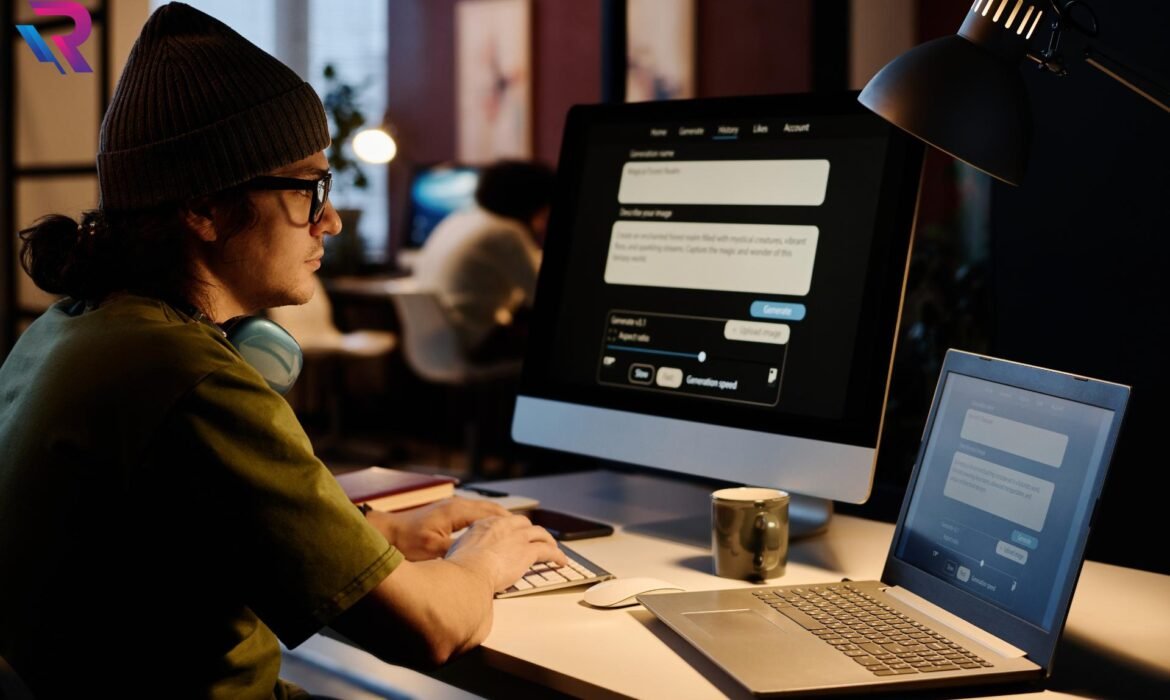
MacBook on Rent Near Me with Short-Term & Long-Term Plans
Rising Demand for MacBook Rentals in India
In recent years, the demand for MacBooks has increased across industries, education, and creative fields. Professionals, students, startups, and enterprises prefer Apple devices for their performance, design, and reliability. However, high purchase costs have encouraged many users to search for MacBook on rent near me as a smarter and more flexible alternative to buying.
Why People Prefer MacBook on Rent Near Me
When users search for MacBook on rent near me, they are usually looking for quick availability, local support, and minimal waiting time. Local rental services ensure faster delivery, easier communication, and prompt technical assistance, making the rental experience smooth and hassle-free.
Understanding Short-Term MacBook Rental Plans
Short-term MacBook rental plans are designed for users who need devices for a limited duration. These plans are ideal for business trips, client meetings, training programs, exams, events, and short projects. Renting a MacBook for a short term allows users to access premium Apple devices without long-term financial commitment.
Benefits of Short-Term MacBook on Rent
Short-term MacBook rentals offer flexibility and affordability. Users can rent a MacBook for a few days or weeks depending on their requirement. This option is especially useful for professionals who need a reliable device temporarily or students preparing for online exams and presentations.
Long-Term MacBook Rental Plans Explained
Long-term MacBook rental plans cater to users who need devices for several months or longer. These plans are commonly chosen by startups, remote teams, freelancers, and corporate offices. MacBook on rent near me with long-term plans provides consistent performance at predictable monthly costs.
Advantages of Long-Term MacBook Rentals
Long-term rentals eliminate the burden of ownership while offering continuous access to premium devices. Users benefit from lower monthly rental rates compared to short-term plans, along with maintenance and technical support included throughout the rental period.
MacBook on Rent for Office and Corporate Use
Corporate teams often require standardized devices for employees. Renting MacBooks locally allows businesses to quickly equip new hires, support remote work, and manage IT infrastructure efficiently. Long-term rental plans are especially beneficial for companies that want to control costs and remain flexible.
MacBook on Rent Near Me for Remote Work
Remote workers rely heavily on dependable hardware. MacBook on rent near me ensures quick access to devices that support video conferencing, multitasking, and productivity tools. Short-term rentals suit temporary remote assignments, while long-term plans support ongoing work-from-home needs.
MacBook Rentals for Startups and Growing Businesses
Startups operate in dynamic environments where team sizes change frequently. Renting MacBooks allows startups to scale up or down without locking capital into hardware purchases. Both short-term and long-term rental plans support agile business growth.
MacBook on Rent for Developers and Programmers
Developers prefer MacBooks for coding, testing, and application development. Renting MacBooks locally provides access to the latest models without the high upfront cost. Long-term rental plans are especially popular among development teams working on extended projects.
MacBook Rentals for Designers and Video Editors
Creative professionals require high-performance devices for design and editing work. MacBook on rent near me allows designers and editors to use powerful machines during peak workloads or project-based assignments, avoiding the cost of permanent ownership.
MacBook on Rent for Students and Education
Students often need MacBooks for online classes, assignments, research, and internships. Renting a MacBook locally is an affordable solution for academic needs. Short-term rentals help during exams and projects, while long-term plans support semester-long requirements.
Cost Comparison: Renting vs Buying a MacBook
Buying a MacBook involves high upfront costs and depreciation over time. Renting spreads the expense across manageable payments. When comparing short-term and long-term needs, MacBook on rent near me often proves more cost-effective than ownership.
Flexibility of Rental Duration
One of the biggest advantages of MacBook rental plans is flexibility. Users can choose rental durations that match their exact needs. Short-term rentals offer quick solutions, while long-term plans provide stability and better pricing for extended usage.
Maintenance and Technical Support Benefits
MacBook rental plans include maintenance and technical support, reducing downtime and repair costs. Local rental providers can resolve issues quickly, ensuring uninterrupted usage throughout the rental period.
Quick Delivery and Easy Setup
Users searching for MacBook on rent near me often need fast delivery. Local rental services offer quick setup and ready-to-use devices, saving time and effort for professionals and students alike.
Custom Configurations Based on User Needs
Rental providers offer various MacBook models and configurations. Users can choose specifications based on their work requirements, whether for basic tasks or performance-intensive applications.
Data Security and Privacy in MacBook Rentals
Data security is a priority for rental users. Reliable providers ensure that devices are properly formatted before delivery and securely wiped after return. This protects user data and ensures safe usage.
Short-Term MacBook Rentals for Events and Conferences
Events, seminars, and conferences often require MacBooks for presentations and demonstrations. Short-term rentals offer a practical solution without the need for permanent purchases.
Long-Term MacBook Rentals for Hybrid Teams
Hybrid work models require devices that can move between home and office environments. Long-term MacBook rental plans provide consistency and reliability for hybrid teams.
Budget Predictability with Rental Plans
Rental plans offer predictable expenses, making budgeting easier. Whether short-term or long-term, users know exactly what they are paying without unexpected repair or upgrade costs.
Environmental Benefits of MacBook Rentals
Renting MacBooks supports sustainability by promoting reuse and reducing electronic waste. Choosing MacBook on rent near me aligns with environmentally responsible technology practices.
Choosing Between Short-Term and Long-Term Plans
The choice between short-term and long-term MacBook rental plans depends on usage duration, budget, and workload. Short-term plans offer flexibility, while long-term plans deliver better value for ongoing needs.
Availability of MacBook Rental Services Across Cities
MacBook rental services are widely available in major Indian cities. Searching for MacBook on rent near me helps users find local providers offering fast service and reliable support.
Future of MacBook Rental Services
As flexible work, education, and project-based employment continue to grow, MacBook rentals will remain in high demand. Both short-term and long-term plans will play a crucial role in meeting diverse user needs.
Conclusion: Finding the Right MacBook Rental Plan Near You
Choosing MacBook on rent near me with short-term & long-term plans offers unmatched flexibility, affordability, and convenience. Whether for a few days or several months, renting a MacBook allows users to access premium Apple devices without ownership stress. By selecting the right rental duration and local provider, individuals and businesses can enjoy reliable performance while keeping costs under control.

Monthly Laptop on Rent Plans for Work-From-Home Teams

The Rise of Work-From-Home Teams
Work-from-home has become a long-term working model for startups, IT companies, customer support teams, and enterprises. Businesses now require reliable laptops for distributed teams without investing heavily in permanent hardware. This shift has made monthly laptop on rent plans a preferred solution for companies managing remote employees efficiently.
Why Monthly Laptop on Rent Is Gaining Popularity
Companies with remote teams need flexibility, quick deployment, and cost control. Monthly laptop on rent allows organizations to provide employees with professional-grade devices without upfront purchases. The predictable monthly expense fits well into modern business budgeting models.
Monthly Laptop on Rent vs Buying for Remote Teams
Buying laptops for work-from-home teams involves high capital investment and long-term commitment. When employees join or leave, unused devices become a burden. Monthly laptop on rent plans eliminate this risk by offering scalable solutions aligned with workforce changes.
Cost Efficiency of Monthly Laptop Rental Plans
One of the biggest advantages of monthly laptop on rent for work-from-home teams is cost efficiency. Businesses pay only for active employees. There is no depreciation loss, and funds remain available for core business growth rather than hardware ownership.
Flexibility for Growing and Shrinking Teams
Remote teams often change in size. Monthly rental plans allow companies to add or return laptops easily. This flexibility ensures that IT infrastructure adapts quickly to changing project needs and employee counts.
Easy Laptop Deployment for Remote Employees
Setting up work-from-home teams requires fast device delivery. Monthly laptop on rent ensures laptops are delivered, configured, and ready to use. This reduces onboarding time and allows new employees to start working immediately.
Laptop on Rent for Startups with Remote Teams
Startups benefit greatly from monthly laptop on rent plans. Limited budgets and uncertain growth make buying risky. Renting laptops allows startups to scale operations without financial strain and maintain operational agility.
Monthly Laptop on Rent for IT & Software Companies
IT companies managing remote developers need high-performance laptops. Laptop on rent monthly plans offer access to powerful configurations suitable for coding, testing, and development, without locking capital into hardware.
Supporting Hybrid and Remote Work Models
Many organizations follow hybrid work structures. Monthly laptop rental services allow employees to work from home or office using standardized devices. This consistency improves productivity and simplifies IT management.
Maintenance and Support Included in Rental Plans
Device maintenance is a major challenge for remote teams. With monthly laptop on rent, hardware support, servicing, and replacements are included. This ensures minimal downtime and reduces the burden on internal IT teams.
Laptop on Rent for Customer Support Teams
Customer support and BPO teams require reliable laptops for voice and chat operations. Monthly laptop on rent plans provide consistent performance, secure configurations, and uninterrupted service for remote support staff.
Security Benefits of Laptop Rentals
Data security is crucial for remote work. Reputed rental providers deliver laptops with clean operating systems and ensure secure data wiping after use. Monthly laptop on rent for work-from-home teams supports compliance and data protection standards.
Standardized Devices Across Remote Teams
Managing multiple laptop brands and models can create IT challenges. Renting laptops ensures standardized hardware across teams. This uniformity simplifies troubleshooting and improves overall efficiency.
Monthly Laptop on Rent for Short-Term Projects
Many businesses operate on short-term or contract-based projects. Buying laptops for such needs is inefficient. Monthly laptop on rent plans are ideal for temporary assignments and project-based remote work.
Budget Predictability with Monthly Rentals
Monthly rental payments are predictable and easy to track. Businesses can plan expenses accurately without worrying about unexpected repair or replacement costs. This financial clarity supports better decision-making.
Laptop on Rent for Freelance and Contract Teams
Freelancers and contract workers often require professional devices for limited durations. Monthly laptop on rent ensures access to quality laptops without long-term commitments, improving productivity and cost control.
Environmental Benefits of Laptop Rentals
Renting laptops promotes reuse and reduces electronic waste. Companies adopting monthly laptop on rent plans contribute to sustainable IT practices while meeting operational needs.
Laptop on Rent with Upgradable Options
Technology evolves rapidly, and work-from-home teams need updated devices. Rental plans allow easy upgrades to better configurations, ensuring employees always have suitable tools to perform efficiently.
Reducing IT Management Overhead
Managing purchased laptops requires inventory tracking, maintenance, and disposal. Monthly laptop on rent reduces administrative workload and allows IT teams to focus on strategic initiatives.
Laptop on Rent for Pan-India Remote Teams
Companies operating across multiple cities benefit from rental services offering nationwide coverage. Monthly laptop on rent ensures consistent service and support for employees working from different locations.
Custom Configurations for Work-From-Home Needs
Different roles require different system specifications. Rental providers offer customizable configurations, making monthly laptop on rent plans suitable for developers, designers, analysts, and support teams alike.
Improving Employee Productivity at Home
Reliable laptops reduce technical issues and downtime. Monthly laptop on rent for work-from-home teams ensures employees work efficiently with stable and professional equipment.
Future of Monthly Laptop Rentals for Remote Work
As remote work continues to evolve, monthly laptop on rent plans will remain a key part of modern IT strategies. Flexibility, cost savings, and ease of management make rentals the preferred choice for remote teams.
Conclusion: Why Monthly Laptop on Rent Is Ideal for Work-From-Home Teams
In a remote-first work environment, monthly laptop on rent for work-from-home teams offers unmatched benefits. From cost efficiency and scalability to maintenance-free operations and quick deployment, renting laptops supports business growth while reducing risk. For companies embracing flexible work models, monthly laptop rental plans are the smartest and most practical solution.

Laptop Rental Services Near Me with Same-Day Delivery

Rising Demand for Laptop Rental Services Near Me
The search for laptop rental services near me has increased rapidly as businesses, students, and professionals look for quick and flexible IT solutions. Buying a laptop takes time and involves high costs, while laptop on rent near me offers instant access to devices without long-term commitment. With fast-moving work environments and urgent requirements, same-day laptop rental services have become a preferred choice across India.
What Are Laptop Rental Services with Same-Day Delivery
Laptop rental services near me with same-day delivery provide ready-to-use laptops delivered within hours of booking. These services cater to urgent needs such as office emergencies, online exams, client meetings, corporate onboarding, and short-term projects. Same-day laptop on rent ensures users do not face downtime due to device unavailability.
Why Same-Day Laptop on Rent Is in High Demand
The need for same-day laptop on rent near me arises due to sudden work requirements, device failure, or unexpected projects. Businesses cannot afford productivity loss, and students cannot risk missing exams or classes. Laptop rental services with same-day delivery solve these problems by providing immediate access to reliable laptops.
Laptop Rental Services Near Me for Business Use
Companies frequently search for laptop rental services near me for business to handle urgent workforce requirements. Whether it is onboarding new employees, managing contract staff, or supporting remote teams, business laptop rental services with same-day delivery ensure smooth operations without delays.
Corporate Laptop Rental Services with Fast Delivery
Corporate laptop rental services near me offer bulk laptops with fast deployment. Same-day delivery allows companies to scale their IT infrastructure instantly. Choosing the best laptop rental service near me helps businesses avoid procurement delays and focus on core operations.
Laptop on Rent Near Me for Students
Students often search for laptop on rent near me during exams, project submissions, and online classes. Student laptop rental services with same-day delivery ensure access to functional devices without buying expensive laptops. This makes laptop rental near me a cost-effective solution for academic needs.
Laptop Rental Services Near Me for Online Exams
Online exams require stable and properly configured devices. Laptop rental services near me with same-day delivery help students handle last-minute exam emergencies. Renting ensures that laptops meet exam software requirements, reducing technical risks during assessments.
Laptop Rental Services Near Me for Office Work
Office professionals frequently require laptop rental services near me for office work due to device breakdowns or short-term projects. Same-day laptop rental helps professionals continue work without interruption, making it ideal for corporate environments.
Wide Range of Laptops Available on Rent Near Me
The best laptop rental services near me offer a wide range of laptops, including basic laptops, business laptops, high-performance laptops, and premium devices. Users searching for laptop on rent near me can choose configurations based on RAM, processor, storage, and operating system.
High-Performance Laptop Rental Services Near Me
Developers, designers, and analysts often need high-performance laptop rental services near me. Same-day delivery of powerful laptops ensures professionals can handle demanding software and workloads without delay. Laptop on rent near me provides access to advanced systems without ownership costs.
Affordable Laptop Rental Services Near Me
Cost is a major factor when choosing laptop rental services near me. Renting laptops is more affordable than buying, especially for short-term needs. Cheap laptop on rent near me options are available for students, freelancers, and small businesses.
Laptop Rental Services Near Me Without Long-Term Commitment
Laptop on rent near me offers flexibility with daily, weekly, and monthly plans. Users can choose short-term or long-term rentals based on requirements. Same-day laptop rental services ensure immediate availability without binding contracts.
Laptop Rental Services Near Me with Technical Support
One major benefit of laptop rental services near me is technical support. Rental providers handle maintenance, troubleshooting, and replacements. This makes same-day laptop on rent near me reliable for business and academic use.
Laptop Rental Services Near Me for Remote Work
Remote and hybrid work models have increased demand for laptop rental services near me with fast delivery. Companies provide rented laptops to remote employees quickly, ensuring work continuity without delays.
Laptop Rental Services Near Me for Startups
Startups prefer laptop rental services near me to manage costs and scale teams easily. Same-day delivery allows startups to onboard employees immediately without investing heavily in IT assets.
Laptop Rental Services Near Me for Events and Training
Events, workshops, and training programs require multiple laptops for short durations. Laptop rental services near me with same-day delivery help organizers set up quickly and efficiently without buying equipment.
Laptop Rental Services Near Me for Temporary Projects
Temporary projects require temporary solutions. Laptop on rent near me is ideal for short-term assignments, audits, surveys, and fieldwork. Same-day delivery ensures projects start on time.
Data Security in Laptop Rental Services Near Me
Users often worry about data security when choosing laptop rental services near me. Reputed rental providers ensure proper system checks and data wiping before delivery. This makes laptop on rent near me safe for business and personal use.
Cost Comparison: Laptop Rental Near Me vs Buying
When comparing laptop rental services near me vs buying, renting is more economical for short and medium-term use. Buying involves depreciation and maintenance, while laptop on rent near me offers predictable and lower costs.
Convenience of Booking Laptop Rental Services Near Me
Booking laptop rental services near me is simple and fast. Many providers offer online booking and quick confirmation. Same-day laptop rental reduces waiting time and increases convenience.
Why Same-Day Laptop Rental Services Near Me Are Reliable
Laptop rental services near me with same-day delivery focus on speed, reliability, and customer support. These services ensure devices are tested, configured, and ready to use, making them dependable for urgent needs.
Choosing the Best Laptop Rental Services Near Me
To choose the best laptop rental services near me, users should consider device quality, delivery speed, rental plans, and support. A trusted provider ensures smooth experience with same-day laptop on rent near me.
Growing Popularity of Laptop Rental Services Near Me
As work, education, and business become more dynamic, laptop rental services near me continue to gain popularity. Same-day delivery has become a key differentiator in the laptop rental market.
Future of Laptop Rental Services Near Me with Same-Day Delivery
The future of laptop rental services near me with same-day delivery looks strong as demand for flexible IT solutions increases. Fast delivery and affordable rentals will continue to drive growth.
Final Thoughts on Laptop Rental Services Near Me with Same-Day Delivery
Laptop rental services near me with same-day delivery offer speed, flexibility, and affordability for businesses, students, and professionals. Whether for office work, exams, projects, or emergencies, laptop on rent near me ensures uninterrupted productivity without the burden of ownership.
AI-Ready Laptops on Rent with NVIDIA RTX GPUs for Machine Learning in India
Introduction: Why AI-Ready Laptops are in Demand
Artificial Intelligence (AI), Machine Learning (ML), and Data Science are no longer limited to research labs—they are powering real-world applications across healthcare, finance, e-commerce, and education. To train, test, and deploy ML models efficiently, professionals need high-performance laptops equipped with powerful GPUs.
While desktops and servers are popular for large-scale training, AI-ready laptops with NVIDIA RTX GPUs provide flexibility, portability, and raw computing power to handle complex AI workflows. For developers, researchers, students, and startups in India, renting such laptops is becoming an affordable and scalable choice.
In this blog, we explore why NVIDIA RTX GPUs matter for machine learning, the best configurations for AI projects, and how renting AI-ready laptops in India offers unmatched benefits.
Why NVIDIA RTX GPUs Are Essential for Machine Learning
Graphics Processing Units (GPUs) play a central role in modern AI. Unlike CPUs that process tasks sequentially, GPUs execute thousands of parallel operations, making them ideal for neural networks and deep learning workloads.
Key Advantages of NVIDIA RTX GPUs for AI
- CUDA Cores: NVIDIA’s CUDA platform accelerates AI model training by running multiple threads in parallel.
- Tensor Cores: RTX GPUs include Tensor Cores designed for deep learning, speeding up matrix multiplications in neural networks.
- High VRAM: Large datasets and models require massive memory. RTX GPUs often come with 6 GB–24 GB VRAM, enabling seamless training.
- AI Framework Support: Frameworks like TensorFlow, PyTorch, and Keras are optimized for NVIDIA GPUs.
- Energy Efficiency: Modern RTX GPUs deliver more computations per watt, ideal for portable AI-ready laptops.
AI Workloads Made Easy with RTX-Powered Laptops
Here’s how AI-ready laptops with RTX GPUs accelerate various AI & ML tasks:
- Natural Language Processing (NLP): Training chatbots, language models, and sentiment analysis faster.
- Computer Vision: Real-time image recognition, facial detection, and object classification.
- Generative AI: Creating synthetic media, images, and text using GANs and diffusion models.
- Recommendation Systems: Building intelligent product suggestions for e-commerce.
- Predictive Analytics: Faster model iterations for finance, healthcare, and logistics.
Best Configurations for AI-Ready Laptops in India
When choosing a laptop for machine learning, focus on GPU power, memory, and storage.
Processor (CPU)
- Intel Core i7/i9 (13th/14th Gen) or AMD Ryzen 7/9 with high clock speed.
- Multi-core CPUs help handle data preprocessing alongside GPU-intensive tasks.
Graphics Card (GPU)
- NVIDIA RTX 3060 / 3070: Good for entry-level ML tasks.
- NVIDIA RTX 3080 / 3080 Ti: Balanced choice for heavy model training.
- NVIDIA RTX 4090: Ideal for large AI research, GANs, and transformer-based models.
RAM (System Memory)
- 16 GB minimum, but 32 GB or 64 GB is recommended for big datasets.
Storage
- 1 TB SSD (NVMe) for high-speed read/write operations.
- Optional external SSDs for large datasets.
Display
- High-resolution (FHD/QHD) with accurate colors, helpful in AI-based image processing.
Cooling & Battery
- AI tasks heat up hardware; laptops with efficient cooling systems are essential.
- RTX laptops balance performance with decent battery backup, though heavy workloads often require charging.
Who Benefits from AI-Ready Laptop Rentals in India?
1. Startups & Entrepreneurs
Startups can access RTX-powered machines at lower costs, avoiding huge upfront hardware investments.
2. Corporate Teams
Enterprises working on AI pilots or data science projects can scale hardware needs quickly by renting multiple laptops.
3. Researchers & Students
Educational institutions and students can leverage high-end RTX laptops for projects, thesis work, and competitions like hackathons.
4. Freelancers & Developers
Independent developers can work on client AI projects without needing to buy expensive devices.
5. Training & Workshops
AI/ML bootcamps, coding events, and corporate training programs need dozens of powerful laptops on short notice—renting is the best solution.
Why Renting AI-Ready Laptops is the Smarter Choice
1. Cost Efficiency
Buying a laptop with RTX 4080/4090 GPUs can cost upwards of ₹2,50,000 in India. Renting eliminates heavy upfront investments while offering the same power.
2. Flexibility
Choose short-term rentals for hackathons or long-term rentals for research projects.
3. Access to the Latest Hardware
Stay updated with the newest RTX laptops without worrying about depreciation.
4. Scalability
Easily rent multiple units for team-based projects, workshops, or corporate AI training.
5. Maintenance-Free
Rental providers handle hardware support, upgrades, and replacements—saving time and effort.
AI Laptop Rental in Major Indian Cities
Delhi NCR (Gurgaon, Noida, Delhi)
Home to fintechs and AI startups, Delhi NCR demands AI-ready laptops for corporate projects and hackathons.
Bangalore
Known as the “Silicon Valley of India,” Bangalore hosts most AI/ML startups—rental laptops are ideal for rapid prototyping.
Mumbai & Pune
AI laptops help IT firms, animation studios, and financial institutions run predictive AI models seamlessly.
Chennai & Hyderabad
Strong IT ecosystem with demand for ML-ready laptops in enterprise AI solutions.
Chandigarh, Mohali & Panchkula
Growing AI research hubs benefit from RTX-powered laptops for universities and startups.
Example AI-Ready Laptop Models Available for Rent
- MSI Raider GE78HX – RTX 4090, i9 CPU, 32 GB RAM, 1 TB SSD
- ASUS ROG Strix Scar 17 – RTX 4080, Ryzen 9, 32 GB RAM
- Dell XPS 17 – RTX 3070 Ti, i7 CPU, excellent display
- HP Omen 16 – RTX 3060, i7 CPU, budget-friendly AI-ready option
- Apple MacBook Pro (M3 Max) – Not RTX-based but optimized for ML tasks with unified memory
Future of AI Hardware in India: Why Renting Will Grow in 2025
- Generative AI boom: Companies need short-term access to powerful GPUs.
- AI upskilling: Universities and training centers require RTX laptops for students.
- Hybrid workforce: Remote teams need flexible, portable AI-capable machines.
- Sustainability: Renting reduces e-waste by maximizing hardware utilization.
Conclusion: Power Your AI Journey with RTX Laptops on Rent
AI-ready laptops with NVIDIA RTX GPUs are game-changers for machine learning professionals in India. They combine raw GPU power, portability, and flexibility—making them perfect for startups, enterprises, students, and freelancers. Renting ensures cost savings, scalability, and access to the latest tech without long-term commitments.
Whether you’re training neural networks, experimenting with generative AI, or running complex simulations, RTX-powered laptops on rent give you the tools you need—when you need them.
For professionals and organizations across India, platforms like Rental Plaza provide hassle-free access to premium AI-ready laptops with NVIDIA RTX GPUs, supporting your AI journey in 2025 and beyond.
Cheapest Laptop on Rent vs Best Laptop on Rent: Key Differences Explained
Introduction: Understanding Laptop Rentals Beyond Just Price
Laptop rentals have become a popular solution for businesses, students, startups, and professionals who want flexibility without heavy upfront investment. When searching online, most users come across two common options: the cheapest laptop on rent and the best laptop on rent. While both may seem similar at first glance, they serve very different purposes. Choosing the wrong option can lead to performance issues, downtime, and hidden costs. Understanding the real difference between price-focused rentals and quality-focused rentals helps users make smarter decisions.
What Does “Cheapest Laptop on Rent” Really Mean?
The cheapest laptop on rent typically refers to entry-level or older-generation laptops offered at the lowest possible monthly price. These devices are usually designed to handle basic tasks such as browsing, document editing, emails, and light office work. Rental providers offering these laptops focus on affordability rather than performance or long-term reliability. For short-term or low-intensity use, these laptops can be sufficient, but they often come with limitations that users should be aware of before booking.
What Defines the “Best Laptop on Rent”?
The best laptop on rent focuses on performance, reliability, and user experience rather than just cost. These laptops usually include newer processors, faster SSD storage, higher RAM, better displays, and longer battery life. They are ideal for professionals, businesses, developers, designers, and students who require smooth multitasking and dependable performance. Rental providers offering the best laptops also prioritize customer support, device condition, and quick replacements.
Price Comparison: Low Cost vs True Value
Cheapest laptop rentals attract users with very low monthly pricing, but the overall value may not always justify the savings. While the best laptop on rent costs more upfront, it often delivers better performance, fewer technical problems, and higher productivity. Over time, poor performance from cheaper laptops can result in lost work hours and frustration, making the higher-quality option more cost-effective in the long run.
Performance Differences Between Cheap and Best Rentals
Performance is one of the biggest differences between cheap and premium laptop rentals. The cheapest laptops often use outdated processors, limited RAM, and slower hard drives, which can cause lag and slow boot times. In contrast, the best laptops on rent feature modern CPUs, SSD storage, and sufficient RAM to handle demanding tasks like video conferencing, coding, graphic design, and multitasking without slowdown.
Hardware Quality and Specifications
Cheapest laptop rentals usually come with basic hardware configurations that meet minimum requirements. Displays may have lower resolution, keyboards may show wear, and batteries may not last long. The best laptops on rent offer better build quality, sharper displays, responsive keyboards, and stronger battery performance, making them more suitable for daily professional use and long working hours.
Reliability and Device Condition
Reliability is often overlooked when choosing a rental laptop. Cheaper rental laptops may have been used extensively over many years, increasing the risk of hardware failure. The best laptop rentals are generally well-maintained, quality-checked, and upgraded regularly. This reduces the chances of breakdowns and ensures a smooth experience throughout the rental period.
Software Compatibility and Updates
Cheapest laptops on rent may struggle with the latest software updates or operating systems due to older hardware. This can cause compatibility issues with modern applications. Best laptop rentals are typically equipped to handle the latest operating systems, security patches, and professional software without issues, ensuring better safety and performance.
Customer Support and Service Quality
Rental service quality varies greatly between cheap and premium options. Cheaper laptop rentals often offer limited customer support, slower response times, and minimal technical assistance. Best laptop rental providers focus on fast customer support, professional installation, and quick replacements in case of issues. This becomes especially important for businesses and professionals who cannot afford downtime.
Replacement and Maintenance Policies
One major difference between cheap and best laptop rentals is how providers handle breakdowns. Low-cost rental plans may have delayed replacements or extra charges for servicing. Best laptop rental services usually include quick replacement guarantees, preventive maintenance, and transparent policies, ensuring peace of mind for users.
Use Case: Who Should Choose the Cheapest Laptop on Rent?
Cheapest laptop rentals are suitable for users with very basic needs. Students preparing simple assignments, temporary office staff, short-term data entry work, or users needing a backup device can benefit from low-cost rental laptops. These devices work well when performance demands are minimal and usage duration is short.
Use Case: Who Should Choose the Best Laptop on Rent?
The best laptop on rent is ideal for professionals, remote workers, startups, IT teams, designers, developers, and corporate users. These users require high performance, stable connectivity, long battery life, and professional reliability. Investing slightly more in a quality laptop rental ensures better productivity and fewer interruptions.
Long-Term Cost Considerations
While the cheapest laptop on rent appears budget-friendly, frequent technical issues or performance limitations can increase indirect costs. Delays, lost work hours, and missed deadlines add up quickly. The best laptop on rent often proves to be more economical over long-term use due to efficiency, reliability, and reduced downtime.
Security and Data Protection
Security is another important factor. Older laptops may lack updated security features, increasing the risk of data breaches. Best laptop rentals often come with updated operating systems, better security patches, and support for encryption and professional security tools, making them safer for business and corporate use.
Scalability for Businesses
For growing businesses, scalability matters. Cheap laptop rentals may not support changing requirements or software upgrades. Best laptop rental providers offer flexible plans, bulk rentals, upgrades, and enterprise-level solutions that scale easily as business needs grow.
Flexibility and Customization
Best laptop rental services often provide customization options such as RAM upgrades, specific operating systems, pre-installed software, and accessories. Cheapest laptop rentals usually offer fixed configurations with limited flexibility, which may not suit specialized requirements.
User Experience and Productivity
User experience directly impacts productivity. Slow systems, overheating, and battery issues from cheap laptops can reduce efficiency. Best laptops on rent provide smooth performance, better ergonomics, and reliable battery life, creating a more comfortable and productive work environment.
Environmental Impact
Renting high-quality laptops that last longer reduces electronic waste. Cheapest laptops are often near the end of their lifecycle, contributing to more frequent replacements. Choosing the best laptop on rent supports sustainability by extending device usage responsibly.
Final Comparison: Cheapest vs Best Laptop on Rent
The cheapest laptop on rent focuses on affordability and basic usage, while the best laptop on rent prioritizes performance, reliability, and professional support. The right choice depends on usage needs, duration, and expectations. For casual or temporary use, cheap rentals may work. For serious work, business operations, or long-term projects, premium rentals offer better value.
Conclusion: Choosing What’s Right for You
Choosing between the cheapest laptop on rent and the best laptop on rent is not just about price—it’s about value, reliability, and productivity. Understanding your requirements, workload, and expectations helps you make the right decision. While saving money is important, investing in the right rental laptop can make a significant difference in performance, efficiency, and peace of mind. Smart users choose not just what is cheapest, but what delivers the best results.
Workstation Rentals with High RAM & Storage for Design Studios
The creative industry runs on powerful hardware. Whether it’s graphic design, animation, 3D modeling, or video rendering, design professionals need high-performance systems that can keep up with demanding software and complex workflows. But investing in expensive hardware isn’t always practical — especially for design agencies, animation studios, freelancers, and startups.
That’s where workstation rentals with high RAM and storage come in. These advanced systems are designed to handle heavy workloads without lagging or crashing, giving designers the smooth performance they need to create stunning visuals.
In this blog, we’ll explore why high-spec workstations are crucial for creative professionals, what configurations to look for, and how Rental Plaza provides top-tier workstation rentals tailored for design studios in India.
Why Design Studios Need High-Performance Workstations
Design and creative work require systems that can handle large project files, high-resolution assets, and resource-heavy applications like Adobe Creative Suite, Blender, Autodesk Maya, AutoCAD, DaVinci Resolve, and more. Standard laptops or desktops can quickly hit their performance limits, leading to delays, system crashes, and reduced productivity.
High-performance workstations with more RAM, powerful processors, fast storage drives, and professional-grade GPUs provide the power and stability required to handle these tasks seamlessly.
1. Faster Rendering & Real-Time Preview
Rendering high-resolution graphics or 3D models is resource-intensive. A workstation with high RAM and SSD storage allows faster rendering, reduced lag, and smoother real-time previews.
2. Better Multitasking
Designers often work with multiple applications simultaneously — like Photoshop, Illustrator, After Effects, and browser tabs for references. High RAM ensures these applications run without performance drops.
3. Handling Heavy Files
Large project files like 4K videos, layered PSDs, or 3D assets demand fast storage. SSD-based workstations with ample capacity allow quick loading, saving, and transferring of files.
4. Improved Productivity
When systems don’t lag or crash, designers can focus more on creativity and less on troubleshooting. Faster systems save hours of valuable production time.
Key Workstation Specifications for Design Studios
Before choosing a workstation rental, it’s essential to understand what hardware specs actually make a difference for design professionals.
High RAM Capacity
For modern design workflows, at least 16GB of RAM is a baseline. However, most design studios prefer 32GB or 64GB RAM to handle complex projects smoothly. High RAM capacity ensures lag-free performance even when working with multiple software and large assets.
High-Performance Processors
Multi-core processors like Intel Core i7, i9, or AMD Ryzen 7 and Ryzen 9 are ideal for handling demanding design tasks. For 3D rendering and simulations, workstation-grade CPUs offer better stability and speed.
Dedicated GPUs
For animation, VFX, and video editing, having a dedicated graphics card like NVIDIA RTX or AMD Radeon Pro is essential. GPUs accelerate rendering, enable real-time previews, and improve the overall design workflow.
SSD Storage
Fast SSD drives significantly improve load times, file transfers, and overall responsiveness. Studios often prefer 1TB or higher SSD storage, sometimes paired with HDDs for backup and archiving.
Large & Multiple Displays
Design work benefits from more screen space. Many studios prefer dual or ultra-wide monitors for better multitasking and visibility.
Advantages of Renting Workstations Instead of Buying
Purchasing a high-end workstation can cost anywhere from ₹1 lakh to ₹3 lakh per system — a huge investment, especially for startups and growing studios. Renting offers an affordable and flexible alternative without compromising on performance.
1. Lower Upfront Costs
Instead of spending lakhs on purchasing hardware, studios can rent premium workstations at a fraction of the price. This frees up capital for other important business investments.
2. Easy Scalability
If your studio lands a large project or expands its team, you can quickly add more rented workstations without worrying about procurement delays or capital investment.
3. Access to Latest Technology
Technology evolves fast, and buying hardware means your system may become outdated in a few years. With rentals, you can upgrade to the latest processors and GPUs whenever needed.
4. No Maintenance Hassles
When you rent from a trusted provider like Rental Plaza, you get full maintenance and technical support, ensuring minimal downtime and smooth operation.
5. Flexibility in Tenure
Whether your need is short-term for a specific project or long-term for ongoing production, rental plans can be tailored to suit your timeline.
Use Cases: How Design Studios Benefit from Workstation Rentals
Workstation rentals are not just for large companies. Freelancers, small studios, and big production houses alike benefit from high-RAM, high-storage systems.
Graphic Design Agencies
Designers using software like Adobe Photoshop, Illustrator, InDesign, or CorelDRAW need fast systems to manage large files, detailed artwork, and print-quality outputs. A rented workstation can easily handle these tasks without slowing down.
3D Modeling & Animation Studios
Animation and VFX require serious processing power. Software like Maya, Blender, and Cinema 4D rely on GPU and CPU strength. Workstations with RTX GPUs and high RAM are ideal for these tasks.
Video Editing & Post-Production
Video editors working with 4K or even 8K footage need powerful machines to render, preview, and export efficiently. Workstation rentals provide the horsepower required without the high purchase cost.
UI/UX & Product Designers
UI/UX designers use Figma, Adobe XD, and other prototyping tools, often alongside multiple design assets. A powerful system ensures smooth collaboration and design execution.
Why High RAM and Storage Matter for Creative Workflows
RAM and storage are often underestimated when choosing a system. For design professionals, they can make or break the workflow.
- RAM determines how many applications and how large files you can work on at once.
- SSD storage determines how fast those files load, save, and transfer.
A system with 64GB RAM and a 1TB SSD can handle projects that would slow down or crash a standard 8GB system. Fast storage also improves system responsiveness and reduces rendering time.
Why Choose Workstation Rentals for Project-Based Work
Many studios work on project-based timelines. Instead of making permanent hardware investments, renting only for the project duration offers significant advantages:
- Cost efficiency for temporary projects
- Easy upgrades for high-performance demands
- Return equipment when no longer needed
- Ideal for seasonal or freelance teams
For example, a design studio handling a large animation project for six months can rent high-spec workstations just for that duration — optimizing costs and performance.
How Rental Plaza Supports Design Studios in India
Rental Plaza is one of India’s trusted IT rental providers, specializing in workstation rentals for design, animation, and media production studios. With a wide range of configurations and flexible rental plans, the company ensures creative professionals get the performance they need without the high capital expense.
Features of Rental Plaza Workstation Rentals:
- High-performance CPUs (Intel i7/i9, AMD Ryzen, Xeon)
- Up to 64GB RAM or more
- NVIDIA RTX and Quadro GPUs
- SSD storage up to 2TB
- Pre-installed essential software (optional)
- Flexible short-term and long-term plans
- On-site delivery and technical support
Whether it’s a short campaign or a year-long production project, Rental Plaza tailors its solutions to match your creative workflow.
Visit: https://rentalplaza.in/ to explore workstation rental plans.
How to Choose the Right Workstation for Your Studio
Choosing the right workstation depends on your creative focus and software needs.
- For Graphic Design: Prioritize high RAM and SSD over GPU.
- For 3D & Animation: Go for powerful CPU + GPU combo with large RAM.
- For Video Editing: Look for high storage, fast SSDs, and strong GPUs.
- For UI/UX: A balanced system with 16–32GB RAM is often sufficient.
Consulting with your rental provider can help configure systems best suited for your specific requirements.
The Future of Creative Work: Flexible, Powerful, and Cost-Effective
The creative industry is evolving fast, and so is the way professionals work. Renting high-performance workstations gives studios the freedom to scale, upgrade technology anytime, and work without financial strain.
Instead of being tied down by heavy investments, design studios can focus on what they do best — creating exceptional work.
Whether it’s a graphic design agency, a 3D animation studio, or a freelance creative team, workstation rentals with high RAM and storage offer the perfect blend of performance, flexibility, and affordability.

