
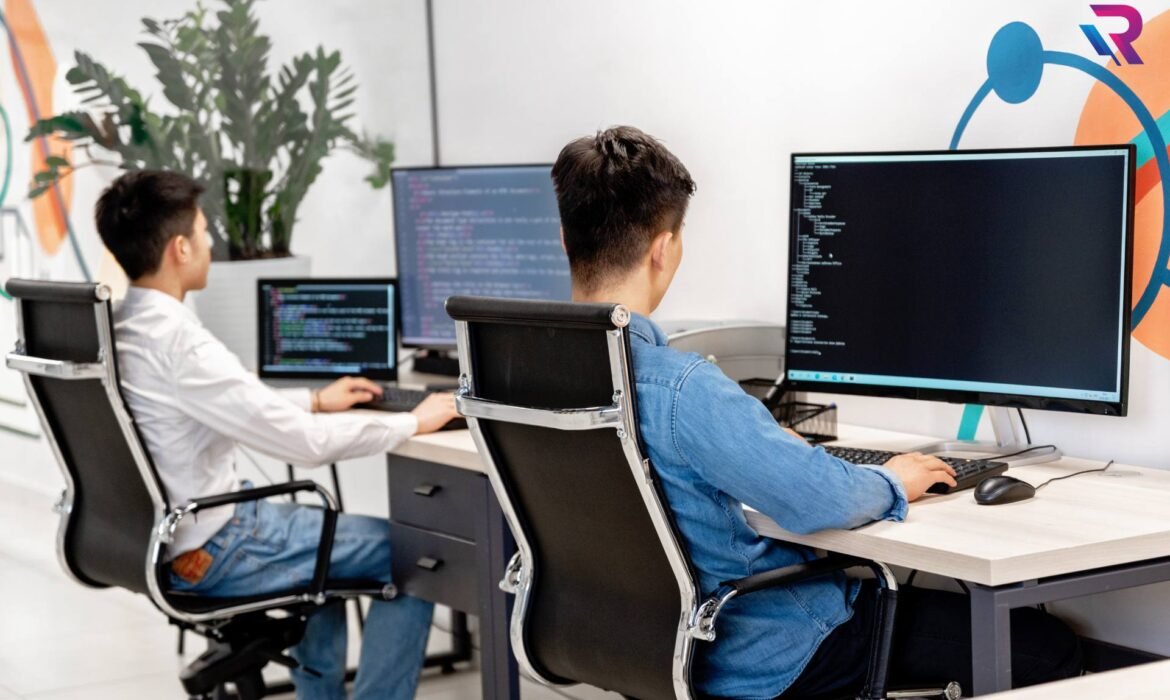
Is Laptop on Rent Safe? Everything Customers Want to Know
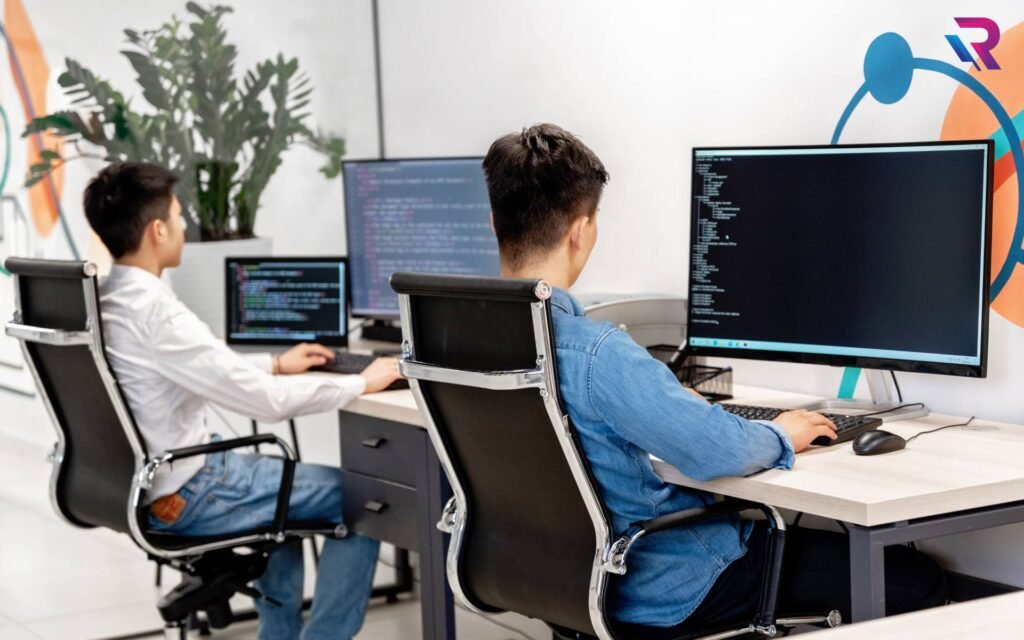
Laptop rentals have become increasingly popular among students, professionals, businesses, and event organizers. With flexible plans and cost-effective pricing, renting a laptop offers convenience without the need for long-term investment. However, many customers still hesitate before choosing a laptop on rent due to concerns about data security, device condition, privacy, and hidden risks. These questions are valid, especially when sensitive personal or business information is involved.
This guide answers every major concern customers have about laptop rentals. From security and data protection to hardware reliability and rental policies, understanding how laptop rental services operate can help you make a confident and informed decision.
Why More People Are Choosing Laptop Rentals
The demand for laptops on rent has grown due to changing work patterns and short-term technology needs. Students need laptops for online exams and projects, companies require bulk devices for onboarding or training, and professionals often need temporary access to high-performance machines. Renting provides flexibility while reducing financial pressure.
Modern laptop rental services are designed to meet professional standards. Reputed providers invest in device quality, maintenance, and security protocols to ensure customer satisfaction. As the industry matures, safety concerns are addressed through structured processes and transparent policies.
Data Security on Rented Laptops
One of the biggest concerns customers have is data security. Users often worry about whether previous data exists on a rented laptop or if their own data might be accessed later. Reputable rental companies follow strict data sanitization procedures before delivering any device. Laptops are completely formatted, operating systems are freshly installed, and storage is wiped using secure methods.
During the rental period, customers have full control over their data. Most providers encourage users to create personal login credentials and enable system-level security features. At the end of the rental period, devices are again wiped to ensure no personal or corporate data remains. This process ensures complete privacy for both current and future users.
Privacy Concerns and User Control
Customers often worry about monitoring or unauthorized access while using a rented laptop. Trusted rental providers do not install surveillance software or access customer data. Users operate the laptop just as they would with a personal device.
For corporate clients, rental providers can configure additional security features such as restricted user access or encrypted storage. These measures provide complete control over sensitive information and align with professional IT security standards.
Physical Condition and Performance Reliability
Another common concern is whether rented laptops are reliable and well-maintained. Professional rental services maintain strict quality checks before delivering devices. Laptops undergo hardware testing, performance optimization, and cosmetic inspection to ensure they meet usage standards.
Rental laptops are regularly serviced, and faulty components are replaced promptly. In case of performance issues during the rental period, providers offer immediate support or replacement. This level of reliability often surpasses personal devices that lack regular maintenance.
Safety of Using Rental Laptops for Exams and Work
Students and professionals frequently use rented laptops for online exams, interviews, and remote work. Rental laptops are safe for these purposes as long as they are sourced from a reliable provider. Devices are configured to support exam software, video conferencing tools, and productivity applications.
Rental providers often test devices with commonly used platforms to ensure compatibility. This minimizes the risk of technical issues during critical activities such as examinations or interviews.
Understanding Rental Agreements and Policies
Safety is not limited to hardware and data. Customers should also understand rental agreements to avoid misunderstandings. Transparent rental services clearly outline terms related to usage, damage, extension, and return conditions.
Rental agreements typically specify customer responsibilities, such as reasonable care of the device. Accidental damage policies and optional protection plans further reduce customer risk. Reading and understanding these terms helps ensure a smooth rental experience.
Protection Against Hidden Costs
Some customers worry about unexpected charges when renting laptops. Trusted rental providers maintain transparent pricing structures. All costs, including rental fees, security deposits, and extension charges, are communicated upfront.
Clear billing practices and written agreements protect customers from hidden costs. Reputable services prioritize long-term trust over short-term gains.
Technical Support and Assistance
Safety also includes the availability of technical support. Rental providers offer assistance in case of software issues, hardware malfunctions, or configuration problems. This support ensures uninterrupted usage and peace of mind.
Quick response times and replacement options are particularly important for professionals and students with time-sensitive tasks. Rental services that prioritize support enhance overall safety and reliability.
Device Hygiene and Health Safety
In recent years, hygiene has become an important consideration. Rental providers clean and sanitize devices before delivery to ensure they are safe for use. This process includes cleaning keyboards, touchpads, and screens with appropriate solutions.
Customers receive devices that are hygienic and ready for immediate use, eliminating health-related concerns.
Safe Usage for Corporate and Business Needs
Businesses often hesitate to rent laptops due to concerns about intellectual property and confidential information. Professional rental services address this by offering enterprise-grade security configurations. Companies can request custom setups, including restricted software installations and controlled access.
After the rental period, devices are securely wiped, ensuring no data leakage. This makes laptop rentals a safe option for corporate environments.
How to Choose a Safe Laptop Rental Provider
Safety largely depends on the rental provider you choose. A trustworthy company maintains clear policies, offers responsive support, and prioritizes data protection. Experience, customer reviews, and transparent communication are indicators of reliability.
Customers should choose providers that specialize in laptop rentals and have a proven track record of serving businesses, students, and professionals.
Long-Term Safety and Trust
As laptop rentals become more common, service providers continue to enhance safety standards. Improved data wiping technologies, better hardware maintenance, and stronger customer support contribute to a secure rental experience.
Customers who rent laptops repeatedly often find the process as safe and convenient as using their own devices, especially when working with reputable companies.
Conclusion
Renting a laptop is safe when done through a trusted and professional rental service. Modern laptop rental companies implement strict data security protocols, maintain device quality, and offer transparent policies to protect customers. From students and freelancers to enterprises and event organizers, laptop rentals provide a secure, flexible, and cost-effective solution for temporary technology needs.

Bulk Desktop Rentals for Coaching Centers — Complete Guide

Bulk Desktop Rentals for Coaching Centers — Complete Guide
Running a coaching center today requires more than just trained faculty and a classroom. With the rise of competitive exams, computer-based tests, online learning modules, and digital assessments, coaching institutes across India now depend heavily on reliable IT infrastructure. Among all requirements, desktops remain the most essential equipment because of their stability, long-hour performance, and cost-effectiveness when deployed in batches. This is where bulk desktop rentals help coaching centers save money, avoid maintenance hassles, and scale quickly based on session size.
This complete guide explains everything coaching centers should know before renting desktops in bulk—right from hardware configurations, operating system choices, lab setup planning, pricing expectations, service support, and why choosing the right rental company matters. Whether you are setting up a new learning lab or upgrading existing systems, this guide will help you make an informed decision.
Why Coaching Centers Are Choosing Bulk Desktop Rentals
The increasing demand for computer-based learning is the biggest driving force behind desktop rentals in the coaching industry. Many institutes need 20–200 PCs for tests, daily practice, or live training. Buying systems outright becomes highly expensive and includes long-term obligations like repair, upgrade, and depreciation. For most coaching centers, desktops are used heavily during exam seasons and lightly during off-season periods. Paying a fixed monthly rental gives flexibility—institutes only pay for what they use.
Desktop rentals are also preferred because they come preconfigured with required software, exam tools, learning apps, and security settings. For coaching centers offering online test series or competitive exam training, reliable systems with consistent performance are crucial. Rental companies specialize in providing optimized setups that run smoothly for hours without heating or lagging, ensuring students face no technical distractions.
What Makes Desktops the Best Choice for Coaching Centers
While laptops are mobile and flexible, desktops remain the preferred option for institutes due to their durability and long-hour performance. Coaching centers often run multiple batches per day, extending up to 8–10 hours of continuous usage. Desktops handle this workload efficiently without battery degradation or thermal throttling.
Large screens also improve student comfort, especially for subjects like coding, designing, and online practice tests. Desktops offer better value for money when rented in bulk because they provide higher processing power at the same or lower pricing compared to laptops. In addition, desktops are easier to maintain, repair, upgrade, and replace in case of any failure, ensuring minimal downtime for the lab.
Ideal Desktop Configurations for Coaching Centers
Most rental companies provide models based on the coaching center’s workload. Institutes focusing on basic online tests need different systems than those offering courses in design, programming, or digital skills. However, certain configurations work well for the majority of coaching requirements.
Desktops with Intel i3 or i5 processors, 8GB RAM, and SSD storage ensure smooth functioning for browser-based exams, video lessons, and online learning portals. SSD storage drastically reduces loading time, making systems more efficient during back-to-back batches. In centers offering programming classes, slightly higher specifications such as i5/i7 processors with 16GB RAM may be needed for running IDEs or compiling code. For design and multimedia training, desktops with dedicated graphics cards also become necessary.
A good rental provider must assess the center’s needs and suggest hardware accordingly, preventing unnecessary overspending.
Preinstalled Software and Security Requirements
Coaching centers require a controlled, secure, and uniform environment across all desktops. When you choose bulk desktop rentals, most service providers offer preinstalled and fully configured systems to match your academic requirements. This includes operating systems, browsers, antivirus, exam software, and productivity tools.
For online exam labs, secure browsers and lockdown tools may be required to prevent cheating. For modern learning centers, integration with cloud accounts and remote management software is important to track performance and usage. Institutions offering coding classes may require compilers, programming languages, and specific development tools installed on all systems. Bulk rentals ensure standardization across all desktops, improving the quality of training.
Network and Lab Setup Planning
Setting up a desktop lab is more than arranging tables and plugging in systems. A well-planned network ensures that all desktops run smoothly without interruptions. Coaching centers must consider LAN networking, Wi-Fi distribution, internet bandwidth, power backup, and seating layout.
Bulk rental companies also offer complete lab setup services that include installation, wiring, OS configuration, and local networking. With expert assistance, you can avoid common issues such as system lag, network congestion, or failed exam attempts due to poor connectivity. Proper ventilation and cable management are equally important to ensure safety and uninterrupted operations.
Rental Duration Options for Coaching Centers
Another reason coaching centers prefer renting desktops is the flexibility of choosing monthly, quarterly, yearly, or seasonal plans. Many institutes see a surge in admissions during exam seasons like board exams, CUET, JEE, NEET, SSC, and bank exams. During these months, more systems are needed. In off-season months, the requirement may drop significantly.
Instead of buying desktops that sit idle for months, centers can rent only the number of systems they need, on the duration they need. Long-term rentals also come with discounted pricing, free upgrades, and premium support options. For new institutes, renting desktops eliminates the financial burden of buying high-volume equipment upfront.
Maintenance, Repairs, and Support Services
One of the biggest advantages of renting desktops in bulk is the hassle-free maintenance support. When you buy systems, every repair becomes your responsibility—right from replacement parts to technician visits. But with rental desktops, any issue is handled directly by the rental company.
Reliable rental providers offer standby systems, quick replacement services, remote troubleshooting, and on-site technician support. This ensures zero downtime for coaching batches, even during peak periods. Regular cleaning, OS updates, and hardware checks are also included in most rental plans. This makes rental desktops a worry-free solution for institutes with limited technical expertise.
Understanding Bulk Rental Pricing
Pricing for bulk desktop rentals varies based on configuration, quantity, and duration. Basic desktops suitable for exam practice are available at low monthly rental rates, while systems with advanced processors or graphics cost slightly higher. The larger the quantity, the lower the per-unit rental price becomes, making bulk renting highly cost-effective for coaching centers.
Many rental companies also offer special pricing for long-term contracts, academic institutions, and educational NGOs. Hidden costs such as delivery charges, installation fees, or deposits should be clarified before booking. The best rental providers offer transparent pricing with no unexpected add-ons, helping institutes manage their budgets efficiently.
Why Choosing the Right Rental Partner Matters
Coaching centers rely on desktops daily, and even minor issues can disrupt classes, exams, or practice sessions. Therefore, selecting a reliable desktop rental company is crucial. A good provider offers high-quality machines, fast technical support, and transparent contracts. They also ensure that each system is tested, optimized, and ready to use from day one.
Professional rental companies also help evaluate your space, recommend the right configurations, and assist with complete lab installation. The right partner ensures smooth academic operations and helps your institute deliver a superior digital learning experience.
Conclusion
Bulk desktop rentals have become the backbone of modern coaching centers across India. They offer the perfect blend of affordability, performance, and flexibility, allowing institutes to focus on teaching instead of managing hardware. With preconfigured systems, quick support, customized setups, and optimized performance, renting desktops is a smart long-term strategy for growing coaching centers.
Whether you are setting up a new computer lab or expanding capacity during peak admission seasons, choosing the right rental partner ensures a reliable and seamless digital learning environment. With proper planning and the right configurations, desktop rentals can take your coaching center’s efficiency and student experience to the next level.
How to Speed Up Your Laptop Without Reinstalling Windows or macOS

Introduction: Why Your Laptop Feels Slower Over Time
Every laptop, no matter how powerful, eventually begins to feel slower. Whether you use Windows or macOS, performance degradation can occur due to background apps, fragmented storage, temporary files, or outdated software. Fortunately, you don’t need to reinstall your operating system to bring back that “new laptop” feeling.
In this blog, we’ll explore practical and proven methods to speed up your laptop safely—without losing your data or spending hours reinstalling Windows or macOS. These steps work for students, professionals, gamers, and creative users who depend on smooth, fast performance every day.
1. Clean Up Startup Programs and Background Apps
One of the biggest reasons laptops slow down is the number of apps running automatically when you start your system.
For Windows Users:
Open Task Manager (Ctrl + Shift + Esc) → go to the Startup tab → disable unnecessary programs that launch with Windows.
For macOS Users:
Go to System Settings → General → Login Items, and remove unwanted startup apps.
Apps like Spotify, Slack, or cloud services can consume memory in the background even when you’re not actively using them. Keeping startup items lean ensures your system boots faster and stays responsive.
2. Clear Temporary and Junk Files Regularly
Your system accumulates gigabytes of temporary files from updates, browsers, and cached applications. These files eat up space and slow down performance.
Windows Cleanup Steps:
Use Disk Cleanup or Storage Sense to automatically remove temp files, recycle bin data, and Windows update leftovers.
macOS Cleanup Steps:
Go to About This Mac → Storage → Manage, then remove system junk, unused documents, and cache files.
For advanced users, third-party tools like CleanMyMac X or CCleaner (for Windows) can automate cleanup safely—but remember, you can achieve similar results manually.
3. Manage Storage and Optimize Drive Space
A full hard drive or SSD can severely slow down your laptop. Windows and macOS need at least 15–20% free space to operate efficiently.
How to Optimize:
- Delete or move large files (videos, installers, old projects) to external storage or cloud drives.
- Uninstall unused software you installed “just to try.”
- Empty the Downloads and Trash folders regularly.
If your laptop has a traditional HDD, consider upgrading to an SSD (Solid-State Drive). SSDs are significantly faster, helping your laptop boot in seconds and load applications almost instantly.
4. Check for Software Updates and Driver Maintenance
Outdated system updates and drivers often cause performance issues.
Windows Users:
- Go to Settings → Windows Update and install pending updates.
- Use Device Manager to check if any drivers (especially GPU, sound, or network) need updates.
macOS Users:
- Open System Settings → General → Software Update to ensure macOS and all applications are up to date.
Updated drivers and software improve hardware efficiency and fix bugs that can slow down your system.
5. Disable Visual Effects and Animations
Modern operating systems use animations and transparency effects to make the interface look smoother—but these features can also drain memory and GPU power.
Windows:
- Search “Adjust the appearance and performance of Windows” → Select “Adjust for best performance” or customize by disabling visual effects like fade, slide, or transparency.
macOS:
- Go to System Settings → Accessibility → Display and enable Reduce Motion and Reduce Transparency.
You’ll be surprised how much smoother your laptop feels when it’s not wasting resources on fancy transitions.
6. Manage Browser Extensions and Cache
Your web browser is one of the most used (and most resource-hungry) applications. Too many extensions or tabs can slow down the entire system.
Optimization Steps:
- Remove unnecessary extensions and add-ons.
- Clear browser cache and cookies weekly.
- Limit open tabs using tab suspension tools (like The Great Suspender for Chrome).
Switching to lightweight browsers like Brave, Edge, or Safari can also help improve speed and reduce battery drain.
7. Optimize Memory Usage and Close Heavy Applications
If your laptop feels sluggish while multitasking, your RAM may be maxed out.
For Windows:
Use Task Manager → Performance Tab to see which apps consume the most memory. Close heavy ones or switch to lighter alternatives.
For macOS:
Use Activity Monitor → Memory Tab to check for memory hogs. Restarting the system occasionally clears inactive RAM, refreshing overall performance.
If your work involves design, video editing, or coding, consider upgrading RAM for long-term performance improvements.
8. Scan for Malware and Unwanted Software
Hidden malware or unwanted programs often run in the background, draining CPU resources and slowing performance.
Windows:
Use Windows Defender or trusted antivirus software to perform a full scan.
macOS:
Though more secure, macOS can still suffer from adware or malicious scripts. Use Malwarebytes for Mac to run a scan.
Regular scans keep your system safe and ensure smooth performance.
9. Adjust Power Settings for Performance Mode
Many laptops are configured for power efficiency, which limits CPU and GPU usage.
Windows:
- Go to Control Panel → Power Options → choose High Performance or Best Performance mode.
macOS:
- Navigate to System Settings → Battery → Power Adapter → choose Better Performance instead of Better Battery.
If you’re editing videos, rendering designs, or coding, performance mode makes a noticeable difference.
10. Restart Your Laptop More Frequently
It may sound simple, but restarting clears cache, resets background services, and frees memory leaks.
Modern laptops can run for days without rebooting, but that’s often why performance drops over time. A simple restart every few days can refresh your system and eliminate lag.
11. Manage Cloud Sync Services Smartly
Cloud apps like OneDrive, Google Drive, or Dropbox can consume CPU and bandwidth while syncing files.
If you don’t need continuous synchronization, pause these services while working on large tasks or switch them to manual sync mode. This reduces background load significantly.
12. Upgrade Internal Components When Possible
If your laptop allows hardware upgrades, consider improving these components:
- Add more RAM: Boost multitasking capability.
- Replace HDD with SSD: Major speed improvement in boot and load times.
- Use external GPU (eGPU): Great for graphics-intensive workloads on compatible laptops.
Even minor hardware upgrades can extend your laptop’s lifespan by years.
13. Keep Your Laptop Physically Clean
Dust buildup in vents or fans causes overheating, which slows down performance automatically as CPUs throttle to prevent damage.
Use a soft brush or compressed air to clean the keyboard and vents. Ensure your laptop rests on a hard surface for proper airflow, and avoid using it on beds or couches that trap heat.
Conclusion: Maintain Speed Without Starting Over
You don’t need a full system reinstall to make your laptop fast again. With regular cleaning, smart memory management, and simple optimization steps, you can keep your Windows or macOS device performing like new.
Whether you’re a student, designer, or professional, these maintenance habits will ensure smoother workflows, faster app launches, and longer system life—all without losing your data or reinstalling your OS.
Best Laptop Rentals Near Me: What to Check Before Booking
Finding a reliable laptop rental service nearby sounds easy — you search “laptop rentals near me” on Google and choose one from the list. But this shortcut can be risky. If you don’t evaluate the right factors, you could end up with:
❌ Slow performance
❌ Hidden rental fees
❌ Poor battery backup
❌ Hardware issues mid-project
❌ No technical support
Whether you’re a student preparing for exams, a professional working remotely, or a company onboarding new employees — selecting the right rental partner is crucial for productivity and peace of mind.
In this detailed guide, we’ll show you exactly what to check before booking a laptop on rent — so you always get quality, reliability, and the best value for your money.
Why Laptop Rentals Are Becoming the New Trend
Renting a laptop is no longer a backup solution — it’s now a smarter and more economical choice. Here’s why:
✔ No huge upfront cost
✔ Easy upgrades whenever needed
✔ Suitable for short-term & long-term needs
✔ Support & maintenance included
✔ Useful for urgent requirements
✔ Perfect for students, freelancers, corporates & events
Instead of buying a device that becomes outdated every year — renting gives you the latest technology at affordable pricing.
10 Things to Check Before Booking a Laptop Rental Near You
Below is a complete checklist that helps you avoid poor decisions and overpriced rentals.
1️⃣ Performance Specifications — Processor, RAM, Storage
Performance should be your top priority.
Recommended minimum specs:
- Processor: i5 / Ryzen 5 or higher for smooth multitasking
- RAM: 8GB minimum, 16GB for coding/design
- Storage: SSD is a must — at least 256GB
❌ Avoid laptops with HDD-only storage
❌ Avoid outdated processors below 6th generation
Performance issues lead to frustration and missed deadlines — so always verify specs.
2️⃣ Laptop Condition & Testing Quality
A good rental provider always refurbishes, tests, and maintains devices.
Check for:
- Clean display & keyboard
- No physical damages
- Smooth hinges
- Functional ports & webcam
- Overheating issues tested
- Battery performance report
💡 Ask the provider:
“Is this laptop recently tested and certified for use?”
3️⃣ Genuine Operating System & Security Software
A rented laptop must have:
✔ Genuine Windows/macos license
✔ Updated drivers
✔ Antivirus installed
✔ Required software available
Unauthorized or outdated software can:
❌ Crash important apps
❌ Cause security risks
❌ Block updates
With top rental services like Rental Plaza — these are always handled professionally.
4️⃣ Internet Connectivity & Webcam Quality for Meetings
Work-from-home, interviews, and online classes demand:
- Strong built-in Wi-Fi
- Good webcam for clear video calling
- High-quality microphone
If webcam quality is poor → insist on an external webcam included in the rental.
5️⃣ Rental Duration Flexibility & Pricing Transparency
Check whether rental plans match your requirement:
- Daily / Weekly / Monthly plans
- Discounts on long-term rentals
- Bulk order pricing for companies & institutes
⚠️ Always ask for:
✔ Final rental cost
✔ Delivery charges
✔ Security deposit terms
✔ Late return fees
Transparency = Trust.
6️⃣ Delivery Speed & Pickup Support
If you urgently require a laptop — delivery time matters.
Ask the vendor:
- Do you provide same-day and Pan India delivery?
- Is pickup included after rental ends?
- What is the delivery tracking process?
Rental Plaza provides reliable doorstep delivery and quick dispatch for urgent needs.
7️⃣ Replacement & Technical Support Policy
Hardware can fail unexpectedly. The question is → how fast will support respond?
✔ Remote support
✔ On-site technician in metro cities
✔ Quick replacement guarantee
❌ If support is slow → business stops.
Choose a company that ensures zero downtime.
8️⃣ Accessories & Add-Ons Availability
Depending on your job role, you may require:
- Extra charger
- Wireless mouse & keyboard
- Docking station
- Monitor support
- Laptop bag for travel
- External GPU for high-performance tasks
Confirm accessory availability before finalizing your order.
9️⃣ Custom Configurations for Professional Use
Advanced users such as:
- Developers
- Data analysts
- Designers
- Gamers
need customized configuration with:
✔ More RAM
✔ Better GPU
✔ Specialized software
Rental Plaza offers custom-configured laptops tailored for business or learning needs.
🔟 Customer Reviews & Vendor Reputation
Don’t trust claims — trust experiences.
Check:
- Google reviews
- Website testimonials
- Social media feedback
- History of corporate clients
Look for:
⭐ High ratings
⭐ Repeat clients
⭐ Verified business profile
Good reputation ensures professional service quality.
Bonus Tips: Smart Ways to Save Money When Renting
💡 Choose SSD + 8GB RAM over older i7 systems → faster + cheaper
💡 Monthly plans are cheaper than daily rentals
💡 Bulk orders save big for teams or colleges
💡 Avoid paying for features you won’t use
Rent smart → Save more.
Why Rental Plaza Is the Best Laptop Rental Choice Near You
When searching “best laptop rental near me”, Rental Plaza stands out because:
✔ High-performance laptops for every use
Students, office employees, designers, coders, gamers — all covered
✔ Flexible and budget-friendly plans
Daily | Weekly | Monthly — choose what suits you
✔ Doorstep delivery & quick pickup
Fast supply for urgent requirements
✔ PAN India presence
Perfect for corporate rollouts across multiple cities
✔ Best-in-class maintenance & support
Zero downtime guaranteed
Whether you need 1 laptop or 500, Rental Plaza has you covered.
Conclusion
Renting a laptop near you may seem simple — but choosing the wrong vendor or device can cause:
⛔ Delays
⛔ Performance issues
⛔ Increased operational costs
By carefully checking:
✓ Specs
✓ Pricing
✓ Delivery & Support
✓ Device condition
✓ Vendor reputation
…you can ensure a seamless rental experience.
Now, instead of searching endlessly:
👉 Just contact Rental Plaza — India’s trusted laptop rental provider.

Short-Term Laptop Rentals for Travel, Business Trips & Client Meetings

In today’s fast-moving corporate environment, professionals are constantly traveling for work — whether it’s for client meetings, conferences, onsite training, audits, or business presentations. During such travel, having a reliable laptop becomes essential. However, carrying your own device everywhere is not always the most convenient or safest option. That’s why short-term laptop rentals have become a smart and popular solution for business travelers, remote professionals, and corporate executives.
Short-term laptop rentals offer flexibility, convenience, portability, and access to high-quality devices without the need for long-term commitments. Whether you need a laptop for a two-day conference or a week-long business trip, renting provides unmatched ease and efficiency. This blog explores why short-term laptop rentals are transforming the way professionals work while traveling.
1. Introduction: The Rising Need for Short-Term Laptop Rentals
Business travel is now an essential part of the corporate world. Professionals travel for:
- Client presentations
- Onsite project work
- Internal audits
- Business negotiations
- Training programs
- Exhibitions and events
However, carrying a laptop while traveling brings challenges such as:
- Security risks
- Device compatibility issues
- Damage during transit
- Data safety concerns
- Operating system mismatches
- Battery or performance limitations
Short-term laptop rentals eliminate these issues by providing high-quality, pre-configured devices delivered exactly when and where they are needed.
2. Why Professionals Prefer Renting Over Carrying Personal Devices
There are multiple reasons professionals choose to rent laptops while traveling:
a. Avoiding Travel Hassles
Carrying laptops through airports, trains, buses, and taxis can be inconvenient. With rentals, the device can be delivered:
- Directly to your hotel
- To your client’s office
- To the event venue
- To your temporary workplace
This reduces stress and ensures you get a ready-to-use system upon arrival.
b. Preventing Damage or Loss
Travel increases the risk of:
- Theft
- Damage
- Spills
- Screen cracks
- Misplacement
A rental eliminates personal risk — even if damaged, the rental company provides quick replacement.
c. Getting Better Specifications Temporarily
Your own device may not have the power needed for:
- Heavy presentations
- Software demonstrations
- Training programs
- Video calls or conferences
- Data-intensive tasks
Short-term rentals allow you to use high-performance laptops during travel without purchasing expensive equipment.
3. Perfect for Client Meetings & Corporate Presentations
Client meetings require smooth performance, reliable connectivity, and professional-quality screens. Short-term laptop rentals help you:
a. Deliver Impactful Presentations
Get laptops with:
- High-resolution displays
- Fast processors
- Pre-installed MS Office
- Quick boot-up speeds
This ensures your presentation runs without lag or technical issues.
b. Access Pre-Installed Corporate Tools
Rental laptops can be configured with:
- ERP software
- CRM tools
- VPN access
- Corporate emails
- Presentation tools
This eliminates setup time and ensures seamless client interactions.
c. Backup Device for Total Security
Many professionals rent an additional laptop as a backup during important meetings. It ensures:
- No last-minute failures
- No reliance on client’s systems
- Smooth transition if the main device malfunctions
4. Ideal for Business Trips, Conferences & Workshops
Professionals attending events often need laptops temporarily for:
- Registration desks
- Live demos
- Training sessions
- Team coordination
- Documentation and reporting
Short-term rentals offer customizable configurations to match event requirements.
Examples:
- A 2-day workshop may require 20 laptops
- A keynote speaker may need a high-performance MacBook
- An exhibitor may need lightweight laptops for product demos
- A conference team may need basic laptops for scheduling and communication
Rental services make it easy to scale up or down based on duration and requirement.
5. The Benefits of Renting Laptops for Travelers
a. Complete Flexibility
Choose rental durations like:
- 1 day
- 2 days
- 1 week
- 10 days
- 1 month
You pay only for what you need.
b. Wide Range of Devices
Short-term rentals offer:
- MacBooks
- i5/i7 Windows laptops
- Ultra-lightweight devices
- High-performance workstation laptops
- Touchscreen models
This variety ensures you get exactly what your travel demands.
c. No Maintenance or Setup
Rental companies handle:
- OS installation
- Software configuration
- Antivirus
- Performance tuning
You simply turn it on and start working.
d. Quick Replacement Guarantee
If your laptop develops a problem during travel, rental providers offer:
- On-site replacement
- Delivery to your hotel
- Immediate troubleshooting
This ensures zero downtime.
e. Cost Savings
Instead of investing in a second travel laptop, renting is far more affordable. No need to:
- Buy
- Maintain
- Upgrade
- Repair
Your travel laptop is always ready at minimum cost.
6. Supports Remote Work & Temporary Assignments
Many professionals today take temporary assignments in different cities or countries. Renting laptops helps them work without transporting personal devices.
Use Cases Include:
- Onsite client projects
- Short-term IT deployments
- HR or recruiting visits
- Short corporate stays
- Traveling trainers and auditors
Short-term rentals ensure you stay connected and productive anywhere.
7. Lightweight Laptops for Mobility & Convenience
For those who prefer portability:
- Ultra-slim laptops
- Lightweight MacBooks
- Travel-friendly laptops with long battery life
…are ideal.
These laptops help professionals work easily during:
- Long flights
- Airport lounge waits
- Hotel stays
- Interstate travel
- Road trips
Short-term rentals allow you to choose the perfect device for your travel style.
8. Perfect for Freelancers & Consultants on the Go
Freelancers and consultants often travel frequently for:
- Client onboarding
- Business pitches
- Workshops
- Marketing assignments
- Fieldwork
Short-term rentals allow them to:
- Rent only when needed
- Avoid long-term EMIs
- Access high-performance devices
- Get quick replacements anywhere
It’s the ideal flexible solution for independent professionals.
9. Security Features for Safe Business Travel
Rental laptops can be equipped with business-grade security:
- BitLocker
- Device encryption
- Antivirus tools
- VPN setup
- Customized login policies
This ensures safe and secure use during travel, especially when using public Wi-Fi networks.
10. Delivery Anywhere — Hotels, Offices, Airports & More
Short-term laptop rentals provide unmatched convenience with flexible delivery options such as:
- Hotel reception
- Airport pickup
- Client office
- Conference venue
- Training center
This makes business travel smoother and more efficient.
11. Why Companies Choose Short-Term Rentals for Employee Travel
Companies prefer short-term rentals for:
- Employees traveling for meetings
- Temporary relocations
- Short-term corporate programs
- Sales team visits
- Multi-city conferences
Benefits include:
- Reduced risk of damage
- No need for spare devices
- Avoiding travel hassles
- Cost-effective mobility
- Quick replacement and support
Rental laptops ensure employees always have a reliable device wherever they go.
Conclusion: Short-Term Laptop Rentals Offer the Perfect Travel Solution
Short-term laptop rentals have become essential for professionals, businesses, freelancers, and corporate travelers. They offer:
- Convenience
- Flexibility
- High performance
- Portability
- Security
- Professional setup
- Zero maintenance
Whether you’re attending a meeting, participating in an event, traveling on business, or conducting a workshop, renting laptops ensures you always have the right device at the right time — without the burden of carrying or maintaining your own laptop.
Short-term rentals help you stay productive, efficient, and prepared during every business trip.

How Renting IT Equipment Simplifies Corporate Events & Exhibitions

Corporate events, exhibitions, trade shows, and conferences demand seamless coordination, reliable technology, and smooth execution. Whether it is a product launch, training session, business seminar, or large-scale expo, companies rely heavily on laptops, desktops, projectors, LED walls, printers, servers, iPads, and other IT equipment to deliver a flawless experience. However, purchasing equipment for a short-term event is rarely practical. It involves high costs, logistics challenges, maintenance responsibilities, and long-term storage issues. This is why renting IT equipment has become a preferred solution for event planners, businesses, startups, and marketing agencies.
IT equipment rentals have transformed the event industry by offering flexibility, affordability, and access to the latest technology without any long-term investment. From setting up registration counters to enabling digital presentations and managing event analytics, renting ensures that businesses get the right devices at the right time. The demand for rental laptops, monitors, audio-visual systems, and networking solutions continues to grow as organizations look for smarter ways to handle events efficiently. Here is an in-depth look at how renting IT equipment simplifies and enhances corporate events and exhibitions.
Why Events Depend So Heavily on Technology
Today’s corporate events are highly digital. Attendees expect interactive content, high-quality visuals, smooth presentations, fast registration processes, and engaging displays. Even a small technical failure can disrupt an entire event. Whether it is a conference with 50 people or an exhibition with 5,000 attendees, reliable IT equipment is essential for managing operations, delivering content, and ensuring participant satisfaction.
Technology plays a crucial role in every part of an event. Presentations, live demonstrations, digital sign-ins, virtual meetings, LED displays, and data collection rely on high-performance devices. Renting ensures these needs are met without having to invest in expensive hardware.
Cost-Effective Solution for Short-Term Technology Needs
Corporate events may last a day, a week, or a month. Buying IT equipment for such short durations is not cost-effective. Laptops, projectors, tablets, servers, and audio-visual equipment involve high upfront investments. Once the event is over, storing and maintaining these devices becomes another burden.
Renting eliminates large capital expenses by allowing companies to pay only for the duration they need the equipment. It converts a big operational cost into a manageable short-term expense. Businesses can choose from daily, weekly, or monthly rental plans depending on their event schedule. This cost-efficient approach helps organizations maintain budget flexibility and reduce unnecessary spending.
Access to High-End, Latest Technology
Events often require advanced hardware capable of running presentations, graphics, software, and multimedia content smoothly. Renting provides immediate access to the latest models of laptops, desktops, MacBooks, servers, monitors, tablets, and AV equipment. This ensures events can run smoothly with modern technology that offers faster processing, stronger performance, and better reliability.
Exhibitors can also use high-end devices to showcase their products and services in a more professional and impressive manner. Companies do not need to worry about outdated computers affecting performance or brand image. Rental providers constantly update their inventory, meaning businesses always have access to top-tier hardware for their events.
Hassle-Free Logistics and Setup
Managing IT equipment setup for a corporate event involves transportation, cabling, installation, configuration, and testing. For companies without a dedicated tech team, this can be stressful and time-consuming. Renting IT equipment simplifies this process because rental companies handle the complete logistics.
From delivery to installation and on-site support, rental providers ensure every device is set up correctly and functioning properly. This reduces workload for event organizers and allows them to focus on core activities such as guest management, presentations, and content planning. When the event concludes, rental companies pick up the equipment, eliminating the need for post-event packing or storage.
Customizable Solutions for Different Event Types
Every corporate event has its own technology requirements. A training event may need 100 laptops, while an exhibition booth may require LED screens and high-performance desktops. A conference may need networking equipment, while a hybrid event may require cameras and streaming setups.
Renting IT equipment allows businesses to choose exactly what they need based on event size and purpose. Whether it is a small internal meeting or a large public expo, rental companies offer customized equipment packages. This flexibility ensures events have the right hardware to operate smoothly without unnecessary costs.
Ensures Smooth Presentations and Demonstrations
Presentations and demos are central to many corporate events. Whether it is a product launch, keynote session, investor pitch, or training workshop, presenters need high-quality devices to ensure smooth delivery. A malfunctioning laptop, slow processor, or projector error can interrupt the flow of an event and negatively impact audience engagement.
Renting avoids such risks by providing reliable, well-maintained devices. The equipment is tested before delivery to ensure it performs perfectly during live sessions. High-performance laptops, projectors with excellent brightness, and large monitors ensure that every presentation is clear, sharp, and impactful.
Eliminates Maintenance and Technical Issues
Owning IT equipment means handling repairs, updates, and hardware failures. These issues can be especially problematic during events where time is limited and coordination is critical. Renting IT equipment removes maintenance concerns entirely. If any device fails or malfunctions, rental providers offer quick replacements or immediate technical support on-site.
This ensures uninterrupted performance and minimizes downtime. Event organizers can conduct sessions, workshops, and demonstrations without worrying about device failures. This reliability is one of the key reasons companies prefer rentals over purchasing equipment.
Scalable for Events of Any Size
Whether a company needs 10 laptops or 500 laptops, renting makes scaling easy. Large events such as exhibitions and conferences require massive setups, including networking systems, printers, registration kiosks, and multiple computers. Rental companies maintain large inventories, making it easy to handle bulk requirements.
Small businesses and startups also benefit from scalable rental services, as they can choose low-cost packages for smaller events. This flexibility makes rentals suitable for everything from small corporate meetings to international exhibitions.
Enhances Attendee Engagement and Interaction
Interactive booths, digital kiosks, touchscreen displays, and live demo stations are common at exhibitions and trade shows. Renting high-quality IT equipment allows businesses to create engaging and immersive experiences for attendees. Touchscreen monitors, tablets, VR devices, and interactive LED screens help exhibitors attract more visitors and showcase products more effectively.
Engagement increases brand visibility and helps businesses collect valuable leads. Renting modern display and interaction tools allows companies to elevate their event presence without heavy capital investment.
Ideal for Hybrid and Virtual Events
Many corporate events now follow hybrid formats, blending in-person and virtual participation. Hybrid events require additional equipment such as webcams, streaming devices, microphones, lighting, and high-performance laptops. Renting ensures that businesses can quickly assemble the ideal setup for both physical and digital audiences.
Virtual exhibitors can also rent devices to host live demos, online meetings, and remote presentations. This reduces investment costs and ensures the event runs smoothly across multiple platforms.
Improves Brand Image and Professionalism
Professional-grade IT equipment enhances the credibility of businesses during corporate events. High-resolution screens, sleek laptops, fast desktops, and advanced AV systems help companies create a polished and modern appearance. This is especially important during product launches, client meetings, and trade shows where first impressions matter.
Using outdated or low-quality equipment can negatively affect a company’s brand image. Renting ensures businesses always have access to premium hardware that supports professional-level performance and aesthetics.
Convenient for Multi-City Events and Roadshows
Companies often host events across multiple cities for marketing campaigns, product demos, or exhibitions. Managing equipment transportation for such events is difficult. Renting simplifies this by allowing businesses to rent equipment in each city without worrying about shipping or handling.
Rental providers with PAN India service ensure quick delivery and setup in every major city. This is especially useful for startups and corporate brands conducting roadshows or nationwide promotions. It saves time, reduces effort, and ensures consistent quality at every event location.
Supports Training Sessions and Workshops
Corporate training programs often require bulk laptops, projectors, and internet-ready devices. For short-term training events, renting provides an ideal solution. Trainers can request the exact number of laptops required, pre-installed with necessary software. This eliminates setup time and ensures trainees have access to uniform hardware for practice.
Workshops, coding bootcamps, and skill development sessions also benefit from rental devices. Renting supports rapid deployment, allowing organizers to focus entirely on content delivery.
Simplifies Post-Event Management
Once an event concludes, managing equipment becomes a challenge for organizers. Packing, storing, relocating, and maintaining devices requires effort and additional costs. With rental services, post-event management becomes simple. Rental companies handle pickup, dismantling, and return logistics.
This allows event organizers to complete the event without any leftover responsibilities. It saves storage space and eliminates the need for long-term asset management.
Reliable Support from Trained Technicians
Most rental providers offer technical support during events. Trained technicians are available to assist with installation, troubleshooting, and real-time technical requirements. Their support ensures the event runs smoothly without any IT-related interruptions.
Having experts on-site gives event planners peace of mind that technical issues will be resolved quickly. This support contributes significantly to the overall success of corporate events and exhibitions.

Best GPU & CPU Combinations for High-FPS Gaming — Available on Rent
High-FPS gaming requires the perfect balance of CPU power and GPU performance. Gamers know that even the most advanced graphics card cannot perform optimally if paired with a weak processor, and the most powerful CPU is wasted without a strong GPU. Whether you’re aiming for competitive esports gameplay, AAA titles at ultra settings, or smooth 144Hz–240Hz performance, the right GPU–CPU combination determines how well your gaming experience turns out.
Today, gaming desktops have become more accessible than ever, thanks to the option of renting high-performance systems. Renting allows gamers to experience top-tier hardware without investing lakhs of rupees into a gaming rig. Platforms like Rental Plaza offer a wide range of GPU–CPU combinations designed specifically for high-FPS gaming, esports tournaments, events, content creation, and streaming.
This comprehensive guide breaks down the best GPU and CPU combinations that deliver buttery-smooth frame rates, exceptional performance, and a competitive edge—all available on rent for short-term or long-term use.
Why GPU–CPU Balance Matters for High-FPS Gaming
Many gamers focus solely on the graphics card, assuming that the GPU is the only component responsible for frame rates. While it is true that the GPU handles all rendering tasks, the CPU plays an equally important role in controlling game physics, processing background calculations, and managing system operations.
If the CPU cannot keep up with the GPU, it leads to bottlenecking, where your graphics card’s potential is wasted. On the other hand, pairing a powerful CPU with an entry-level GPU results in underutilized processing power. The perfect balance ensures:
- Higher FPS
- Reduced bottlenecks
- Lower latency
- Better responsiveness
- Smoother gaming at high refresh rates
For competitive esports games like Valorant, CS2, Apex Legends, and Fortnite, the CPU is particularly important. In contrast, AAA titles like Cyberpunk 2077 or Red Dead Redemption 2 rely more on the GPU. The best gaming experience requires a combination that excels in both areas.
Top GPU & CPU Combinations for Maximum Gaming Performance
High-FPS gaming depends on powerful and well-balanced hardware. Below are the leading GPU–CPU combinations designed for gamers who want smooth, ultra-fast performance without compromise. These configurations are ideal for gaming events, esports competitions, home gamers, and professional streamers—all available on rent through Rental Plaza.
1. NVIDIA RTX 4090 + Intel Core i9 14900K
This is currently one of the most powerful gaming combinations on the market. The RTX 4090 is a flagship GPU built for pure performance. It handles 4K ultra settings, ray tracing, and high refresh rates effortlessly. When paired with the Intel Core i9 14900K, you get unmatched gaming power.
This duo is perfect for VR gaming, 4K competitive titles, high-end AAA games, and multi-monitor setups. It ensures smooth gameplay at 120–240 FPS depending on the title. Renting this configuration is ideal for top-tier gamers or gaming events that demand the best performance.
2. NVIDIA RTX 4080 Super + AMD Ryzen 9 7950X
Another top-tier combination, the RTX 4080 Super paired with the Ryzen 9 7950X offers near-flagship performance at a slightly lower cost. The Ryzen 9 excels in multi-threading, making it perfect for gamers who also stream, record, or run multiple applications while gaming.
This combination handles 1440p ultra settings and 4K high settings with ease. On rental, it is a great choice for professional esports players, streamers, and creators who need both power and efficiency.
3. NVIDIA RTX 4070 Ti Super + Intel Core i7 14700K
This is a balanced and high-performance setup suitable for 1080p and 1440p competitive gaming. The RTX 4070 Ti Super delivers excellent ray tracing performance and high FPS in esports titles. The Intel i7 14700K ensures no CPU bottlenecks during intense gaming scenarios.
This combination is ideal for players who want smooth 144Hz or 240Hz gameplay. It is also budget-friendly compared to flagship configurations and is one of the most popular choices for gaming desktop rentals.
4. AMD Radeon RX 7900 XTX + AMD Ryzen 9 7900X
For gamers who prefer AMD-powered systems, this duo delivers exceptional value and performance. The RX 7900 XTX rivals NVIDIA’s top GPUs but at a more economical price. Paired with the Ryzen 9 7900X, which offers excellent single-core performance, this combo handles demanding titles effortlessly.
This setup is perfect for 1440p ultra gaming, high-FPS esports, and content creation. Renting AMD builds is also cost-effective while providing premium performance.
5. NVIDIA RTX 4060 Ti + Intel Core i5 13600K
This is a mid-level yet powerful combination for gamers who focus on 1080p high-FPS gaming. The RTX 4060 Ti is efficient and great for esports titles, while the Intel Core i5 13600K handles heavy multitasking and modern games without lag.
Students, casual gamers, and new streamers benefit the most from this setup. Renting this combination offers great performance at an affordable price, making it ideal for gaming events or beginners entering the gaming world.
6. AMD Radeon RX 7800 XT + AMD Ryzen 7 7700
A great mid-range combination, the RX 7800 XT paired with the Ryzen 7 7700 delivers strong performance at 1440p resolution. It offers higher value compared to similarly priced NVIDIA options. The Ryzen 7 keeps CPU bottlenecking minimal and ensures smooth multitasking.
Gamers who play demanding titles like Assassin’s Creed Mirage, Starfield, or Hogwarts Legacy will love this setup. Renting this configuration offers excellent budget–performance balance.
7. NVIDIA RTX 3060 Ti + Intel Core i5 12400F
For gamers who want affordability without compromising performance, the RTX 3060 Ti remains a top choice. It can handle 1080p ultra gaming and even 1440p settings in most titles. When paired with the Intel Core i5 12400F, the system remains cool, efficient, and responsive.
This combination is best for coaching centers hosting gaming tournaments, gaming cafés, or individuals looking for value-based rentals.
8. NVIDIA GTX 1660 Super + AMD Ryzen 5 5600
A great entry-to-mid-level combination, the GTX 1660 Super paired with the Ryzen 5 5600 is ideal for beginners or casual gamers. It handles popular esports titles like Valorant, PUBG, FIFA, and Fortnite with ease.
Renting this build is perfect for temporary gaming setups, budget-friendly gaming nights, and training sessions for beginners.
How to Choose the Best GPU–CPU Combo for Your Gaming Needs
Selecting the right combination depends on the type of games you play and the resolution you prefer. For esports games, the CPU plays a bigger role because these games require high frame rates. Titles like CS2, Dota 2, or Valorant benefit from powerful processors paired with mid-range GPUs.
For AAA titles, the GPU is the star performer. Games with realistic graphics require strong graphics processing, so combinations like RTX 4080 Super or RX 7900 XTX are ideal.
For 4K gaming, flagship combinations are essential. For 1440p gaming, mid-range combinations offer the best balance. Rental Plaza provides all these configurations so gamers can choose systems based on their exact needs and budget.
Why Renting Gaming Desktops Is Better Than Buying
High-performance gaming desktops are expensive, especially with the rising prices of GPUs. Renting eliminates the financial burden of buying hardware. Instead of spending lakhs of rupees, gamers can enjoy premium rigs for a small monthly rental fee.
Renting also provides flexibility. Gamers can upgrade or change configurations anytime without worrying about resale value. Renting is especially beneficial for:
- Short-term gaming events
- Esports tournaments
- LAN parties
- Temporary setups
- Students or renters who move frequently
- Gamers testing hardware before buying
Rental Plaza offers high-end, mid-range, and budget gaming desktops with flexible rental durations.
Advantages of Renting Gaming Desktops from Rental Plaza
Rental Plaza is one of India’s top IT rental providers offering gaming desktops with powerful GPU–CPU combinations. Their benefits include:
- Wide range of configurations
- Latest GPU and CPU options
- Affordable rental plans
- Doorstep delivery across major cities
- Complete installation & setup
- Maintenance and technical support
- Instant upgrades or replacements
- Ideal for gaming events & esports centers
This makes renting gaming desktops an excellent option for both casual gamers and professionals.
Conclusion
Choosing the right GPU and CPU combination is essential for achieving high FPS and smooth gameplay. Whether you’re into esports, AAA titles, streaming, or VR, the perfect gaming setup determines your overall experience. With renting options from Rental Plaza, gamers can access the latest and most powerful hardware without the high cost of owning it.
From flagship GPUs like the RTX 4090 to mid-range champions like the RX 7800 XT, every configuration listed above ensures outstanding performance. Renting these gaming desktops allows players to enjoy seamless, high-quality gaming while staying flexible and cost-efficient.
Why Startups Should Choose Desktop Rentals Instead of Buying Equipment
Introduction: Smart Tech Decisions for Smart Startups
Starting a business in today’s digital-first world requires more than just a great idea — it needs smart technology investments. Every startup relies heavily on computers, design tools, and performance systems to operate efficiently. But here’s the truth: purchasing new desktops for your team can quickly drain your startup capital and limit your ability to scale.
That’s where desktop rentals come in as a powerful, cost-effective alternative. Instead of spending lakhs on hardware upfront, startups can rent high-performance desktops for a fixed monthly fee. This model allows businesses to stay flexible, upgrade as needed, and focus their funds on growth, not gadgets.
In this article, we’ll explore why startups should choose desktop rentals instead of buying equipment, the key benefits, and how trusted companies like Rental Plaza are making IT rentals seamless across India.
1. The Cost Challenge Every Startup Faces
Startups often work with limited budgets, and every rupee counts.
Buying brand-new desktops means:
- Huge upfront costs (₹40,000–₹1,00,000 per system)
- Additional expenses for upgrades, repairs, and maintenance
- Depreciation over time as hardware becomes outdated
For a small team of 10 employees, this could mean an immediate investment of ₹5–₹10 lakh, which could otherwise be used for marketing, hiring, or product development.
In contrast, desktop rentals allow startups to get the same computing power for a small monthly fee, eliminating heavy capital expenditure.
2. Desktop Rentals: A Smarter Alternative
Desktop rentals give startups access to top-tier systems without the ownership hassle. Rental providers like Rental Plaza supply high-performance desktops pre-installed with essential software and configurations suited to your business.
You can choose from:
- Basic business desktops for admin and sales tasks
- High-end workstations for designers and developers
- Custom setups for AI, data science, or content production
This flexibility makes renting ideal for startups across tech, design, finance, education, and digital marketing industries.
3. Key Reasons Why Startups Should Rent Desktops
Let’s break down the main reasons why renting desktops makes perfect sense for startups.
a. Save Big on Upfront Costs
When launching a startup, liquidity is everything. Renting desktops removes the burden of heavy upfront investment.
For instance, instead of buying 10 desktops at ₹50,000 each (₹5,00,000), you can rent them for ₹3,000–₹4,000/month per unit.
That’s less than ₹40,000 per month — saving you lakhs while still getting the same performance.
This way, you keep your funds free for essential business functions like development, advertising, or hiring talent.
b. Flexibility to Scale Up or Down
Startups often go through rapid changes in team size or project scope. When you buy desktops, you’re stuck with fixed assets.
But with desktop rentals, you can easily:
- Add more systems when you hire new employees
- Return devices when a project ends
- Upgrade configurations as your workload increases
This ensures you’re always equipped for growth without wasting resources.
c. Always Stay Updated with the Latest Technology
Technology evolves fast. The system you buy today could be outdated in just two years.
Desktop rental services like Rental Plaza regularly update their inventory with:
- The latest processors (Intel i7/i9, AMD Ryzen)
- SSD storage for faster performance
- High RAM setups (16GB to 64GB)
- Graphics cards (NVIDIA RTX, AMD Radeon)
By renting, startups can always stay ahead with the newest hardware, keeping productivity and compatibility high.
d. Hassle-Free Maintenance & Support
Owning computers means handling repairs, servicing, and software troubleshooting — a time-consuming task for a small business.
When you rent desktops from a professional provider, maintenance is fully handled for you.
At Rental Plaza, support includes:
- Free hardware replacements during rental period
- On-site or remote tech support
- Regular maintenance and upgrades
This allows your team to focus entirely on business operations, not IT problems.
e. Custom Configurations for Every Team
Different departments have different computing needs. For example:
- Developers need multi-core processors and large RAM.
- Designers need dedicated GPUs and color-accurate displays.
- Admin teams only need basic desktop systems.
With rental desktops, you can mix and match configurations across departments. Rental Plaza offers full customization — from processor choice to software pre-installation — so each employee gets exactly what they need.
f. Ideal for Temporary or Project-Based Work
If your startup is working on a short-term contract, freelance project, or event, buying equipment makes no sense.
Desktop rentals provide short-term plans — from a week to a few months — letting you use high-end systems for the duration of your project and return them afterward.
This makes rentals the perfect solution for:
- Internship programs
- Training workshops
- Software development sprints
- Design or animation projects
4. How Desktop Rentals Support Remote & Hybrid Startups
The modern workplace is no longer limited to physical offices. Many startups today operate in remote or hybrid models.
Desktop rentals can help here too — with doorstep delivery and nationwide logistics support.
Rental Plaza provides:
- Delivery across India — Delhi, Bangalore, Mumbai, Pune, Mohali, Chandigarh, Hyderabad, Chennai, and more.
- Installation & setup assistance for distributed teams.
- Device tracking & management tools for IT admins.
This ensures your remote employees have reliable systems, no matter where they work from.
5. Environmentally Friendly and Sustainable Option
Startups that rent desktops contribute to a greener planet. Renting extends the lifecycle of devices through responsible reuse and refurbishment.
Instead of adding to electronic waste, rental providers refurbish and redeploy systems for new users, ensuring eco-friendly hardware utilization.
Sustainability is not just good for the environment — it also enhances your brand’s reputation among investors and clients.
6. The Process: How Easy It Is to Rent Desktops Online
With modern IT rental services, renting desktops is a fast and transparent process.
Here’s how it works:
- Visit the website: Go to https://rentalplaza.in/
- Choose your device: Select the desktop model or configuration based on your needs.
- Select rental duration: Choose from monthly, quarterly, or annual plans.
- Submit inquiry or place an order: Provide basic details — team size, city, and duration.
- Confirm & verify: The team verifies and confirms availability.
- Delivery & setup: Systems are delivered to your office or home within 24–48 hours.
The process is 100% online, saving you time and effort.
7. Comparing Desktop Rentals vs Buying Equipment
| Factor | Buying Equipment | Desktop Rentals |
|---|---|---|
| Initial Cost | High upfront investment | Low monthly cost |
| Upgrades | Expensive & limited | Easy and included |
| Maintenance | Handled by buyer | Provided by rental company |
| Flexibility | Fixed assets | Scalable anytime |
| Cash Flow | Drains working capital | Preserves liquidity |
| Technology | Risk of obsolescence | Always up to date |
| Support | Limited warranty | Full-time support |
Clearly, renting wins in every major category for startups seeking flexibility and financial efficiency.
8. Why Choose Rental Plaza for Desktop Rentals in India
Rental Plaza is India’s leading IT rental company, providing laptops, desktops, servers, and MacBooks across major cities.
What Makes Rental Plaza Ideal for Startups:
- PAN India Delivery: Quick delivery in metros and Tier-2 cities.
- Flexible Rental Durations: Rent for days, weeks, or months.
- Custom Hardware Options: Tailored desktops for each department.
- Maintenance-Free Experience: Free replacements and repairs.
- Latest Hardware: Intel, AMD, NVIDIA-powered systems.
- Affordable Pricing: Plans starting from ₹2,500/month.
With years of experience serving startups, educational institutions, and corporate clients, Rental Plaza ensures every business gets affordable and reliable computing power.
👉 Visit RentalPlaza.in today to explore plans and configurations.
9. Real-Life Example: A Startup Success Story
A design startup in Pune recently needed 12 high-end workstations for a 6-month animation project.
Buying new desktops would have cost them around ₹9,00,000. Instead, they rented from Rental Plaza at ₹4,500/month per system — totaling ₹3,24,000 for six months.
They saved over ₹5,00,000, completed their project successfully, and upgraded to new systems for their next phase — all without a single service issue.
This demonstrates how desktop rentals directly support business growth while minimizing financial risk.
10. The Future of IT Rentals for Startups
As India’s startup ecosystem grows, the on-demand rental economy is reshaping how businesses acquire technology.
By 2026, experts predict over 50% of startups will rely on IT rentals for daily operations. The reasons are simple — flexibility, affordability, and sustainability.
Desktop rentals allow startups to focus on innovation, not infrastructure. As competition rises, having easy access to the right technology will define who scales faster.
Conclusion: Renting Desktops is the Future for Startups
For startups, every decision counts, and choosing between buying and renting IT equipment can make a major difference in growth and profitability.
Desktop rentals offer a cost-effective, scalable, and maintenance-free way to access the latest technology without the financial strain of ownership.
Whether you’re a team of 3 or 300, renting desktops gives you the flexibility to adapt, grow, and stay ahead — without being tied down by depreciating assets.
With trusted partners like Rental Plaza, you can easily rent desktops online across India, enjoy fast delivery, full support, and a seamless experience from day one.
So before you make your next big tech purchase, remember — why buy when you can rent smarter?
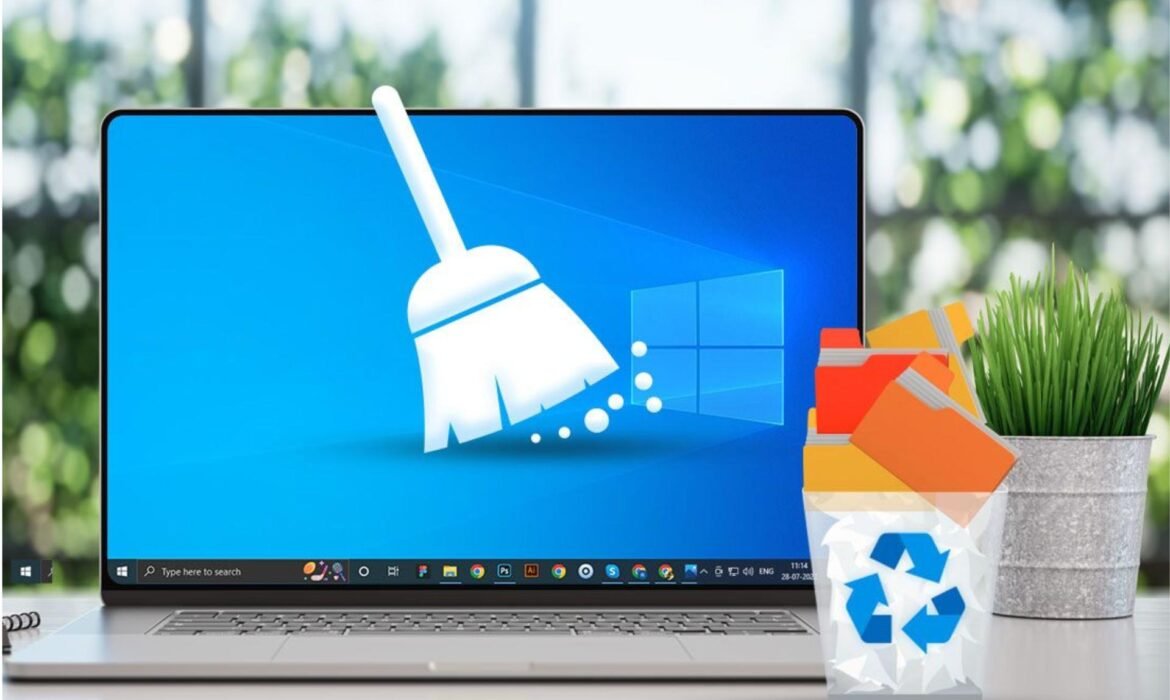
How to Clean System Junk Files Without Using Third-Party Software
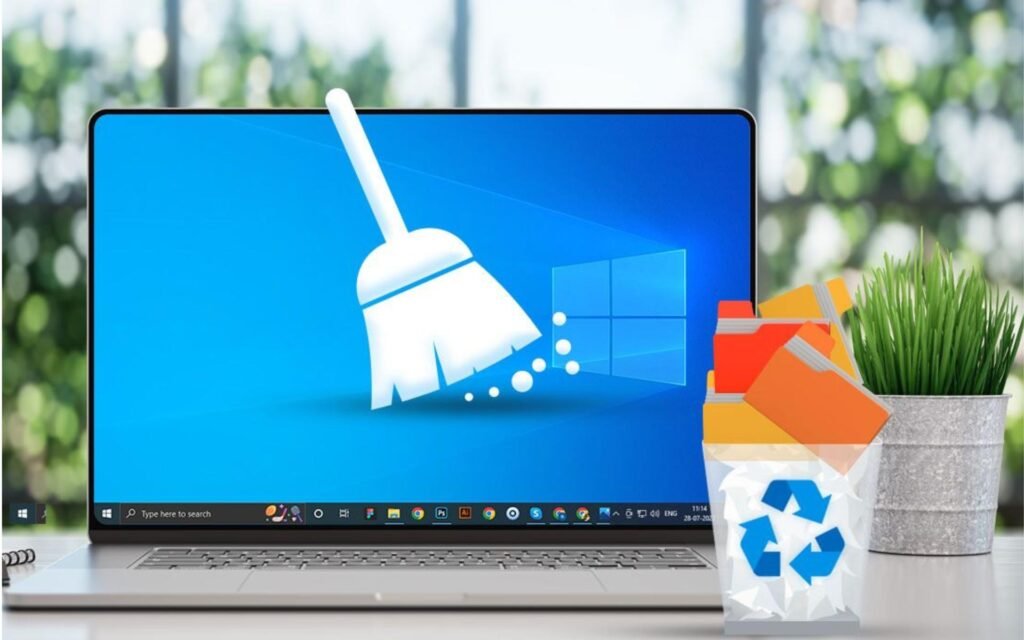
Introduction: Why Cleaning System Junk Files Matters
Every time you browse the internet, install apps, or update your operating system, your computer creates temporary files, caches, and logs. These files serve short-term purposes but accumulate over time, taking up valuable space on your hard drive and slowing down performance.
While many people turn to third-party cleaning tools, not everyone prefers them due to privacy concerns, subscription costs, or potential software conflicts. Fortunately, both Windows and macOS offer built-in tools to safely clean junk files — no additional software needed.
In this detailed guide, we’ll explore step-by-step methods to clean your computer system manually, remove unnecessary files, and improve speed — all without relying on external programs.
Understanding System Junk Files
Before cleaning, it’s important to understand what junk files are. These are unnecessary files that accumulate during regular computer use. Common types include:
- Temporary files: Created during installations or updates.
- System cache: Used for faster access to recent data.
- Log files: Records of system events that grow over time.
- Browser cache: Stores website data for quick loading.
- Old backups: Outdated system restore points or backup copies.
Although individually small, together these files can take up several gigabytes of disk space. Over time, this buildup can lead to slow performance, lag, and even system errors.
Cleaning Junk Files on Windows (Without Third-Party Software)
Windows provides powerful built-in tools to clean up unnecessary files safely. Let’s look at the most effective ones.
1. Use Disk Cleanup Tool
The Disk Cleanup utility is one of Windows’ oldest and most trusted built-in tools for deleting unnecessary files.
Steps to Use Disk Cleanup:
- Press Windows + S and search for Disk Cleanup.
- Select the drive you want to clean (usually C:).
- The tool will scan your system for removable files.
- Check boxes for items like:
- Temporary Internet Files
- System Cache
- Recycle Bin
- Delivery Optimization Files
- Click OK, then Delete Files to confirm.
For deeper cleaning, click Clean up system files to include Windows update leftovers and old restore points.
Result: You can often free several gigabytes of space instantly without affecting system performance.
2. Clear Temporary Files Manually
Windows stores temporary files in specific folders that you can clear manually.
Steps:
- Press Windows + R to open the Run dialog.
- Type
%temp%and press Enter. - Select all files (Ctrl + A) and delete them.
- Repeat the process for the
C:\Windows\Tempfolder.
If some files cannot be deleted, they are likely in use by active programs — skip them.
Tip: This method is completely safe and often frees up hundreds of megabytes of unnecessary clutter.
3. Clear System Restore and Shadow Copies
Windows automatically creates restore points to revert system changes. However, older restore points can occupy several gigabytes of disk space.
Steps:
- Search for System Protection in the Start menu.
- Select your system drive and click Configure.
- Click Delete to remove all previous restore points.
You can then create a new restore point manually to ensure you still have a safety backup.
4. Empty the Recycle Bin
Many users forget to empty the Recycle Bin after deleting files. Files remain there indefinitely until removed.
Steps:
- Right-click the Recycle Bin icon on your desktop.
- Select Empty Recycle Bin.
- Confirm deletion.
This simple step often frees several gigabytes, especially for users handling large video or photo files.
5. Use Storage Sense
Windows 10 and 11 introduced Storage Sense, an automated feature that cleans temporary files and manages storage efficiently.
Steps:
- Open Settings → System → Storage.
- Enable Storage Sense.
- Click Configure Storage Sense or run it now.
- Choose when it should delete temporary files, downloads, and Recycle Bin contents.
Storage Sense ensures your system remains clutter-free without manual intervention.
Cleaning Junk Files on macOS (Without Third-Party Software)
macOS also includes several inbuilt utilities and shortcuts to remove unnecessary files safely. Let’s explore these.
1. Use the Manage Storage Tool
macOS provides a straightforward built-in tool for reviewing and removing large or unused files.
Steps:
- Click the Apple logo in the top-left corner.
- Select About This Mac → Storage → Manage.
- Review recommendations under:
- Store in iCloud
- Optimize Storage
- Empty Trash Automatically
- Reduce Clutter
Click on “Review Files” to manually delete old documents, applications, and downloads.
2. Clear Cache Folders
Cache files improve performance by storing temporary data, but over time they can grow large.
Steps to Clear Cache on macOS:
- Open Finder → Go → Go to Folder.
- Type
~/Library/Cachesand press Enter. - Open each folder and delete unnecessary cache files.
- Repeat the process for
/Library/Caches(requires admin rights).
Be careful not to delete system-critical files. Focus on app-specific cache folders like browsers or media players.
3. Delete Old iOS Backups
If you’ve ever connected your iPhone or iPad, backups may be stored locally and take up huge space.
Steps:
- Go to Finder → Manage Backups (or iTunes → Preferences → Devices on older macOS versions).
- Review backups and delete old or unnecessary ones.
This can reclaim several gigabytes of storage in seconds.
4. Empty the Trash
Just like Windows, files remain in Trash until permanently deleted.
Steps:
- Right-click the Trash icon on your dock.
- Select Empty Trash.
For automatic cleaning, enable Empty Trash Automatically under Storage Management settings.
5. Clear Browser Data
Whether you use Safari, Chrome, or Firefox, cached pages and cookies can slow browsing and take up disk space.
Steps for Safari:
- Open Safari → Preferences → Privacy → Manage Website Data.
- Click Remove All to clear cache and cookies.
Steps for Chrome or Firefox:
- Open Settings → Privacy → Clear Browsing Data.
Cleaning browser data can dramatically improve performance and free valuable space.
Additional Tips for Both Windows and macOS
1. Organize Files and Folders
Move large media files (videos, photos, and backups) to external drives or cloud storage services like Google Drive, OneDrive, or iCloud.
2. Regular Maintenance Schedule
Set a reminder to clean your system every 2–3 weeks to prevent junk buildup.
3. Avoid Random Deletions
Never delete system folders or files unless you’re sure of their purpose. Deleting the wrong file may cause system instability.
4. Monitor Storage Regularly
Keep an eye on disk usage through the built-in Storage Settings. It helps track which categories consume the most space.
Why You Should Avoid Overusing Third-Party Cleaners
While third-party tools claim to clean deeply, they can sometimes:
- Delete critical files or registry entries.
- Install unnecessary software or adware.
- Require paid upgrades for full features.
Manual cleaning using built-in tools is safer, transparent, and completely free. It gives you full control over what’s being removed.
The Benefits of Manual Junk Cleaning
- Improved Performance: Faster boot and application loading times.
- More Storage Space: Frees up gigabytes without touching important files.
- Longer System Lifespan: Prevents overheating and component stress.
- Better Stability: Reduces crashes caused by system clutter.
- Enhanced Privacy: Deletes temporary browser and system traces.
A clean computer runs efficiently, helping you work smarter and faster.
Final Thoughts
You don’t need complex software or expensive subscriptions to keep your computer clean and fast. Both Windows and macOS include powerful built-in tools that can effectively handle system junk.
By using Disk Cleanup, Storage Sense, or Manage Storage, and regularly clearing temporary files, cache, and backups, you can maintain your computer’s performance and extend its lifespan.
If you’re a business professional or IT team looking for ready-to-use, optimized laptops, desktops, or MacBooks, check out Rental Plaza. We provide high-performance IT equipment rentals across India, ensuring top-speed systems for your projects — without clutter or slowdown.
Tips to Build a High-Performance Office Setup on Budget

Introduction: Why a Smart Office Setup Matters More Than Ever
In 2025, the way we work has transformed. Businesses, startups, freelancers, and remote teams need powerful workspaces that boost productivity — but not everyone can invest in premium office infrastructure right away.
The good news is, you don’t need to spend a fortune to build a high-performance office setup. With smart planning, the right equipment, and cost-effective solutions, you can create a workspace that’s efficient, professional, and future-ready.
This blog will guide you step-by-step on how to set up a budget-friendly yet high-performance office, perfect for teams or individuals.
1. Define Your Workspace Needs Before Spending
Before you invest in any device or furniture, clarify what your office actually needs. A developer’s setup will look different from a designer’s or a sales team’s.
Ask yourself:
- How many employees or workstations will you set up?
- What kind of work will be done — design, development, content, customer service, or management?
- Which software or hardware requirements are essential for your team?
This clarity helps avoid unnecessary spending and ensures your investment aligns with your actual needs.
2. Choose the Right Laptop or Desktop for Your Workload
Your computer system is the backbone of your office. For a high-performance setup on a budget, choose systems that offer great value:
- For basic operations like emails, documentation, and calls, mid-range laptops with Intel i5 or Ryzen 5 processors are sufficient.
- For designers and developers, systems with Intel i7/i9 or Ryzen 7/9 and SSD storage provide smooth performance.
- For heavy workloads like 3D rendering or video editing, workstations with dedicated GPUs (NVIDIA RTX or AMD Radeon) are ideal.
Consider refurbished or business-grade laptops with warranty to cut costs while maintaining performance. This is often a smart alternative to buying brand-new high-end devices.
3. Invest in Ergonomic and Space-Efficient Furniture
An often-overlooked part of productivity is comfort. Even the most powerful machine won’t help if your team is uncomfortable.
Choose:
- Ergonomic chairs that support posture and reduce fatigue during long working hours.
- Height-adjustable desks or space-saving workstations to make the office look clean and organized.
- Cable management solutions to reduce clutter and improve focus.
A minimal, organized setup not only saves money but also boosts morale and efficiency.
4. Use Dual Monitors or Large Screens for Better Productivity
For roles like development, design, data analysis, or content creation, dual monitors can be a game-changer.
Two mid-range monitors often cost less than one high-end ultra-wide display and can increase productivity by up to 30%. Employees can multitask effectively without constantly switching between tabs.
If the budget is tight, consider starting with one large screen (24–27 inches) and adding more later as your business grows.
5. Optimize Accessories Instead of Overspending
Accessories enhance the workflow but can become a hidden cost if not planned carefully.
Focus on:
- Mechanical or soft-touch keyboards for long typing sessions.
- Wireless or silent mice for smooth navigation.
- Basic webcams and headsets for meetings and remote communication.
- Docking stations or USB hubs if multiple connections are needed.
Buy accessories in bulk or choose good mid-range brands. Avoid luxury accessories unless absolutely required.
6. Use Cloud Software and Free Productivity Tools
One of the smartest ways to reduce IT costs is by shifting to cloud-based software instead of buying expensive licenses.
- Use Google Workspace or Microsoft 365 for communication and file sharing.
- Project management can be handled through tools like Trello, Asana, or Notion.
- For designers and creators, free tools like Canva, Figma Starter, or DaVinci Resolve can work well in the beginning.
Cloud software also reduces the need for powerful local hardware for every user — helping you save significantly on infrastructure.
7. Focus on Fast Internet and Network Infrastructure
A fast, reliable internet connection is the lifeline of a modern office. Laggy calls, delayed uploads, and slow downloads can ruin productivity.
Invest in:
- A high-speed fiber connection with good upload speeds.
- A stable router with dual-band or mesh Wi-Fi for uninterrupted connectivity.
- Wired connections for workstations that need high bandwidth and low latency.
Even with budget constraints, prioritize a strong network. It’s one of the best investments you can make for your office setup.
8. Plan for Power Backup and Surge Protection
Unexpected power cuts can damage hardware and disrupt work.
- Use UPS (Uninterruptible Power Supply) systems for desktops.
- Invest in surge protectors to safeguard equipment from sudden spikes.
- If possible, have a small inverter backup for critical systems like servers or routers.
This helps protect your investment and keeps your team working smoothly even during outages.
9. Adopt Energy-Efficient Equipment
A high-performance setup doesn’t have to increase your electricity bills.
Look for:
- Energy Star-rated laptops and monitors
- LED lighting instead of traditional bulbs
- Smart power strips and timers to cut energy waste
Over time, energy-efficient choices can save your business a significant amount.
10. Keep Your Setup Minimal and Modular
A budget-friendly high-performance setup should be scalable. Start small, with only what you need, and expand gradually.
Avoid cluttering your space with unnecessary gadgets or oversized furniture. A clean, modular setup makes it easier to upgrade systems, shift teams, or expand operations without major expenses.
11. Leverage IT Equipment Rentals for Flexibility
While this is an informational guide, one of the smartest strategies many businesses use is IT rentals.
Instead of purchasing high-end systems upfront, renting laptops, desktops, or workstations allows businesses to:
- Access the latest hardware at lower costs
- Scale up or down based on project needs
- Avoid depreciation and maintenance hassles
This is particularly useful for startups and growing teams that need flexibility without committing to large capital expenses.
12. Don’t Overlook Security and Data Protection
Building a powerful setup isn’t just about hardware — security matters too.
- Use strong passwords and multi-factor authentication on all devices.
- Install reliable antivirus and firewall software.
- Keep systems updated regularly to avoid vulnerabilities.
- Use encrypted cloud storage for sensitive documents.
Even on a budget, basic cybersecurity measures can protect your business from costly breaches.
13. Set Up a Proper Backup System
Data loss can be disastrous. A solid backup strategy is crucial even for small offices.
- Use external SSDs or NAS systems for local backups.
- Schedule automatic cloud backups for important files.
- Test your recovery process periodically to ensure it works.
Data backups provide peace of mind and protect your operations from unexpected failures.
14. Lighting and Ambience for Productivity
Good lighting can transform your workspace. Natural light is ideal, but if that’s not possible:
- Use LED panels with warm white light.
- Avoid harsh overhead lighting that causes eye strain.
- Consider desk lamps for focused work areas.
A comfortable, well-lit environment boosts energy levels and concentration, even in budget setups.
15. Maintain Your Equipment Regularly
To get the most out of your investment, regular maintenance is essential:
- Clean laptops and desktops to prevent dust build-up.
- Keep software updated and clear unnecessary files.
- Check cables and connections periodically.
- Replace faulty accessories early to avoid bigger issues later.
Preventive care extends the lifespan of your devices and reduces repair costs in the long run.
16. Train Your Team to Use Equipment Smartly
A smart setup is only as effective as the people using it.
- Train employees on basic troubleshooting and best practices.
- Encourage energy-saving habits, like turning off unused equipment.
- Promote organized workspace culture to reduce clutter.
A well-trained team can keep your setup running efficiently without frequent external support.
17. Think Long-Term: Plan for Upgrades
A budget setup doesn’t mean compromising on the future. Choose devices and furniture that allow for easy upgrades.
- Laptops with upgradeable RAM or SSDs
- Modular desks that can expand
- Routers that support future standards
This helps your office grow without needing a complete overhaul.
18. Reuse and Repurpose Where Possible
You don’t always need to buy new. Reusing existing hardware or purchasing refurbished business-grade laptops can be a great way to save costs without sacrificing performance.
For example:
- A used workstation with SSD and upgraded RAM can perform almost like a new one.
- Old monitors can be used as secondary screens.
- Good quality furniture can be sourced at a fraction of the price.
This sustainable approach is both budget-friendly and environmentally conscious.
19. Keep Your Office Setup Flexible for Remote Work
Even if your team works on-site, flexibility is key.
- Choose lightweight laptops for portability.
- Use cloud tools for remote access.
- Set up VPNs for secure remote logins.
A hybrid-friendly setup keeps your team agile and ready for any shift in work trends.
20. Final Touch: Make It Inspiring
An inspiring workspace doesn’t require a big budget.
- Add plants or simple decor to make the space more inviting.
- Use color themes or motivational quotes to create positive vibes.
- Keep the setup organized and clutter-free.
A pleasant environment enhances employee satisfaction and focus — which directly impacts productivity.

